One converter for three scripts
Handle Bangla Bijoy, Hindi Kruti Dev, and Myanmar Zawgyi from the same Legacy Font Converter interface.
Unicode migration tool
Konvertieren Sie Bijoy, Kruti Dev und Zawgyi in Unicode oder zurück in alte Schriftkodierungen in einem Browser-Tool.
Konvertieren Sie Bijoy, Kruti Dev und Zawgyi in Unicode oder zurück in alte Schriftkodierungen in einem Browser-Tool.
Handle Bangla Bijoy, Hindi Kruti Dev, and Myanmar Zawgyi from the same Legacy Font Converter interface.
Convert old font text into Unicode that can be pasted into websites, Google Docs, social media, CMS tools, and modern systems.
Switch back to Bijoy, Kruti Dev, or Zawgyi when a print, DTP, or archive workflow still depends on old font encoding.
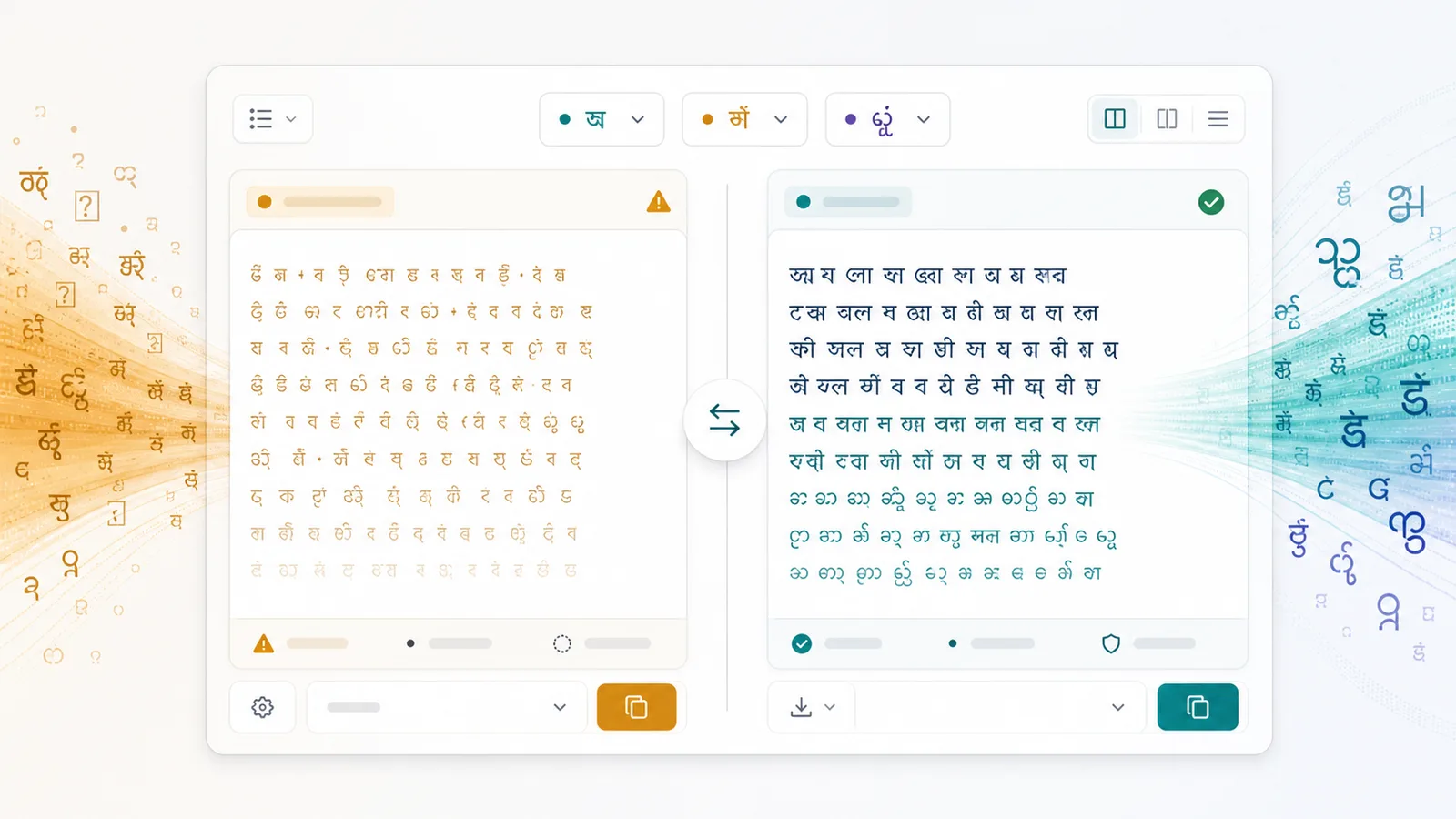
The Legacy Font Converter keeps the shared workflow compact: choose language, choose direction, paste, convert, copy, and review warnings.
Switch between Bangla, Hindi, and Myanmar before choosing the matching legacy font conversion direction.
Use Bijoy to Unicode, Unicode to Bijoy, Kruti Dev to Unicode, Unicode to Kruti Dev, Zawgyi to Unicode, or Unicode to Zawgyi.
Input and output stay side by side with one-click convert, copy, clear, swap, and sample text controls.
Track input length, output length, detected language characters, and preserved mixed characters.
The result area explains partial conversion caused by English, numbers, emoji, special symbols, or mapping limits.
Legacy output reminds users to view text with Bijoy / SutonnyMJ, Kruti Dev, or Zawgyi fonts.
Use Legacy Font Converter as a migration workspace for old font text and Unicode text.
Select Bangla, Hindi, or Myanmar so the Legacy Font Converter shows the correct old font directions.
Open Legacy Font ConverterChoose whether the source is Bijoy, Kruti Dev, Zawgyi, or modern Unicode text.
Choose directionCheck status messages, unconverted character hints, and font warnings before copying to a modern or legacy environment.
Convert textThe Legacy Font Converter is designed for Unicode migration and old-font compatibility in the same page.
Use the shared split editor for Bijoy, Kruti Dev, and Zawgyi instead of opening separate tools for every direction.
Unicode results can go directly into documents, CMS editors, social posts, databases, and other modern systems.
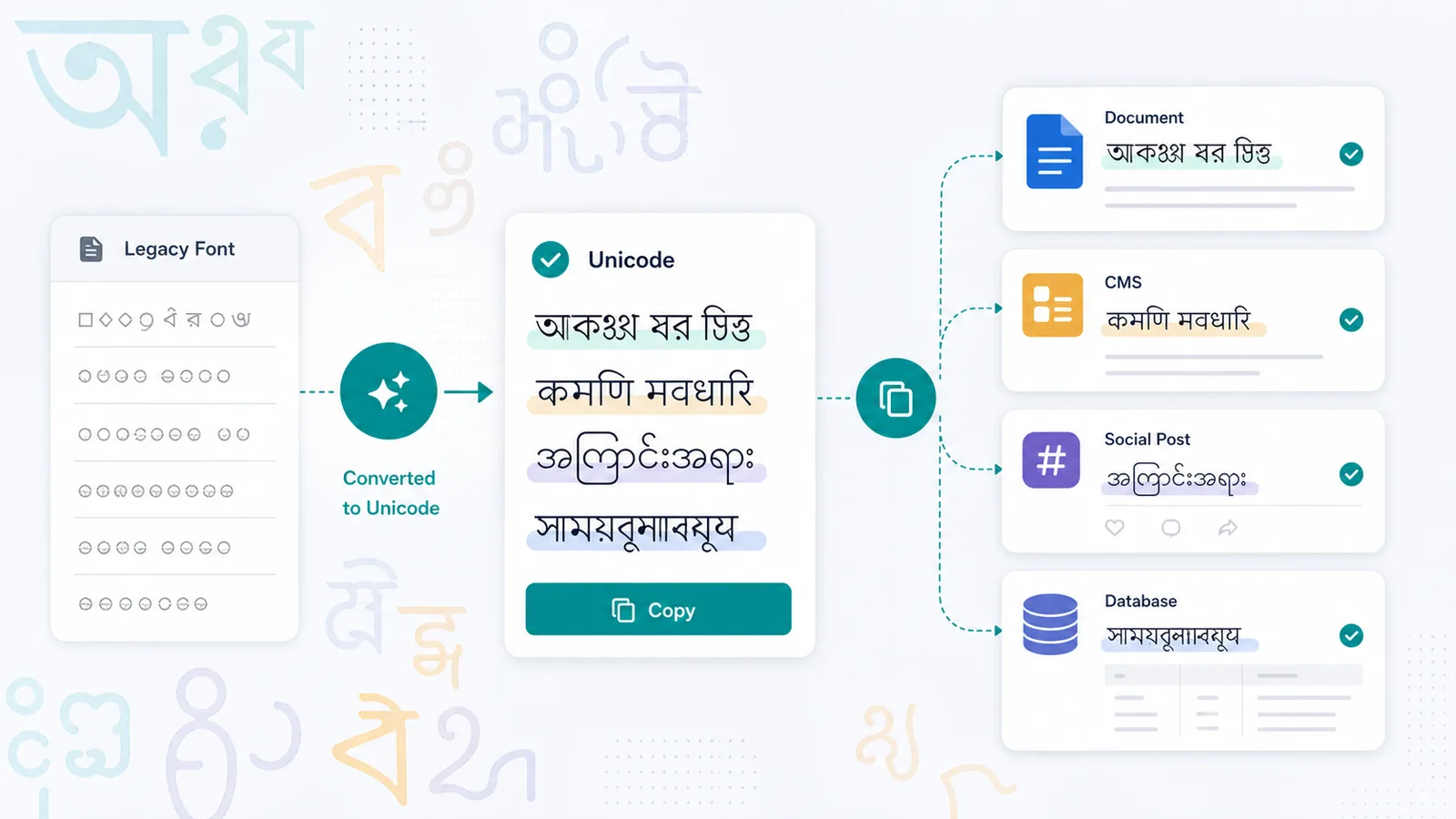
Legacy Font Converter supports teams cleaning archives, preparing print layouts, and moving old encoded content into modern platforms.
Move between old font output and Unicode while checking whether the destination requires Bijoy, Kruti Dev, or Zawgyi.
Convert garbled old font content before importing it into websites, databases, or document systems.
Review mixed-language text, copy Unicode output, and keep English, numbers, and punctuation visible where possible.
Legacy Font Converter output depends on the selected encoding, font version, and script-specific mapping rules.
When converting to Unicode, the result can be used in modern browsers, Google Docs, CMS tools, social media, and databases.
When converting to Bijoy, Kruti Dev, or Zawgyi, apply the matching font before judging whether the visual text is correct.
English, digits, emoji, unusual signs, non-standard glyphs, and font-version differences can remain unchanged.
Common questions about Legacy Font Converter directions, Unicode output, old font output, and partial conversion.
The first version supports Bangla Bijoy to Unicode, Unicode to Bijoy, Hindi Kruti Dev to Unicode, Unicode to Kruti Dev, Myanmar Zawgyi to Unicode, and Unicode to Zawgyi.
Yes. Unicode output can be copied into websites, Google Docs, social media, CMS editors, databases, and modern operating systems.
Bijoy, Kruti Dev, and Zawgyi output must be viewed in the matching legacy font environment. In normal Unicode fonts it may look like random letters or symbols.
English, numbers, emoji, special symbols, font-version differences, non-standard characters, or characters outside the mapping table may be preserved instead of converted.
Konvertieren Sie Bijoy, Kruti Dev und Zawgyi in Unicode oder zurück in alte Schriftkodierungen in einem Browser-Tool.