Too many single-purpose converters
Users often bounce between PDF to JPG, PDF to PNG, JPG to PDF, and PNG to PDF pages. This PDF Image Converter keeps both directions in one place.
미디어 및 변환
PDF 이미지 변환기 converts PDF pages to JPG, PNG, or WebP images, and merges JPG, PNG, and WebP images into one PDF locally in your browser. It includes page ranges, previews, ZIP download, sorting, page size, margins, fit modes, compression quality, progress, and clear error states.
PDF 이미지 변환기 keeps PDF to JPG, PDF to PNG, JPG to PDF, and PNG to PDF in one useful page.
Users often bounce between PDF to JPG, PDF to PNG, JPG to PDF, and PNG to PDF pages. This PDF Image Converter keeps both directions in one place.
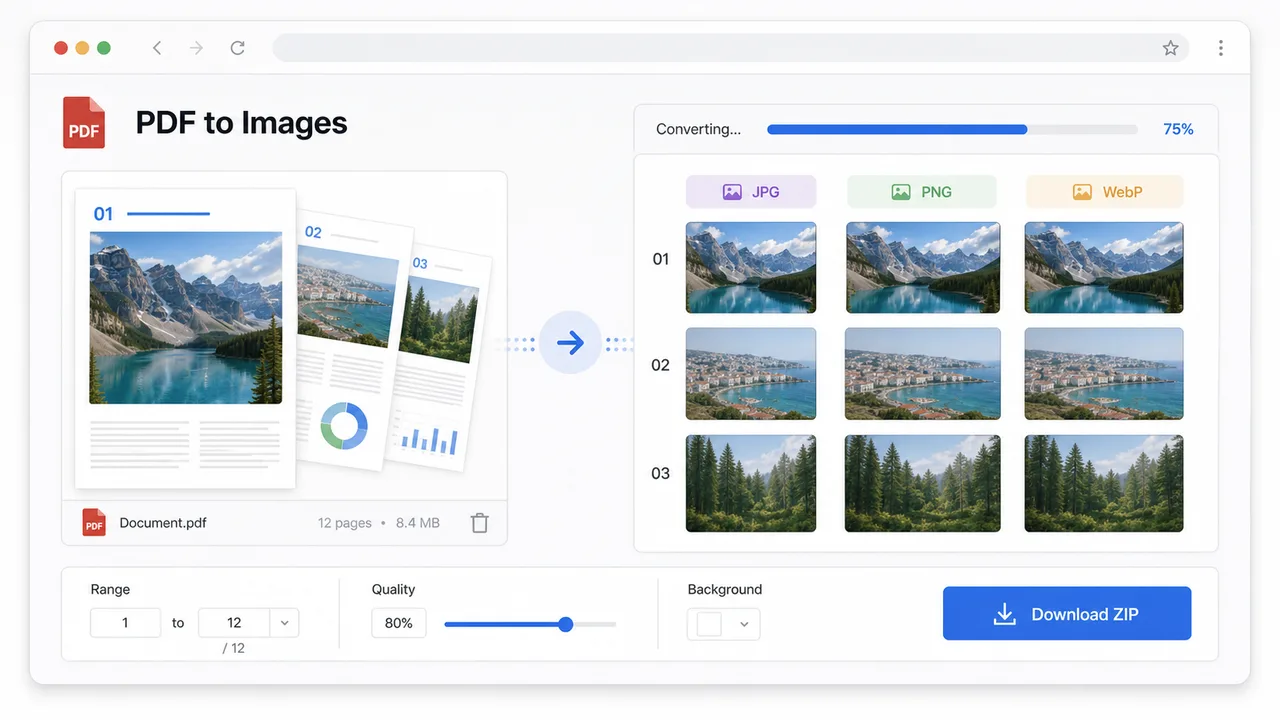
Page ranges, scale, background color, previews, single-page downloads, and ZIP export make PDF Image Converter useful for real document work.
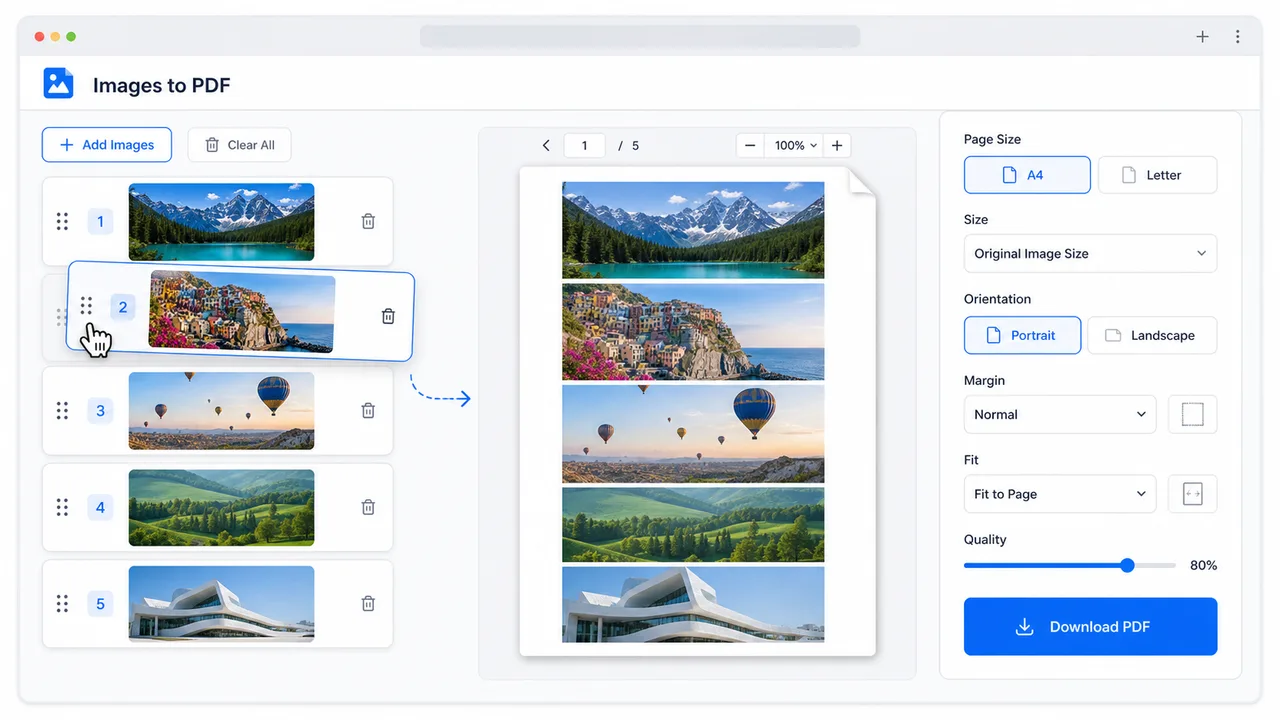
Sorting, page size, orientation, margins, fit mode, and compression quality let PDF Image Converter create a clean final PDF.
PDF 이미지 변환기 includes the controls people need for real PDF and image workflows.
Render selected PDF pages as JPG, PNG, or WebP images with clarity scale, background color, previews, single downloads, and ZIP packaging.
Upload images, drag to reorder them, choose A4, Letter, or original-size pages, and export one PDF with margin and fit controls.
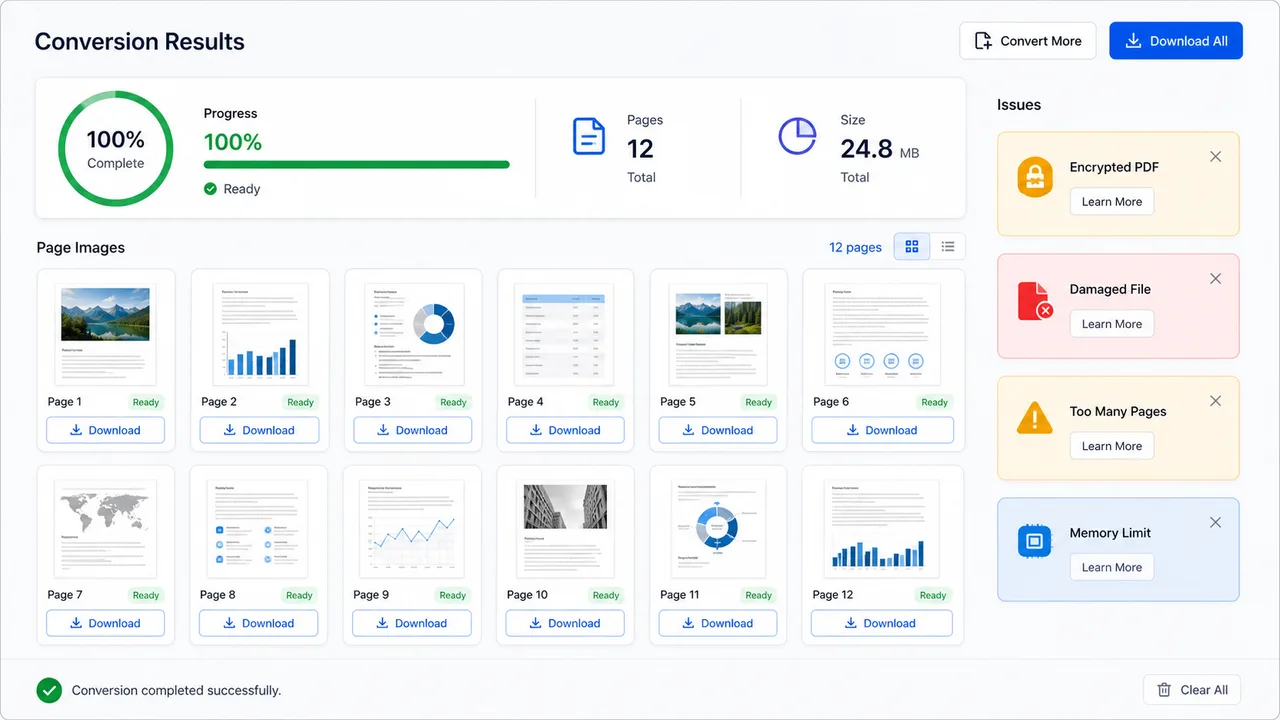
PDF Image Converter shows progress, page count, total size, per-page status, and clear warnings for encrypted PDFs, damaged files, too many pages, or memory limits.
Choose the direction, tune the conversion, then download images or a PDF without sending files to a server.
Open PDF to Images for a document, or Images to PDF for JPG, PNG, and WebP batches.
Open toolPick page range, image format, scale, background, previews, page size, orientation, margins, fit, and compression quality.
Save one page image, download the full ZIP, or download the merged PDF after PDF Image Converter finishes.
PDF Image Converter keeps both document-to-image and image-to-document tasks in one browser workflow.
Use PDF Image Converter to render only the pages you need as JPG, PNG, or WebP, then preview and download each page or a ZIP.
Upload image batches, drag them into the right order, choose page geometry, and create a compact PDF for sharing or printing.
When a PDF is encrypted, damaged, too large, or memory-heavy, PDF Image Converter explains the problem instead of failing silently.
Use PDF Image Converter whenever PDF and image formats need to move in either direction.
Create JPG or PNG previews for contracts, worksheets, reports, resumes, product sheets, and presentation handouts.
Turn PDF pages into image files for systems that accept images, or merge scanned images into one PDF for submission.
Keep sensitive PDFs and images on your device while preparing page previews, ZIP packages, or a merged PDF.
Common questions about local PDF to image and image to PDF conversion.
No. PDF Image Converter processes PDFs and images in your browser. Files are not sent to a server by this tool.
Encrypted PDFs, damaged files, unusual PDF features, very high page counts, or browser memory limits can prevent rendering. The result area shows a specific warning.
Yes. Images to PDF accepts JPG, PNG, and WebP together, lets you sort them, then exports one PDF.