Manual edits miss repeated text
テキスト検索置換 highlights every matching phrase so repeated brand names, old URLs, and formatting issues are easier to review.
無料テキストツール
テキスト検索置換は、貼り付けたテキストから通常文字列または正規表現を検索し、置換前後を確認し、1件ずつまたは一括で置換して結果をコピーできます。
テキスト検索置換 removes repetitive manual edits from copy cleanup, code changes, format corrections, and SEO text processing.
テキスト検索置換 highlights every matching phrase so repeated brand names, old URLs, and formatting issues are easier to review.
Switch between plain text, case-sensitive matching, and regex mode without leaving テキスト検索置換.
Preview before and after text, then replace one match or apply a global テキスト検索置換 update.
Practical controls for plain text matching, regex replacement, counts, previews, and copying results.
Search exact words, phrases, code fragments, punctuation, or formatting markers.
Decide whether Apple and apple should count as the same match.
Use global replace for batch updates or step through matches with previous and next controls.
Use JavaScript regular expression patterns for flexible cleanup and structured edits.
See how many matches exist and how many replacements are included in the current preview.
Copy the final テキスト検索置換 output in one click.
A quick テキスト検索置換 workflow for copy, code snippets, SEO descriptions, and bulk format fixes.
Enter the find value, replacement text, then choose plain text or regex mode, case sensitivity, and global replace.
テキスト検索置換を開くReview the before and after preview, replace one match or all matches, then copy the result.
テキスト検索置換を開くUse テキスト検索置換 for everyday cleanup tasks before publishing, committing, importing, or sharing text.
Replace old brand terms, repeated CTA text, outdated links, and formatting markers in pasted copy.

Use テキスト検索置換 with regex mode to update variable names, classes, labels, and structured fragments.
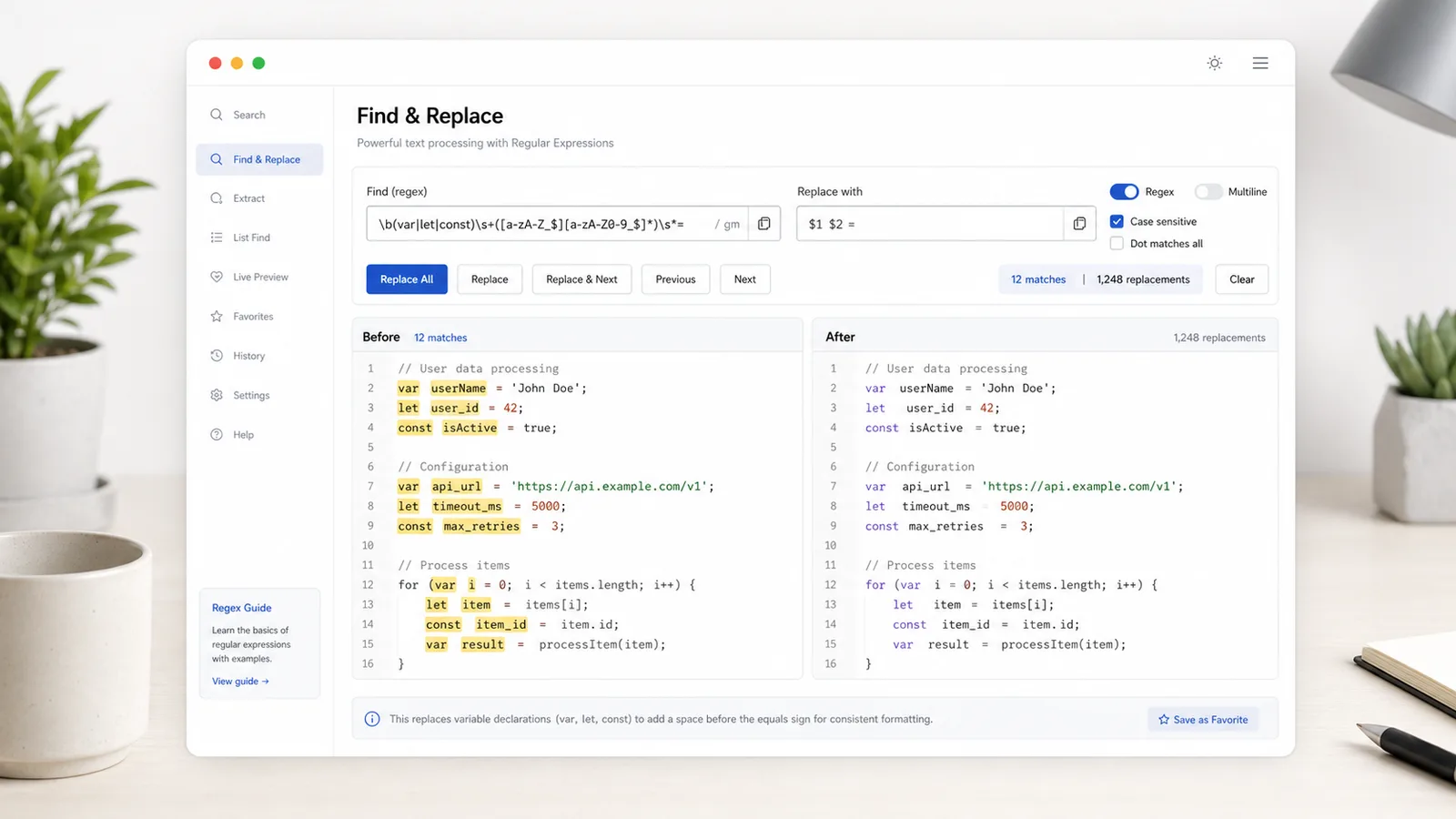
Batch-correct titles, descriptions, keyword notes, and content briefs, then copy the cleaned result.

Built for writers, developers, marketers, SEO editors, and anyone who fixes repeated text.
Update repeated words, phrases, old names, and formatting artifacts before publishing.
Rename small identifiers or adjust repeated snippets without opening a full editor.
Clean title drafts, descriptions, keyword exports, and content outlines.
Understand how テキスト検索置換 handles matching, regex mode, and local processing.
Plain text mode escapes special characters; regex mode treats the find field as a JavaScript pattern.
Disable global replace to preview the selected match and use replace current for careful edits.
テキスト検索置換 runs locally, so pasted content does not need to be uploaded.
Common questions about regex, global replacement, case sensitivity, previews, and privacy.
No. テキスト検索置換 runs in your browser and does not upload pasted text or generated output.
Yes. Turn off global replace, move between matches, and use replace current for one-by-one edits.
Yes. Regex mode supports JavaScript regular expression patterns and common replacement tokens such as $1 and $&.
Yes. Use the copy result button after reviewing the before and after preview.
Open テキスト検索置換 to clean copy, adjust code snippets, batch-fix formatting, and process SEO text in your browser.