Useful details hide in large text
テキスト抽出ツール pulls body text, headings, contacts, links, dates and prices into one result table.
テキスト抽出ツール helps turn bulky documents, web source, notes, emails and logs into structured lists you can review.
テキスト抽出ツール pulls body text, headings, contacts, links, dates and prices into one result table.
テキスト抽出ツール cleans HTML tags, reads Markdown headings and parses EPUB tables of contents when possible.
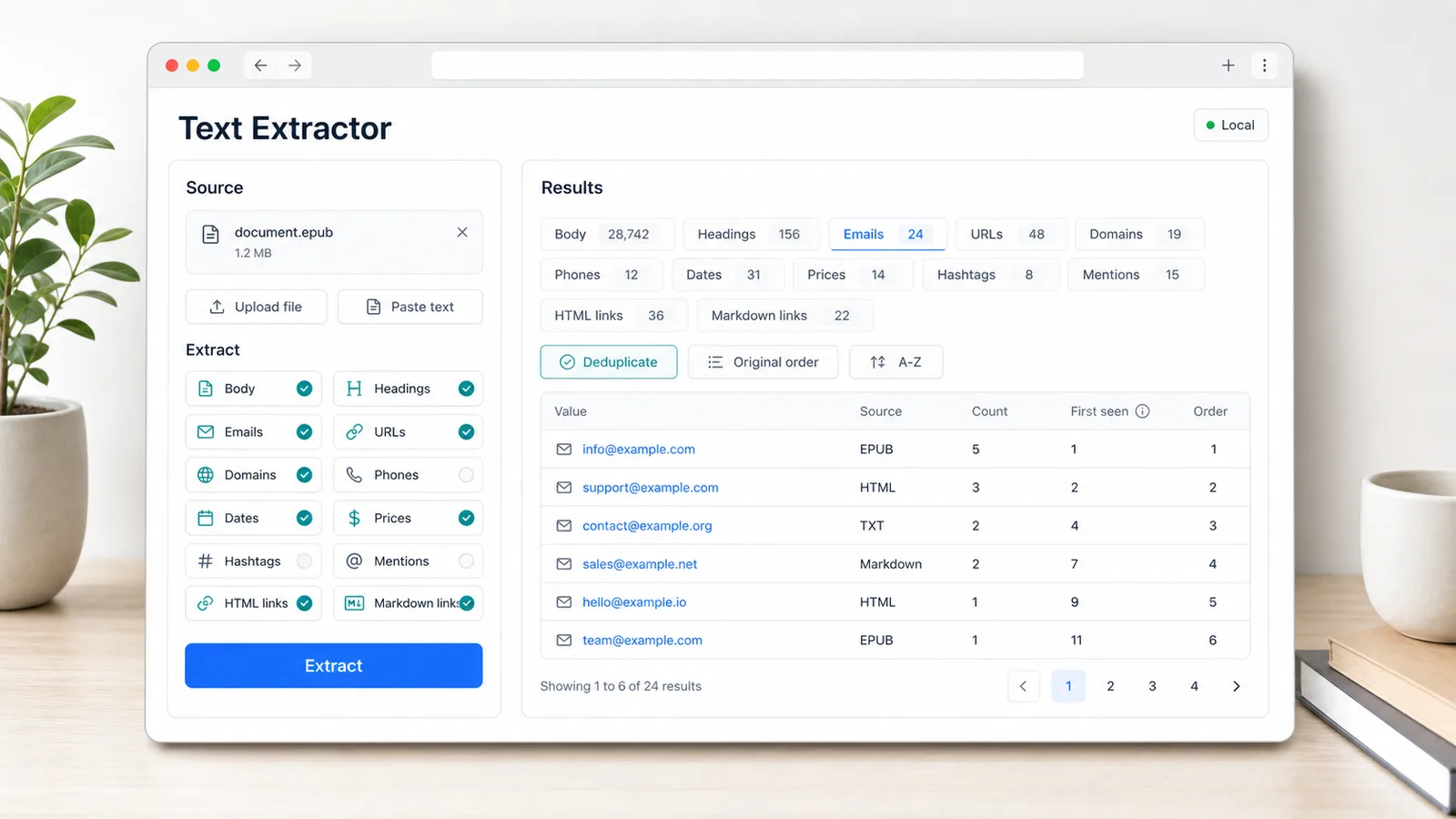
テキスト抽出ツール can merge duplicates and keep first-seen order or sort extracted results A-Z.
テキスト抽出ツール focuses on structured extraction rather than regex testing or line sorting.
Upload EPUB, TXT, HTML and Markdown files or paste long text directly.
Extract body text, chapter titles, EPUB TOC entries and Markdown headings.
Find emails, URLs, domains, phones, dates, prices, hashtags and mentions.
Extract HTML anchor links and Markdown links with readable labels.
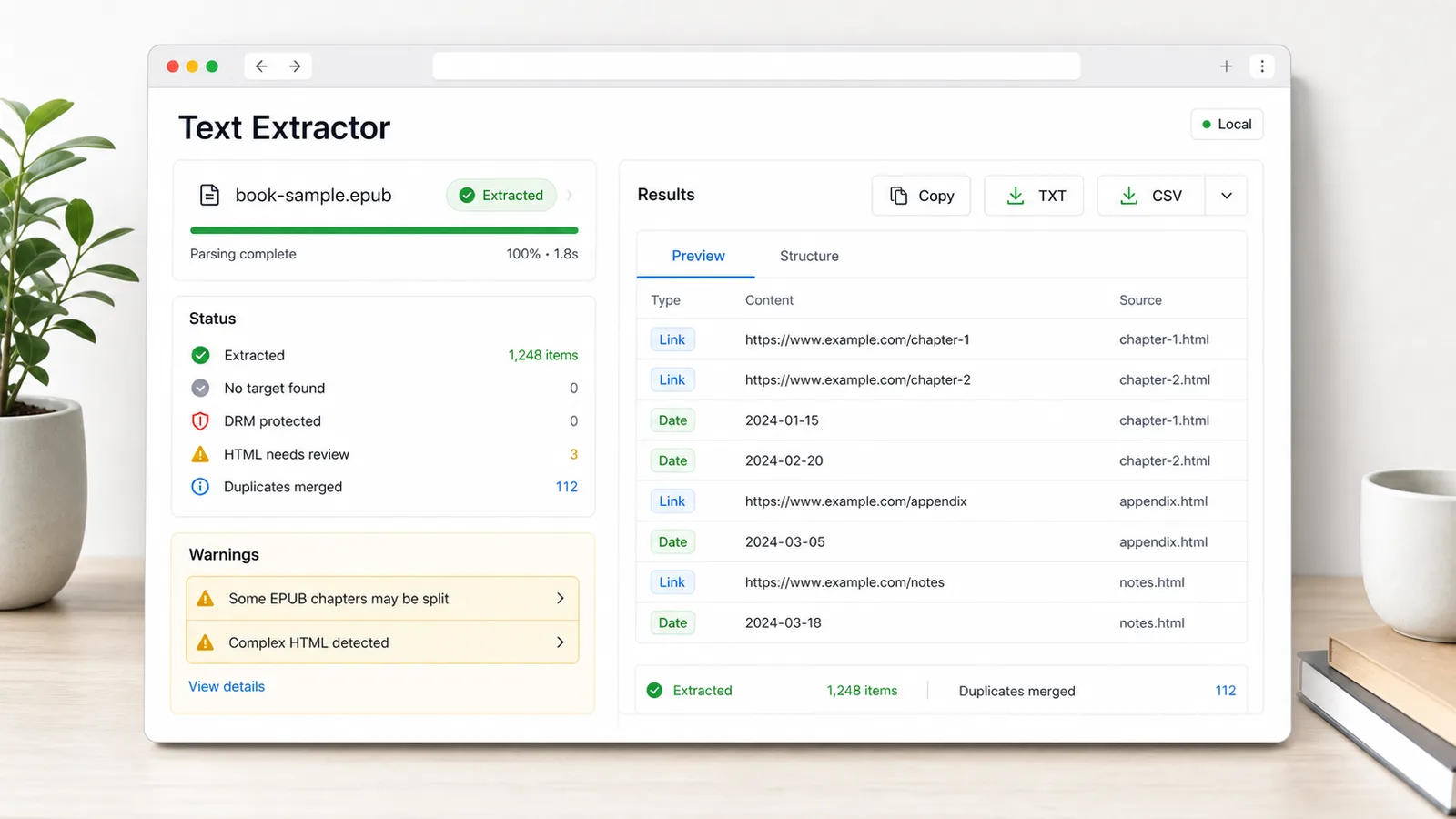
Show success, no target found, DRM protection, incomplete HTML, empty EPUB chapters and cleanup warnings.
Deduplicate, sort by original order or A-Z, then copy or download TXT and CSV results.
テキスト抽出ツール is designed for notes, outreach, operations, SEO and debugging workflows.
テキスト抽出ツール connects file parsing, structured extraction and export in one page.
Start テキスト抽出ツール with EPUB, TXT, HTML, Markdown or pasted research material.
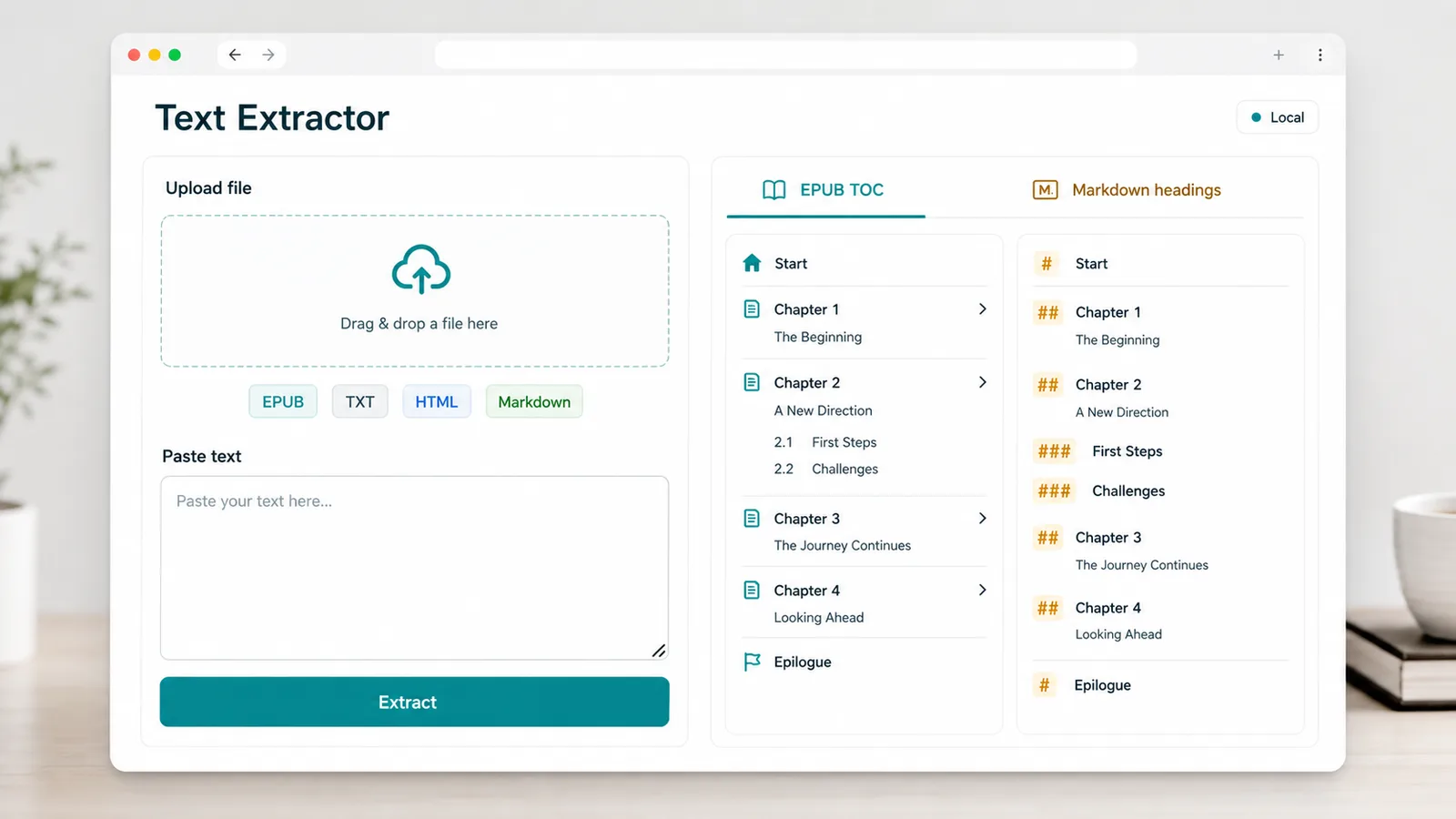
テキスト抽出ツール separates headings, contacts, web links, prices, dates and social tokens.
テキスト抽出ツール flags DRM, complex HTML, empty chapters and merged duplicates before TXT or CSV export.
テキスト抽出ツール supports reading notes, content organization, outreach lists, operations analysis, archiving, debugging and SEO research.
Extract chapter titles, body sections and source links from ebooks and long notes.
Collect emails, URLs, domains, phone numbers, dates, prices and mentions from pasted material.
Review HTML source, Markdown docs, logs and crawl notes without writing a custom regex first.
テキスト抽出ツール complements Regex Tester, Line Tools and Text Cleaner without replacing them.
Use Regex Tester for custom pattern debugging; use this page for preset structured extraction.
Use Line Tools after extraction when you need deeper line-level sorting or list transformations.
DRM-protected EPUB content cannot be read, and complex HTML may need manual checking.
Common questions about テキスト抽出ツール.
テキスト抽出ツール runs in the browser; supported files are parsed locally for this tool workflow.
No. テキスト抽出ツール shows a protected-content warning when an EPUB includes DRM-related encryption metadata.
Scripts, styles, nested layouts and incomplete tags can hide or distort text, so extracted results may need manual review.
テキスト抽出ツール turns ebooks, web source, Markdown, emails, logs and large research text into structured results you can copy or download.