Copied text carries hidden clutter
Text Cleaner removes invisible marks, tabs, repeated spaces, repeated blank lines, HTML tags, and decorative symbols before you paste again.
무료 텍스트 도구
Text Cleaner turns copied text from PDFs, web pages, Word, AI tools, and email into readable plain text with live preview and flexible cleanup options.
Text Cleaner removes the formatting clutter that appears when text moves between documents, browsers, editors, and chat tools.
Text Cleaner removes invisible marks, tabs, repeated spaces, repeated blank lines, HTML tags, and decorative symbols before you paste again.
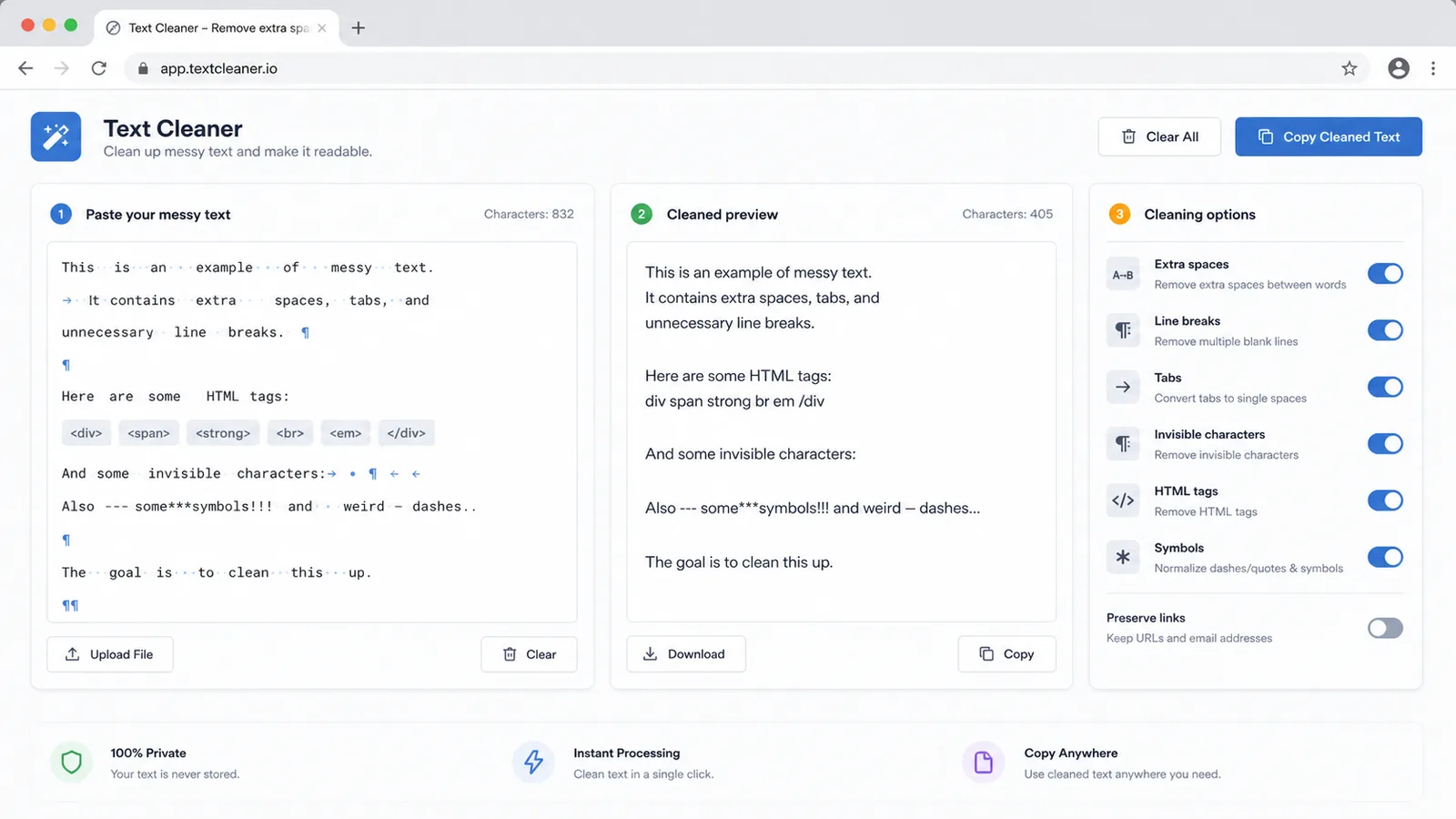
Text Cleaner shows the cleaned preview as you type, so you can combine options and see exactly what changed.
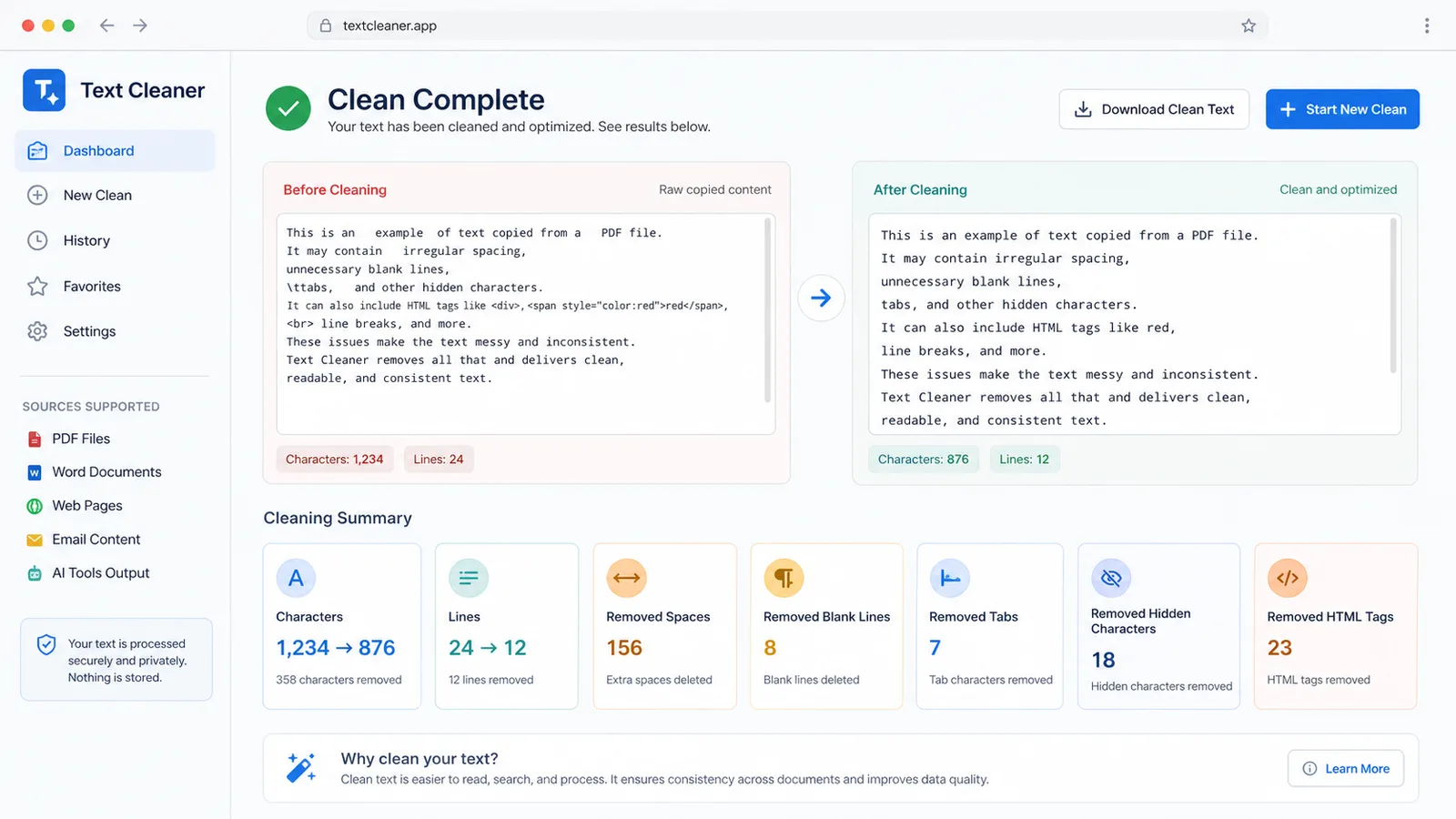
Text Cleaner compares before and after characters, lines, and removed content counts for quick QA.
Text Cleaner gives writers, marketers, developers, students, and support teams practical controls for copied text cleanup.
Turn each Text Cleaner option on or off for spaces, line breaks, tabs, invisible characters, HTML tags, symbols, and line trimming.
Text Cleaner updates the clean preview immediately so you can check paragraphs before copying.
Text Cleaner shows original characters, clean characters, lines, and removed spaces, line breaks, tabs, invisible marks, tags, and symbols.
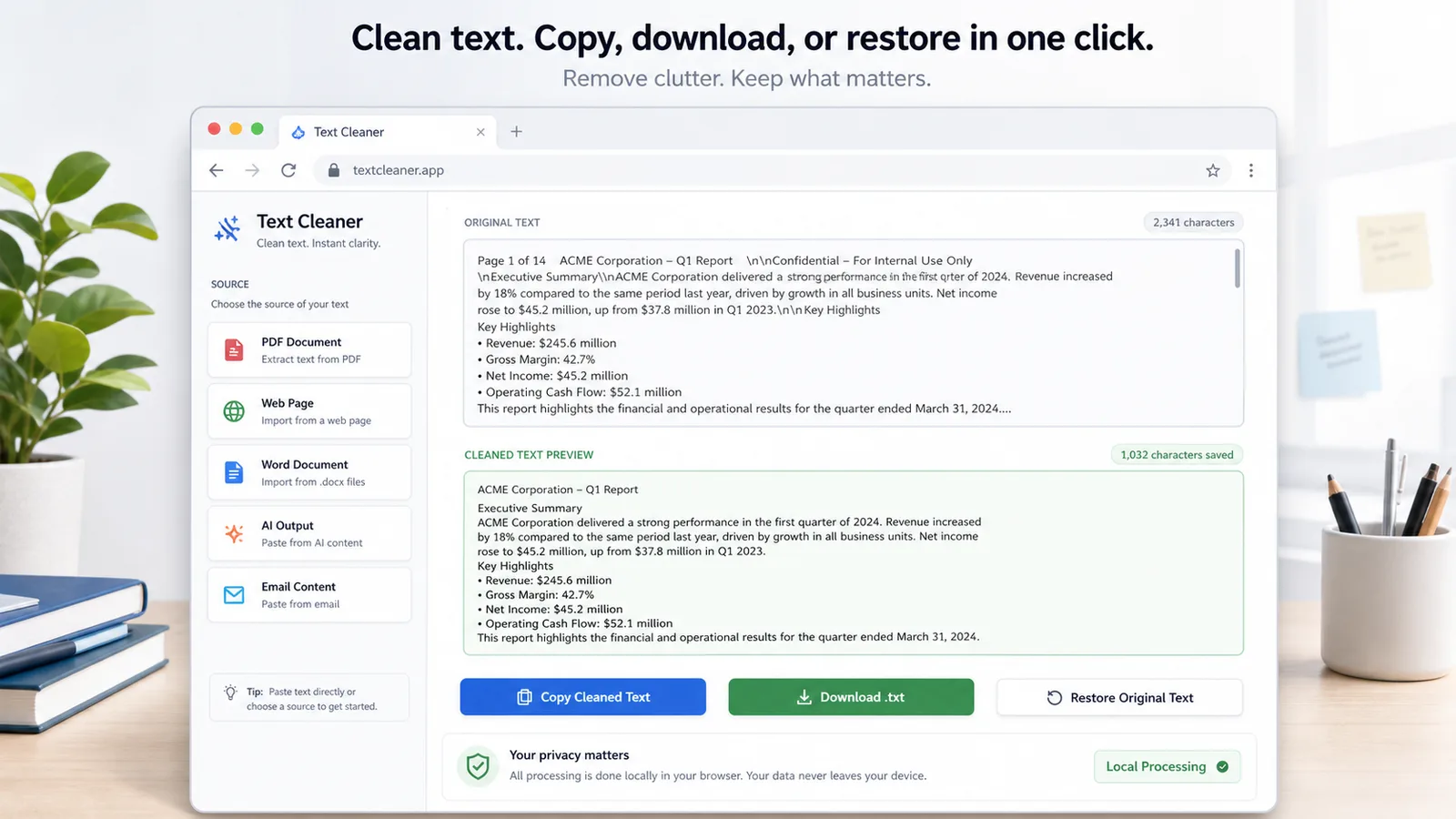
Copy the Text Cleaner result or download a .txt file for editors, CMS fields, tickets, and notes.
Return Text Cleaner to the original pasted text when you want to compare or start again.
Text Cleaner runs locally in the browser, so pasted text does not need to be uploaded.
Use Text Cleaner whenever copied content looks uneven, crowded, or full of hidden formatting.
Paste text copied from a PDF, web page, Word document, AI response, or email into Text Cleaner.
텍스트 클리너 열기Enable the Text Cleaner options you need: spaces, line breaks, tabs, invisible characters, HTML tags, symbols, and trimming.
텍스트 클리너 열기Review Text Cleaner stats, then copy the clean preview, download a .txt file, or restore the original.
텍스트 클리너 열기Text Cleaner supports the everyday cleanup jobs that happen before publishing, importing, replying, or archiving text.
Text Cleaner turns uneven pasted content into readable plain text while preserving useful paragraph structure.
Text Cleaner reports characters, lines, removed spaces, removed tabs, removed hidden characters, removed HTML tags, and removed symbols.
Text Cleaner lets you copy, download, or restore without sending text away from the browser.
Text Cleaner is useful anywhere copied text has extra formatting that needs to become clean plain text.
Use Text Cleaner to remove spacing artifacts, tabs, and repeated blank lines after copying from PDF or Word documents.
Use Text Cleaner to strip HTML tags and hidden formatting from web pages, newsletter drafts, email replies, and CMS fields.
Use Text Cleaner to tidy AI-generated drafts before editing, publishing, ticket replies, or prompt reuse.
Text Cleaner keeps cleanup predictable by separating each transformation into an option you control.
Text Cleaner collapses repeated spaces and long blank-line runs without forcing one rigid format on every paragraph.
Text Cleaner removes pasted markup and hidden Unicode/control characters that can break editors, imports, and search fields.
Text Cleaner can remove decorative symbols and emoji when you need plain text for forms, databases, or formal documents.
Common questions about Text Cleaner options, privacy, copied sources, and export behavior.
No. Text Cleaner processes text locally in your browser and does not need to upload the pasted content.
Yes. Enable the HTML tag option to remove common tags and inline attributes from copied web or CMS text.
Yes. You can freely combine spaces, repeated line breaks, tabs, invisible characters, HTML tags, symbols, and trimming.
Yes. Text Cleaner can copy the cleaned preview or download it as a browser-generated .txt file.
Paste messy text into Text Cleaner, choose the cleanup options, and move clean plain text into your next document, editor, email, or CMS field.