Artwork previews need visible credit
Place readable marks over drafts, line art, avatar commissions, character sheets, and preview images before they leave your device.
Media & Artwork Protection
Upload one image or a batch, add visible watermarks locally in your browser, preview the result, and download protected artwork previews for posting.
Built for creators who need visible credit and clear batch feedback before publishing artwork previews.
Place readable marks over drafts, line art, avatar commissions, character sheets, and preview images before they leave your device.
Use repeated tiling, centered large text, corner labels, colors, spacing, rotation, and optional logo watermark control.
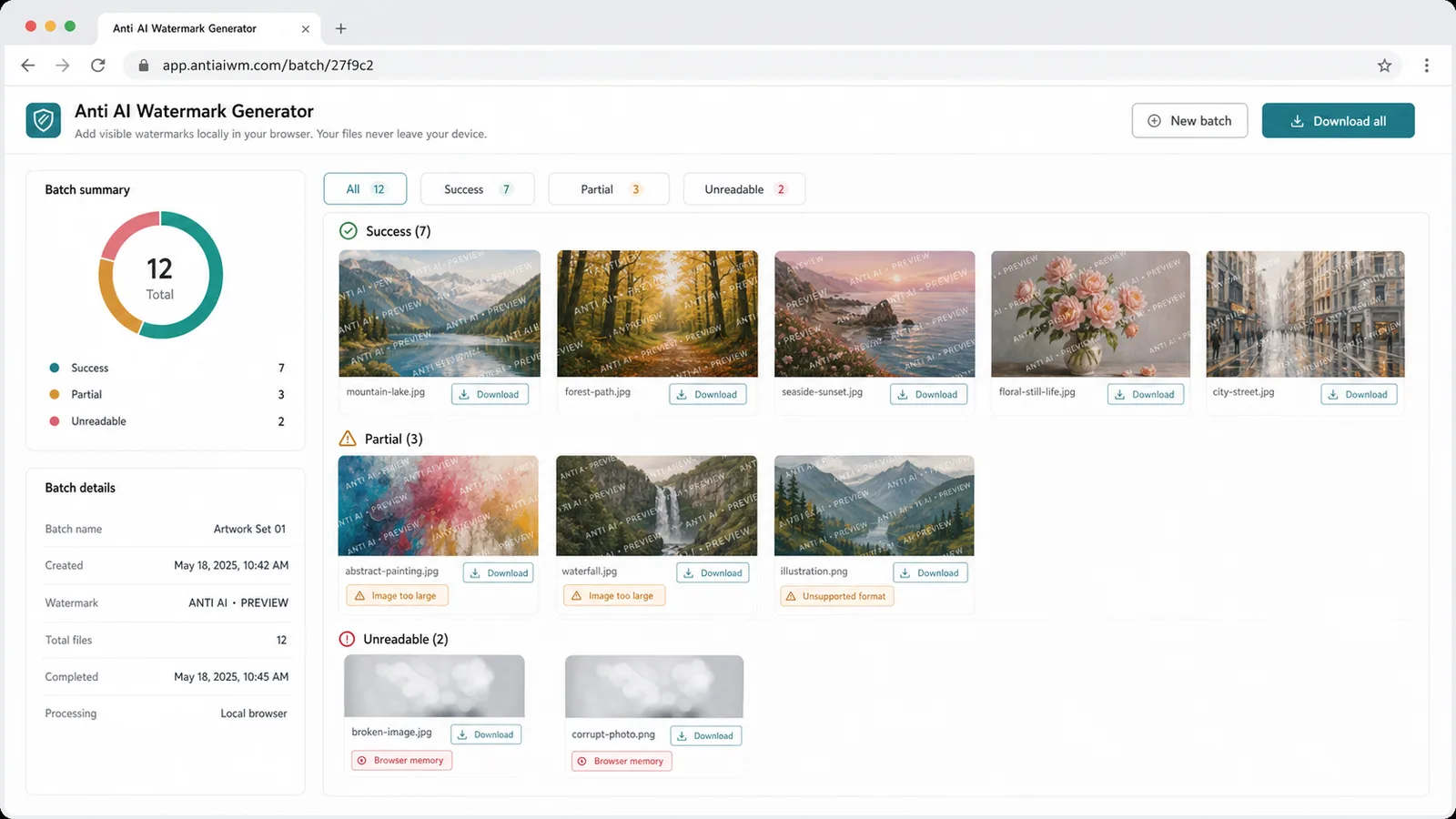
Separate success, partial limits, and unreadable files with specific causes such as large images, unsupported formats, transparent PNG warnings, and memory limits.
A practical visible watermark workflow with local processing and honest limits.
Process PNG, JPG, and WebP files in the browser so artwork previews do not need a server upload.
Tune watermark text, opacity, font size, angle, spacing, color, layout, output format, and logo overlay.
Help with attribution, repost deterrence, and a visible no-AI-training notice without promising complete blocking of scraping or model training.
Use this browser tool for single images or a batch of previews without sending files to a server.
Drop single or multiple images into the tool. Unsupported, oversized, or unreadable files are listed with reasons.
Open toolEnter your notice, adjust opacity, size, rotation, spacing, color, and choose tiled, centered, corner, or logo watermark placement.
Review the live preview, process the batch locally, then download each watermarked image or a ZIP archive.
Keep watermark controls, live preview, and download status in one browser-only workflow.
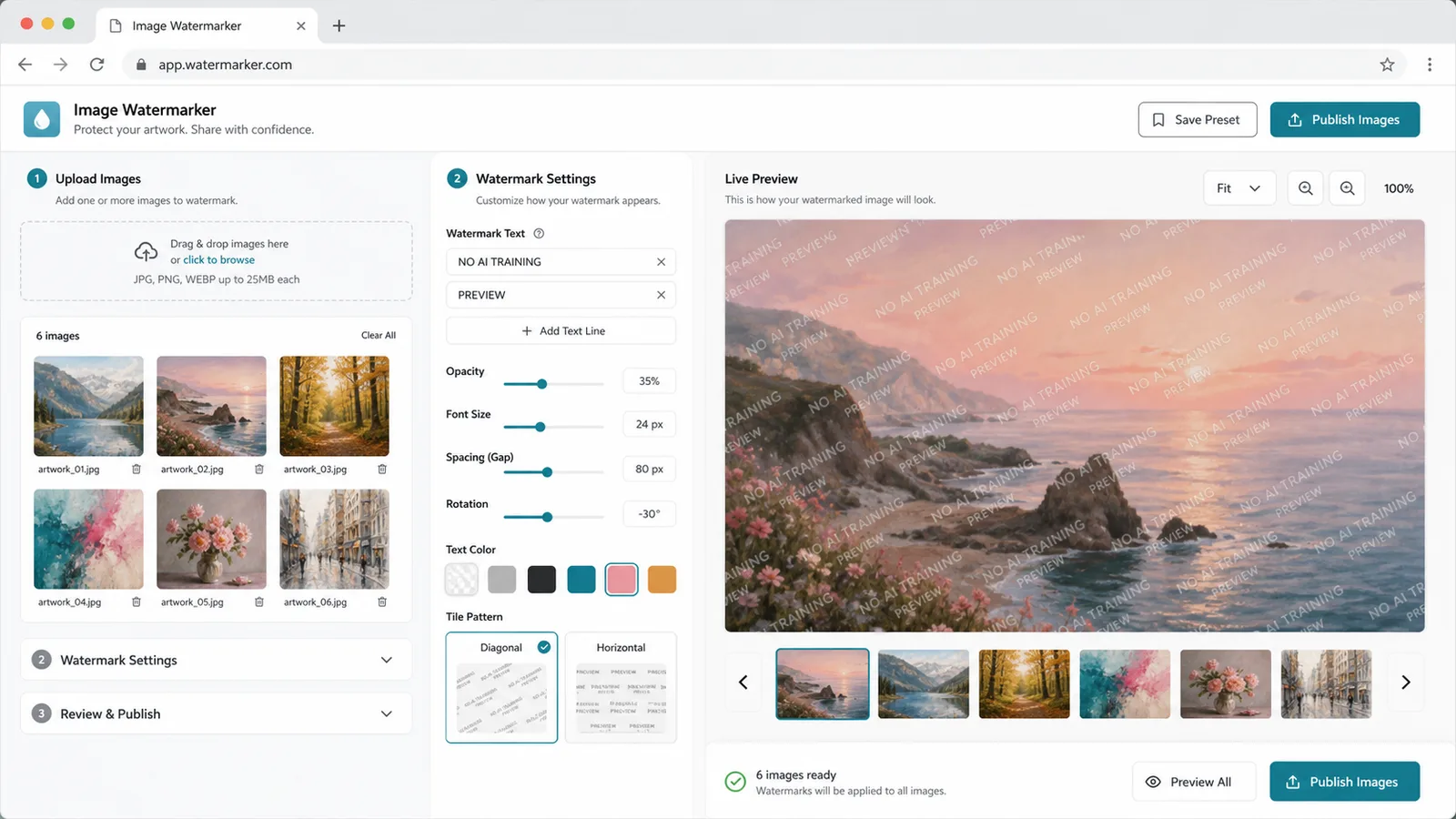
Keep upload, text, opacity, font size, rotation, spacing, color, and real-time preview together so you can tune a visible watermark before export.
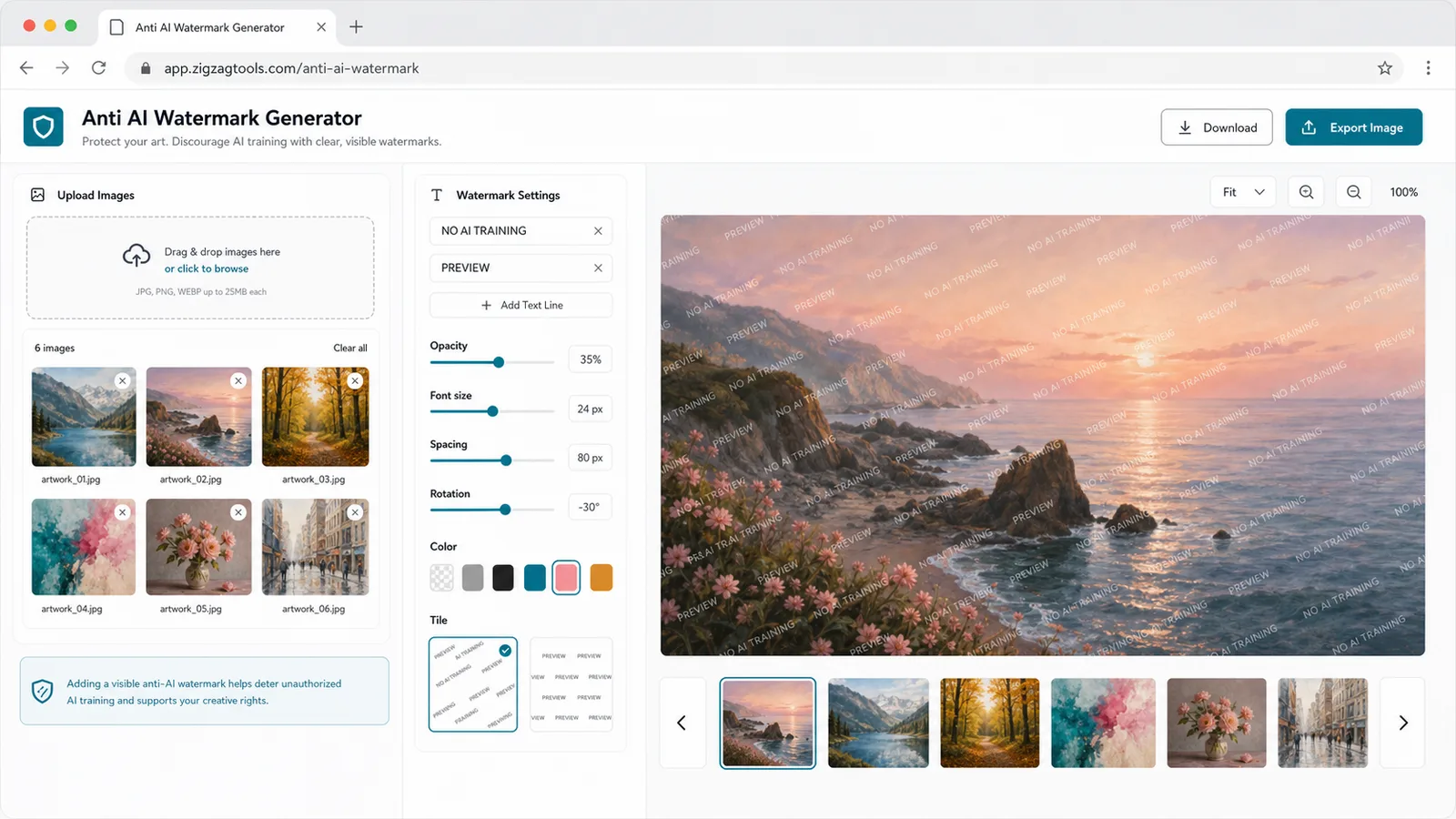
Use repeated tile, centered large text, corner watermark, and optional Logo watermark patterns for different preview styles.
See success, partial warnings, and unreadable images with causes like image too large, unsupported format, transparent PNG handling, too many files, and browser memory.
A fit for artists, fan creators, commission artists, and preview publishers who need visible attribution before sharing.
Prepare sketches, fan art, character designs, and WIP previews before posting.
Mark avatar commissions, line art, and approval drafts before clients or communities review them.
Add attribution and no-AI-training notices to preview-size images before publishing.
Common questions about Anti AI Watermark Generator.
No. It uses browser canvas processing, so images and logo files stay on this device.
No visible watermark tool can promise that. This page adds a visible deterrent, credit, and no-AI-training notice, but it cannot guarantee that scraping or model training is impossible.
The tool reports limits such as very large images, unsupported formats, transparent PNG export warnings, too many files in a batch, unreadable files, and browser memory limits.
Open Anti AI Watermark Generator and prepare visible watermarked previews before publishing artwork.
Visible watermarks help with attribution and deterrence; they are not absolute technical protection.