Show code in a web page
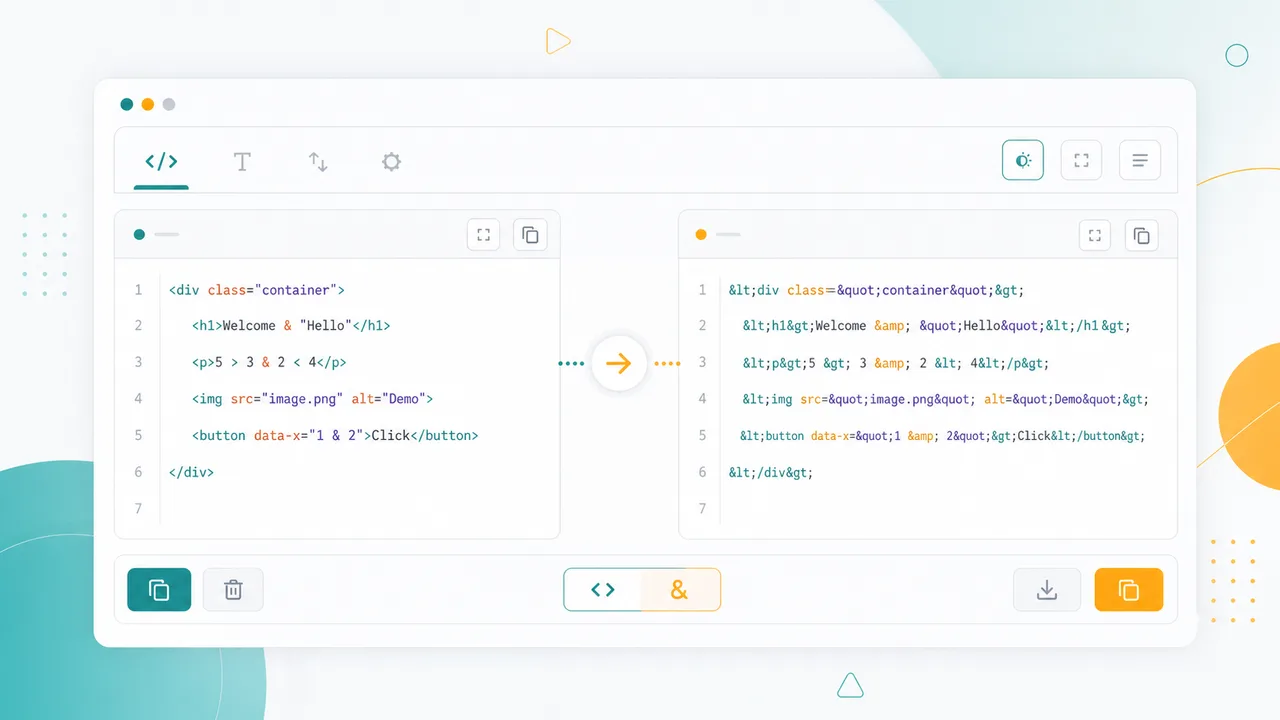
Convert <, >, &, quotes, and other special characters so sample HTML appears as text instead of becoming real markup.
Free Developer Tool
Paste text or HTML code, convert special characters to named, decimal, or hexadecimal entities, then decode entity strings back to readable text locally in your browser.
Use this browser tool when markup, symbols, and copy-pasted snippets need to display safely instead of being interpreted by a browser.
Convert <, >, &, quotes, and other special characters so sample HTML appears as text instead of becoming real markup.
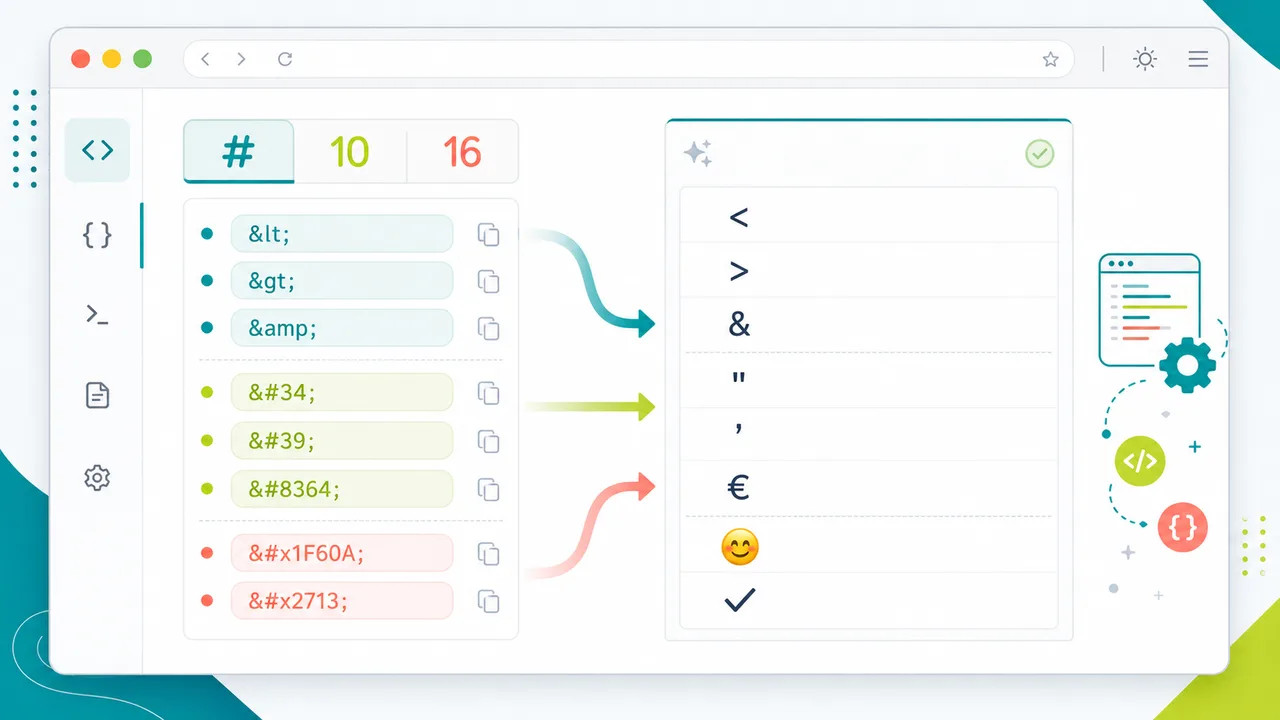
Decode named, decimal, and hexadecimal entities from CMS exports, templates, or copied documentation back to readable characters.
Drafts, code fragments, and client text stay on your device because conversion runs in the browser.
Encode and decode HTML entities with modes that match real frontend, CMS, and documentation workflows.
Turn common characters into readable named entities like <, >, &, ", ©, and .
Convert encoded characters into decimal numeric entities such as < and © for broad HTML compatibility.
Use hexadecimal numeric entities such as < and © when your codebase or reference docs prefer hex notation.
Paste named, decimal, or hexadecimal entities and decode them back to normal text in one step.
Copy the output, swap it back into the input for reverse checks, or download the result as a text file.
The conversion happens locally with browser APIs and Unicode-aware character handling.
Paste, choose direction and mode, then copy safe text.
Add the snippet, blog draft, CMS field, or documentation example that contains characters you need to escape or restore.
Encode turns unsafe display characters into entities. Decode turns entity strings back into normal readable characters.
For encoding, choose the entity style your target page, template, or documentation style guide expects.
Use the output in docs, blog posts, templates, comments, examples, or static pages where HTML must be shown safely.
Practical examples for safe code display, cleanup, and publishing.
Encode code snippets before placing them inside tutorials, docs, comments, markdown, or CMS fields.
Restore strings like &lt;, <, or < to readable characters before editing or reviewing copy.
Process unpublished posts, customer snippets, and internal examples locally without sending text to a server.

Built for people who publish or review HTML-adjacent text every day.
Escape component examples, template fragments, and documentation snippets before rendering them in a page.
Prevent pasted HTML from being interpreted when an article needs to show the code literally.
Decode entity-heavy exported content, compare it with source copy, then re-encode the final version.
Answers about named entities, decimal entities, hexadecimal entities, decoding, privacy, and safe display.
It converts special characters such as <, >, &, quotes, and optional non-ASCII characters into HTML entities, and decodes named, decimal, or hexadecimal entities back to normal text.
Named entities are easier for humans to read in source code. They are best for common characters like <, >, &, ", ©, and .
Use decimal or hexadecimal entities when you want numeric output, need to encode characters that do not have a convenient named entity, or need a consistent style across many symbols.
No. The conversion runs in your browser. The tool does not need a server request to encode or decode your pasted text.
Paste HTML or plain text, choose named, decimal, or hexadecimal mode, and copy safe entity output in seconds.
Free forever - browser-only HTML entity tool.