Hidden Unicode paste bugs
Hidden Unicode can make copied text look normal while search, code, AI output, or social formatting breaks.
Free Developer Tool
Paste text to mark invisible characters as labels, list position, Unicode code, and name, then remove common hidden characters in one click.
Hidden Unicode can make copied text look normal while search, code, AI output, or social formatting breaks.
Hidden Unicode can make copied text look normal while search, code, AI output, or social formatting breaks.
Focused Unicode inspection and cleanup for practical paste debugging.
Helpful for developers, editors, AI users, social media managers, and localization teams.
Focused Unicode inspection and cleanup for practical paste debugging.
Paste text to mark invisible characters as labels, list position, Unicode code, and name, then remove common hidden characters in one click.
Choose which hidden characters to remove, then copy the cleaned result or apply it back to the input.
Review each position, Unicode code, and name before cleaning the text.
It reveals zero-width spaces, zero-width joiners, NBSP, BOM, direction marks, variation selectors, and other hidden Unicode characters locally.
Hidden Unicode can make copied text look normal while search, code, AI output, or social formatting breaks.
Paste suspicious text, reveal invisible Unicode characters, remove common hidden characters, and copy a clean result in seconds.
Paste, reveal, review, clean, and copy without uploading your text.
Paste text that may contain hidden Unicode characters...
Paste text to mark invisible characters as labels, list position, Unicode code, and name, then remove common hidden characters in one click.
Review each position, Unicode code, and name before cleaning the text.
Choose which hidden characters to remove, then copy the cleaned result or apply it back to the input.
Use the detector when text looks ordinary but behaves strangely.
Paste text to mark invisible characters as labels, list position, Unicode code, and name, then remove common hidden characters in one click.
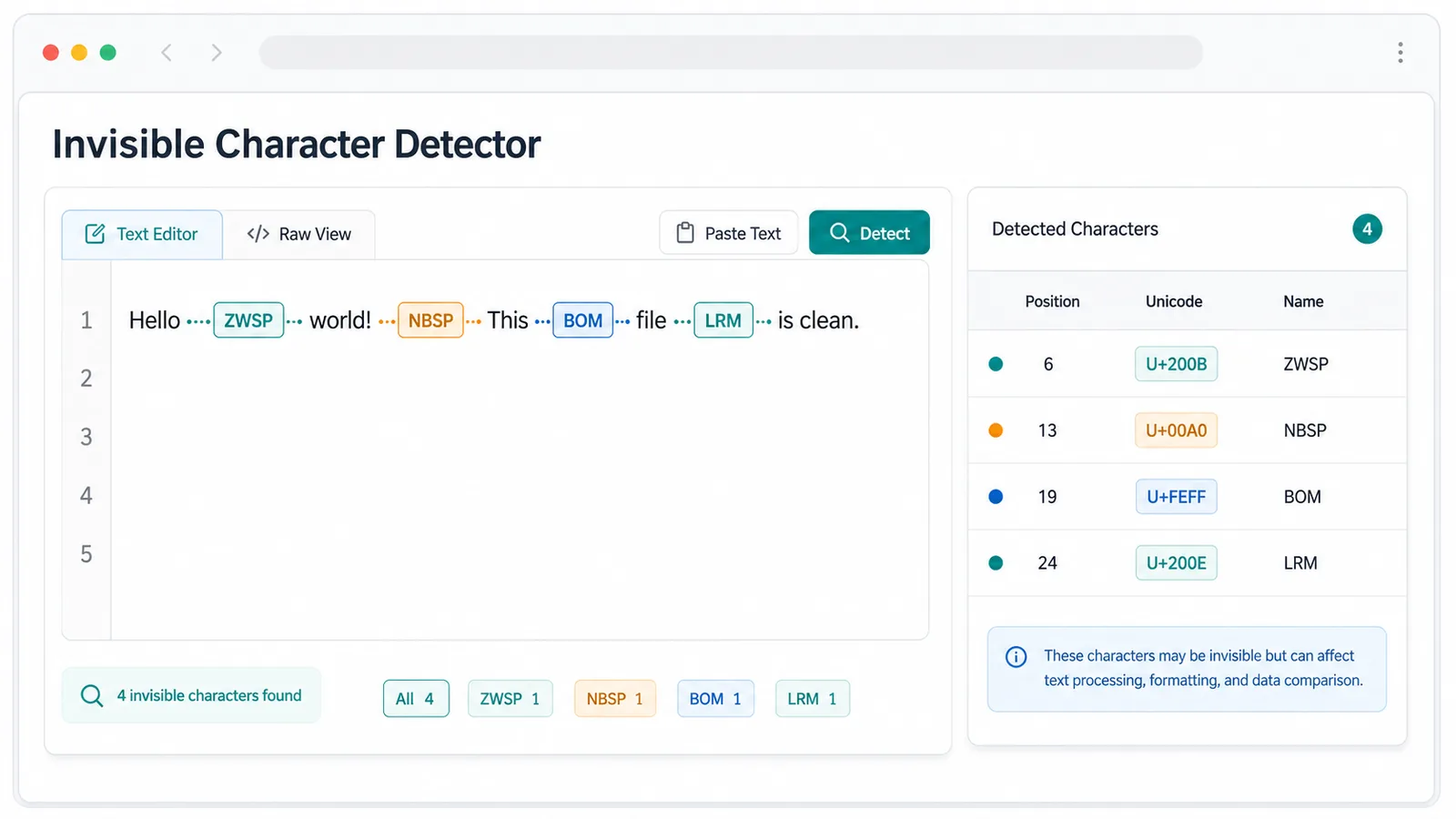
Choose which hidden characters to remove, then copy the cleaned result or apply it back to the input.
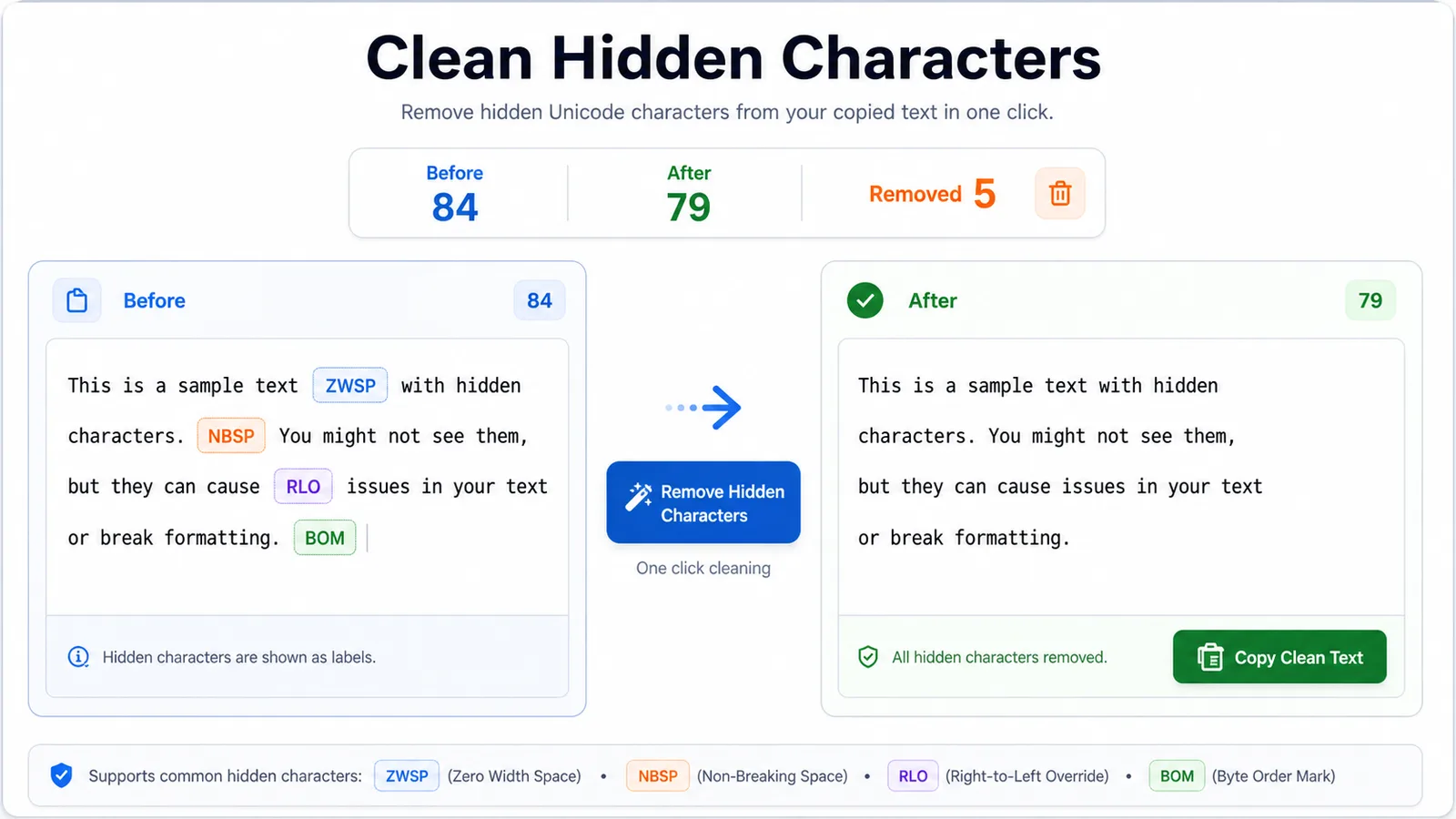
Helpful for developers, editors, AI users, social media managers, and localization teams.
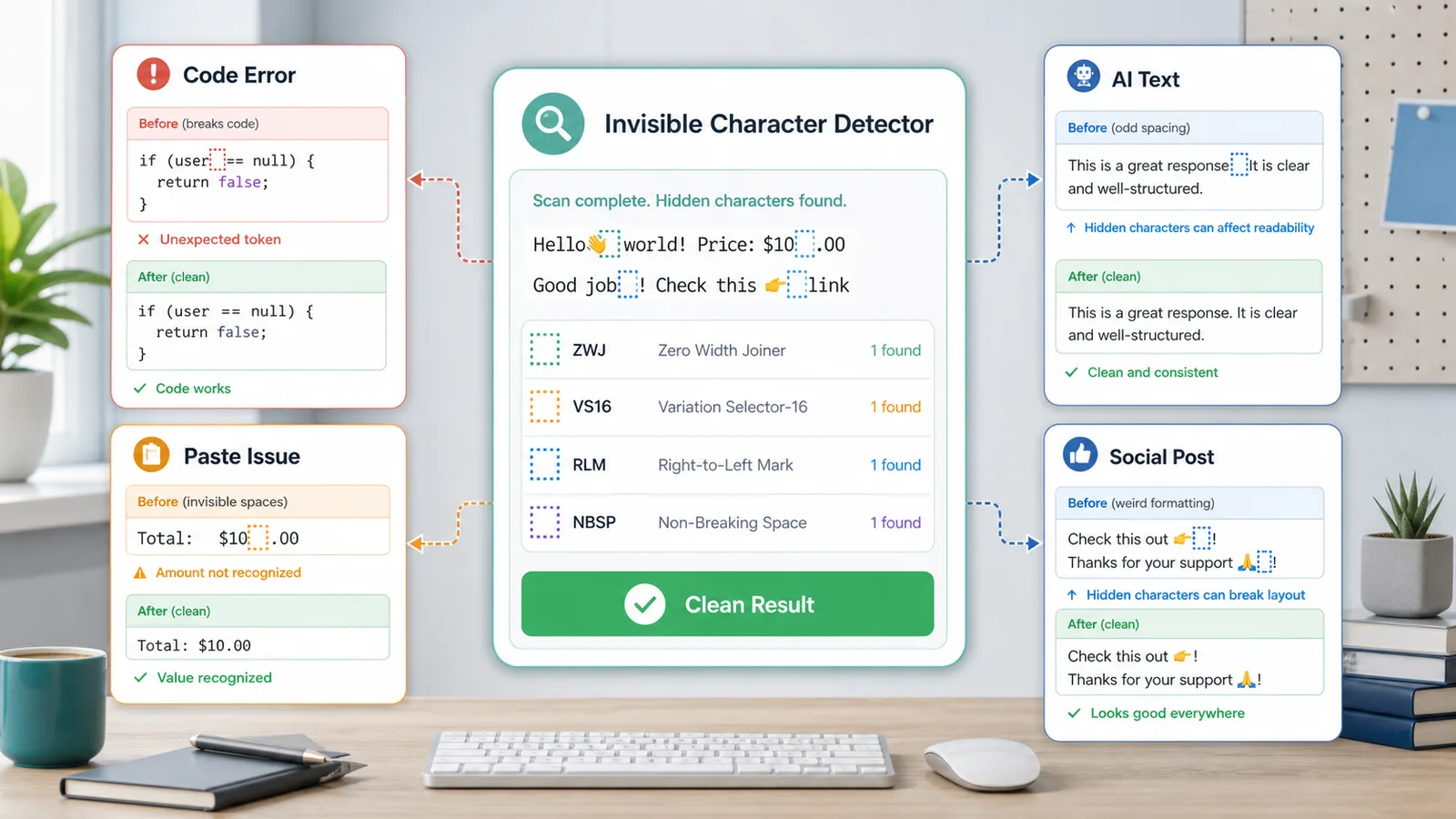
Helpful for developers, editors, AI users, social media managers, and localization teams.
Hidden Unicode can make copied text look normal while search, code, AI output, or social formatting breaks.
Paste suspicious text, reveal invisible Unicode characters, remove common hidden characters, and copy a clean result in seconds.
Focused Unicode inspection and cleanup for practical paste debugging.
Common questions about hidden Unicode, cleanup, and privacy.
It reveals zero-width spaces, zero-width joiners, NBSP, BOM, direction marks, variation selectors, and other hidden Unicode characters locally.
Choose which hidden characters to remove, then copy the cleaned result or apply it back to the input.
Free, browser-only hidden Unicode detection.
Review each position, Unicode code, and name before cleaning the text.
Paste suspicious text, reveal invisible Unicode characters, remove common hidden characters, and copy a clean result in seconds.
Free, browser-only hidden Unicode detection.