One image needs many ratios
画像トリミングツール helps turn the same source image into square, landscape, portrait, thumbnail, story, and cover crops.
メディア変換
Upload an image, drag the crop box, choose free crop or presets like 1:1, 4:3, 16:9, YouTube thumbnail, Instagram story, and Facebook cover, then export PNG, JPG, or WebP locally.
画像トリミングツール removes the back-and-forth between design apps when you only need a clean crop for a page, post, or cover.
画像トリミングツール helps turn the same source image into square, landscape, portrait, thumbnail, story, and cover crops.
画像トリミングツール lets you drag the crop box, zoom the image, and rotate the source before export.
画像トリミングツール works in the browser, so personal photos and draft assets do not need to leave your device.
画像トリミングツール combines presets, rotation, zoom, preview, and export in a browser-only workflow.
画像トリミングツール supports free crop plus 1:1, 4:3, 16:9, 9:16, 3:2, YouTube, Instagram, and Facebook cover presets.
画像トリミングツール includes an interactive crop box, zoom slider, and rotation slider for fast composition changes.
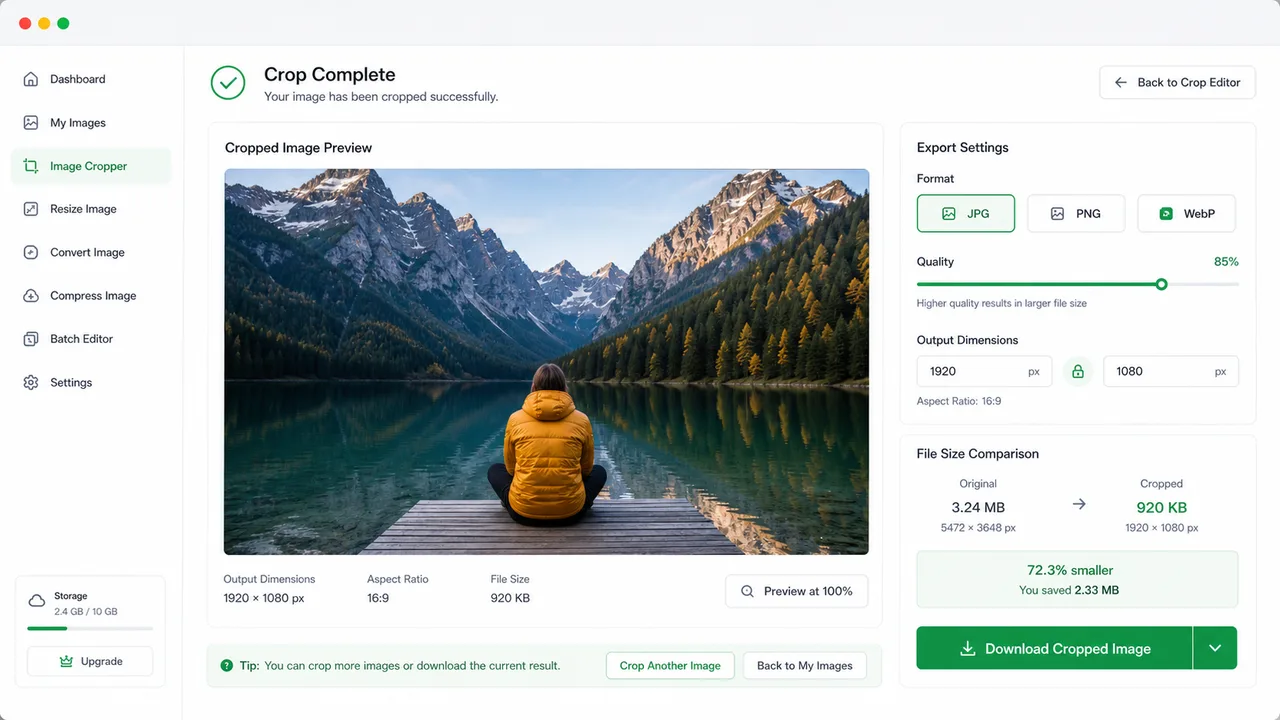
画像トリミングツール previews the cropped image and downloads it in the output format you choose.
Use 画像トリミングツール to line up a composition, apply a platform ratio, and download the final crop.
Pick free crop or a fixed ratio, then drag the crop box, resize it with the width and height fields, zoom, and rotate.
Choose PNG, JPG, or WebP, export the crop, inspect the preview, and download the final image.
画像トリミングツールは自由トリミング、固定比率、構図調整、プレビュー、保存を一画面で行えます。
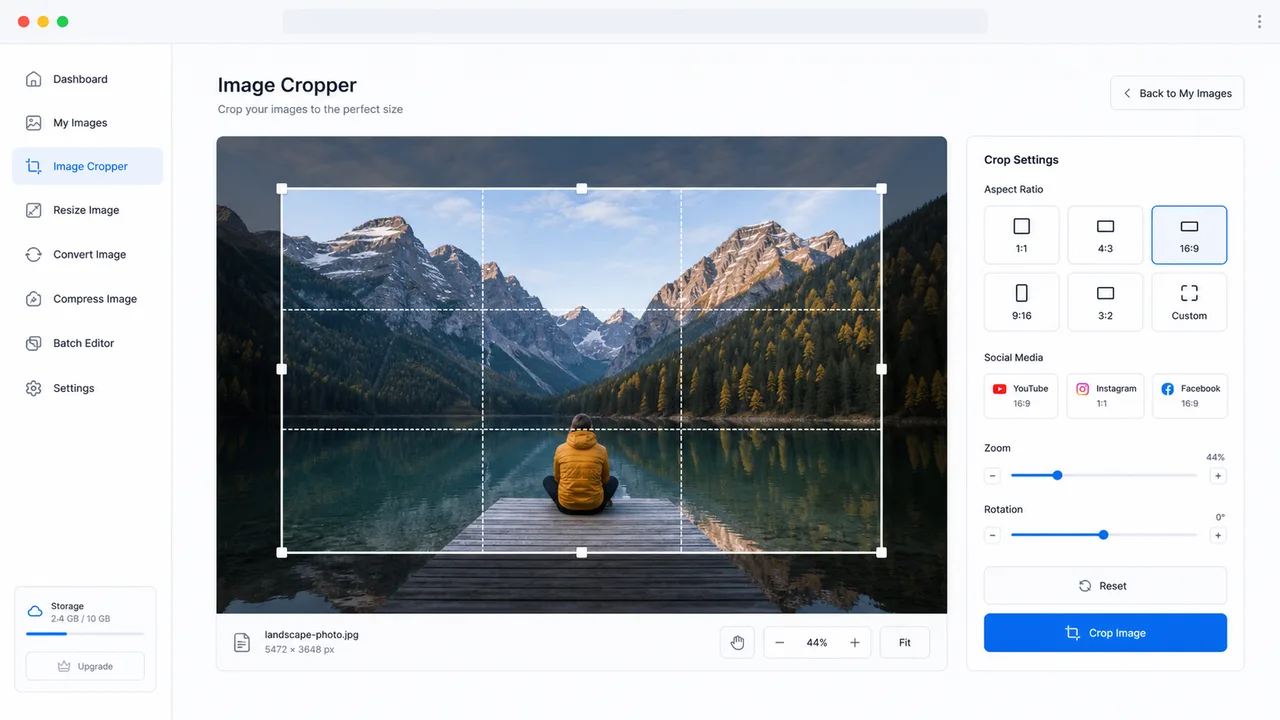
画像トリミングツール トリミング結果をプレビューし、PNG、JPG、WebP で書き出し、出力寸法とファイルサイズを確認して保存できます。
画像トリミングツール is useful for creators, marketers, developers, and anyone preparing visual assets.
Make square profile images while keeping the subject centered.
Prepare YouTube thumbnails, Instagram stories, Instagram squares, and Facebook covers.
Crop article images, cards, banners, and product photos before publishing.
Common questions about 画像トリミングツール.
No. 画像トリミングツール renders and exports the crop locally with browser canvas APIs.
Yes. The ratio presets include YouTube thumbnail, Instagram square, Instagram story, and Facebook cover.
You can export PNG, JPG, or WebP. JPG and WebP include a quality slider for smaller files.
Open 画像トリミングツール and export a clean platform-ready crop.