Messy JSON from logs
API logs and copied payloads often arrive on one line. Turn dense text into readable nested structure.
Free Developer Tool
Paste messy JSON, pretty-print it with readable indentation, compress it into one line, see syntax error location with repair suggestions, and keep data in your browser.
A browser formatter is fastest when it catches real editing mistakes and keeps private payloads local.
API logs and copied payloads often arrive on one line. Turn dense text into readable nested structure.
A missing comma, quote, or brace can block a request. Validate JSON and see error location, reason, and repair guidance.
Tokens, internal IDs, and draft API responses should not be uploaded just to format JSON. Processing runs in your browser.
Format, minify, validate, inspect size, copy both JSON outputs, and download a .json file without switching tools.
Choose 2 spaces, 4 spaces, or tabs so the output matches your codebase and review style.
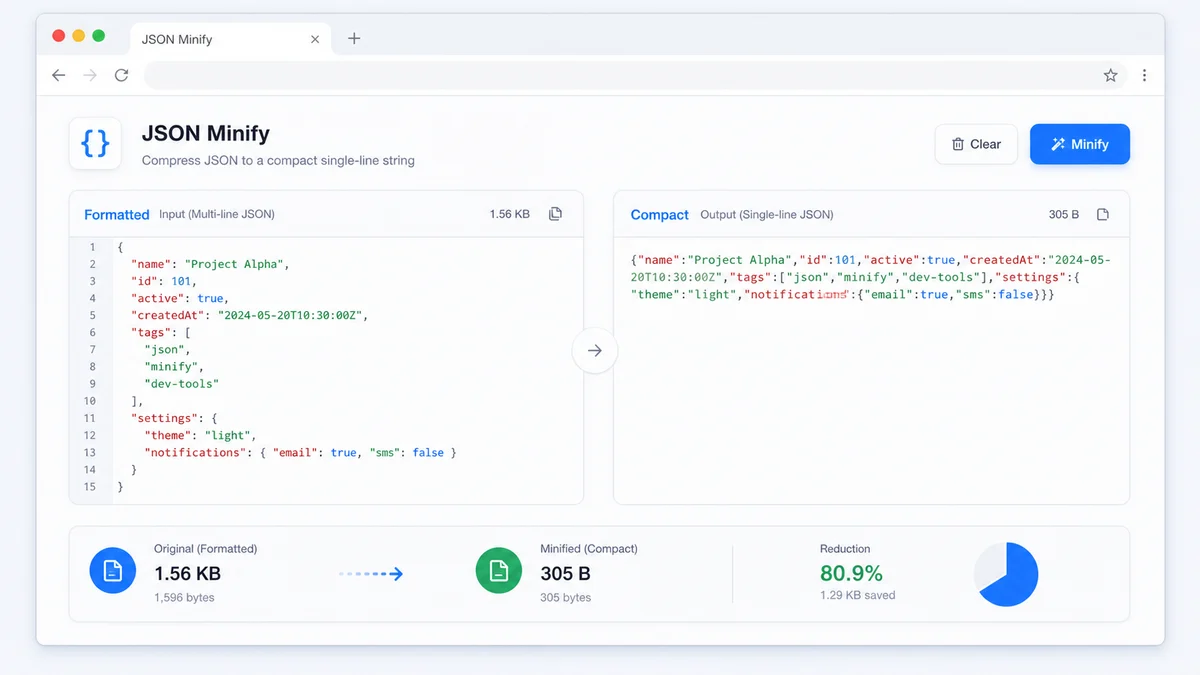
Compress JSON into a single compact string for fixtures, config values, curl commands, or storage fields.
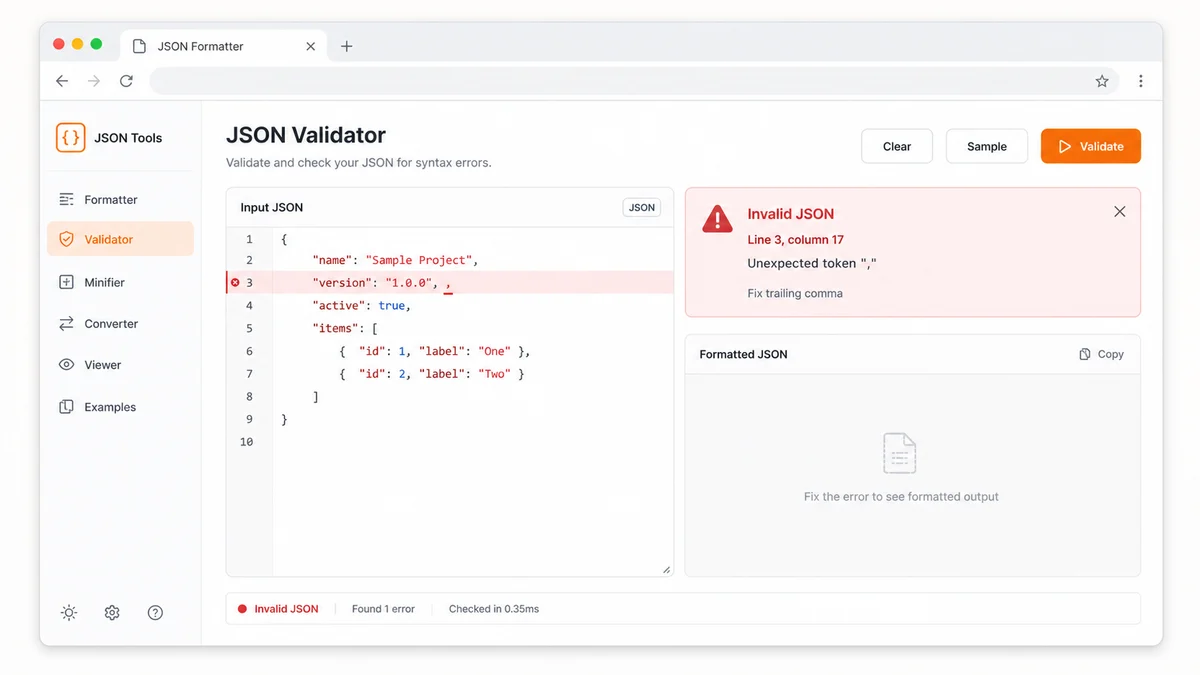
Invalid JSON shows line and column when available, the parser reason, and a practical suggestion for the likely fix.
Use separate buttons to copy the formatted JSON result or the compressed JSON result immediately after validation succeeds.
Save the current formatted or minified JSON output as a .json file for fixtures, bug reports, and documentation.
The parser and serializer run locally with JSON.parse and JSON.stringify, so your pasted JSON stays on your device.
The workflow is intentionally short: paste, choose output, fix errors, copy or download.
Add a raw API response, config snippet, package metadata, or copied log payload to the input editor.
Format creates readable indentation. Minify removes whitespace so the output is compact for production use.
If validation reports invalid JSON, repair the shown issue, then copy formatted JSON, copy minified JSON, or download a .json file.
Use this page for debugging, cleanup, and safe handoff of structured data.
Paste a compressed API response and expand it into readable indentation for debugging nested fields.
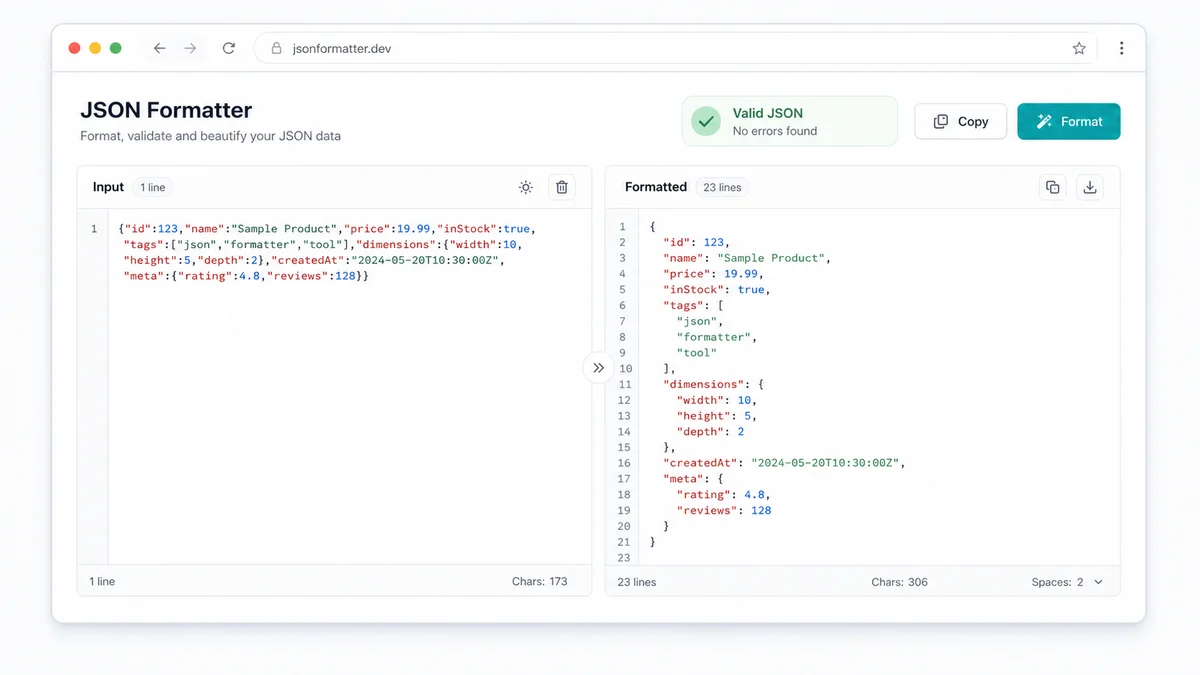
Switch to Minify when you need a compact JSON string for environment values, test fixtures, or request bodies.
Check syntax errors, location, reason, and likely repair before sending JSON to a teammate, support ticket, or deployment script.
This page fits the small but constant JSON chores developers hit every day.
Format responses from REST, GraphQL, webhooks, and browser network panels.
Validate package snippets, app settings, localization files, and JSON fixtures before committing.
Minify or pretty-print JSON examples before sharing them in tickets, docs, or chat.
Common questions about formatting, compressing, validating, copying, and downloading JSON.
It parses pasted JSON, reports syntax errors with location and suggestions, pretty-prints valid JSON, minifies JSON, copies either result, and downloads a .json file.
No. Processing runs in your browser with JSON.parse and JSON.stringify. Your pasted JSON is not sent to a server by this tool.
Repair suggestions are shown, but invalid data is not rewritten automatically. Fix the reported issue, then format again.
The JSON Formatter supports 2 spaces, 4 spaces, and tabs for pretty output. Minify mode removes unnecessary whitespace.
Paste JSON, validate errors, format or compress it, copy either result, and download a .json file in seconds.
Free forever - browser-only JSON tool.