One subtitle file, many destinations
Use 자막 변환기 when a caption file needs to move from editing software to a web player, course platform, podcast transcript, lyric file, or local media player.
Subtitle files often fail when captions move between platforms, editors, web players, and local playback apps.
Use 자막 변환기 when a caption file needs to move from editing software to a web player, course platform, podcast transcript, lyric file, or local media player.
자막 변환기 cleans cue numbers, repairs missing blank lines, shifts subtitles earlier or later, and keeps the timeline readable before export.
자막 변환기 runs in the browser, so course scripts, podcast captions, and video drafts are not uploaded.
Convert, inspect, repair, shift, copy, and download subtitle formats in one practical workflow.
자막 변환기 detects SRT, VTT, ASS, SSA, SBV, LRC, TXT content from pasted text or uploaded file names.
Invalid timecodes, missing cue text, and suspicious structure are reported with line numbers whenever possible.
The tool cleans subtitle numbering, normalizes timing separators, repairs blank cue gaps, shifts timing earlier or later, and adds the WebVTT header when needed.
Dialogue events are parsed, styling tags are stripped for plain formats, and style-preservation limits are clearly flagged.
TXT lines can receive generated cue durations, and LRC start times are expanded into subtitle ranges for SRT or VTT export.
Copy the result or download .srt, .vtt, .ass, .ssa, .sbv, .lrc, or .txt files for your target player or editor.
Start with your current subtitle file, review any repair notes, then export the format your destination expects.
Drop in SRT, VTT, ASS, SSA, SBV, LRC, TXT content. Leave source format on auto-detect unless you need to force a specific parser.
Pick SRT, VTT, ASS, SSA, SBV, LRC, TXT based on where the subtitles will be used.
Use the time shift field if subtitles appear too early or too late, review warnings, then copy or download the result.
자막 변환기 is built for the messy handoff between video tools, web players, courses, podcasts, lyrics files, and local playback.
Change SRT, VTT, ASS, SSA, SBV, LRC, TXT subtitles without creating separate single-purpose pages.
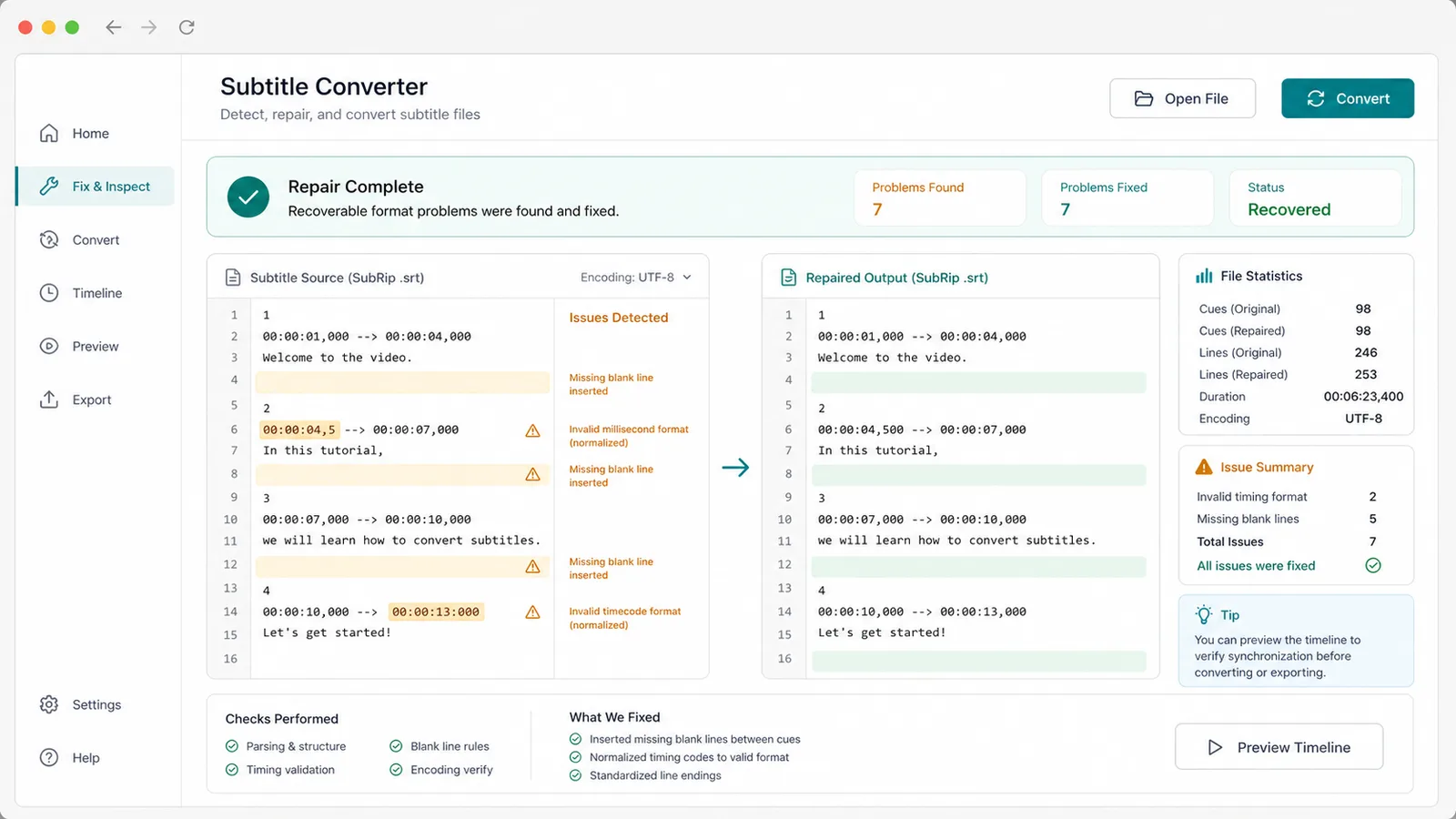
Find invalid timecodes, missing cue text, broken numbering, blank-line issues, encoding warnings, and style-loss warnings before the file reaches a player.
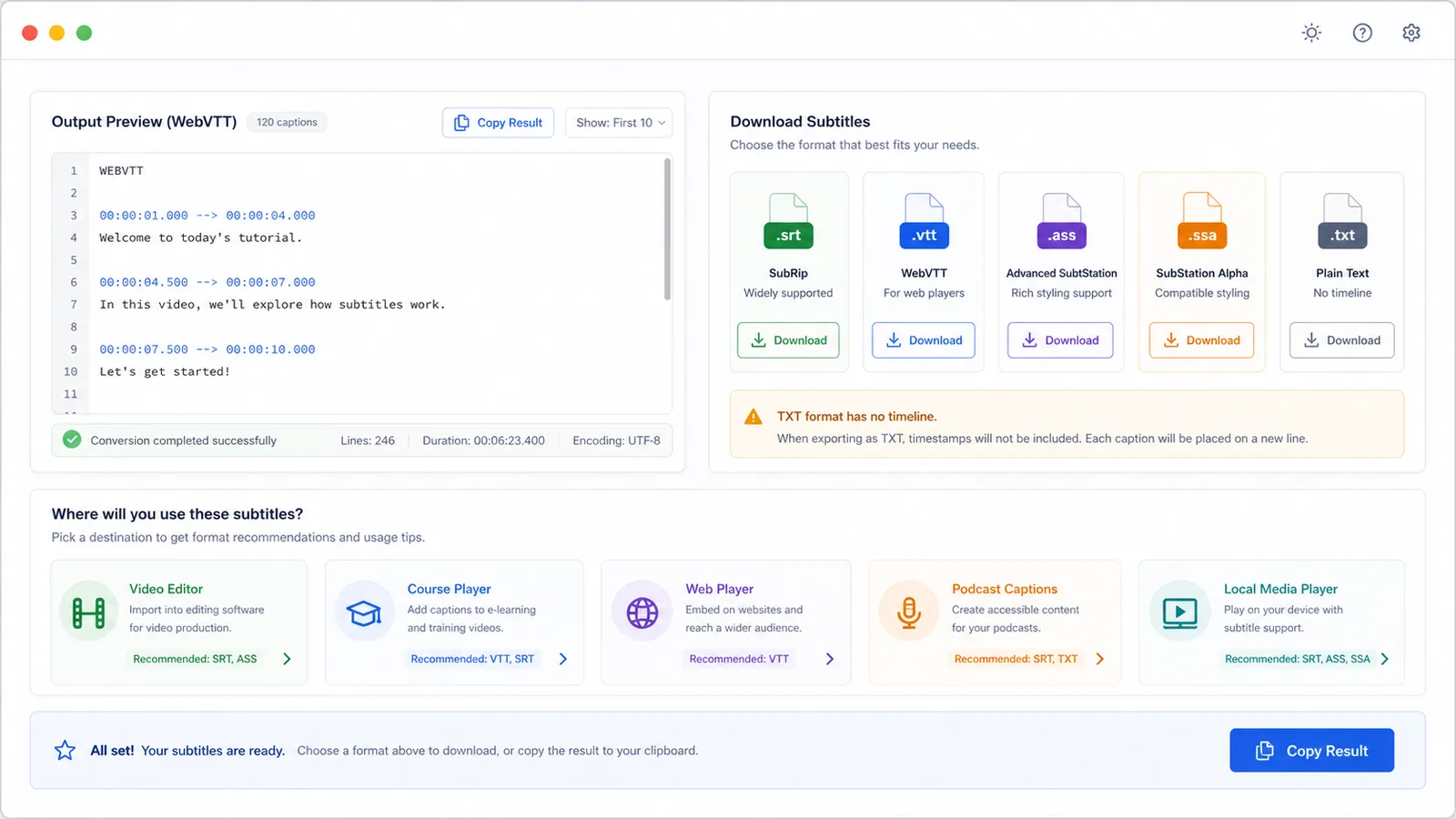
Download the target file or copy the result for video editors, web players, course subtitles, podcast captions, lyrics workflows, and local media players.
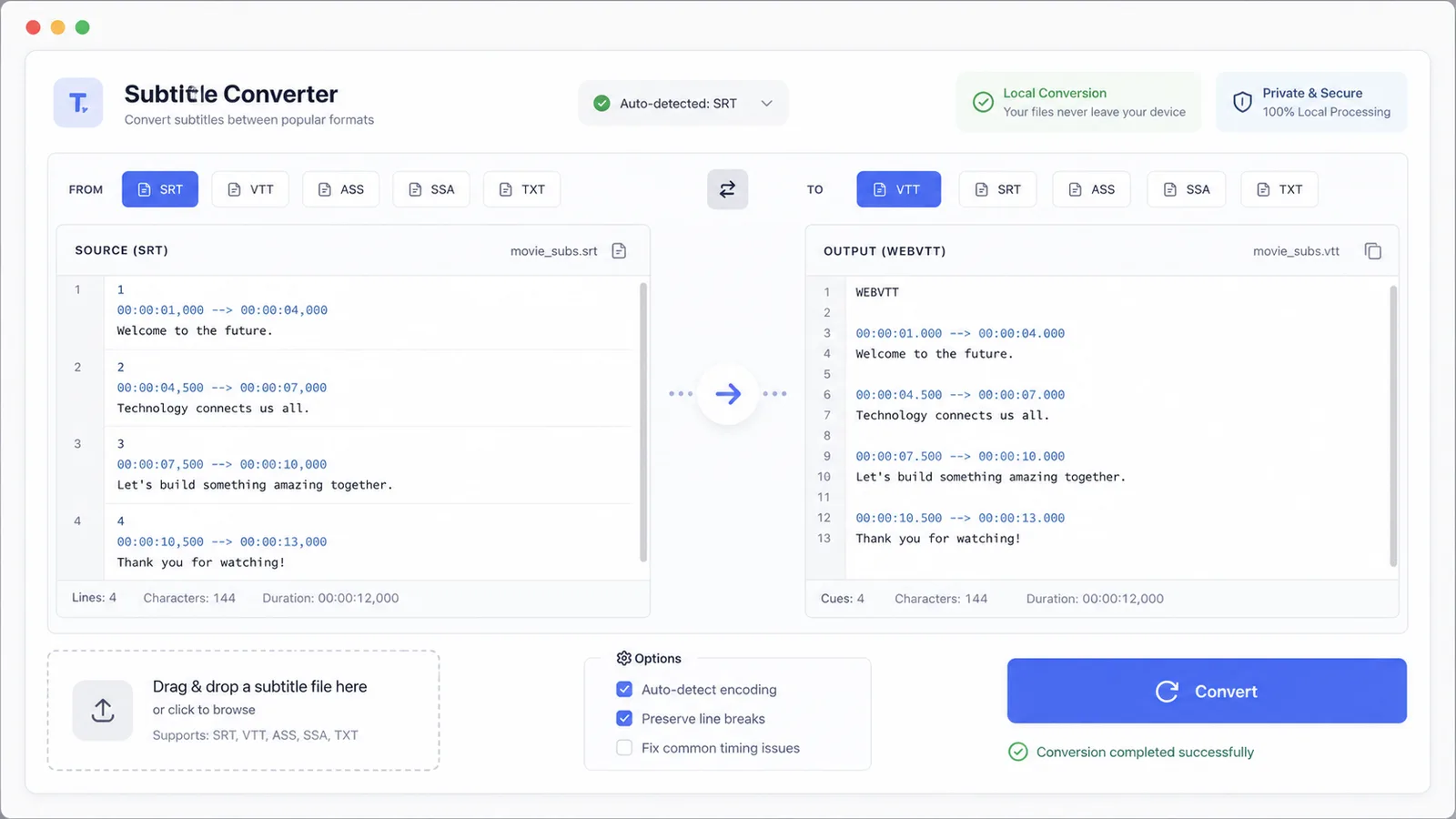
A focused tool for changing subtitle files when the destination changes.
Convert subtitle drafts into a format your editing or publishing workflow accepts.
Prepare VTT or SRT files for learning platforms and embedded course players.
Move captions between browser players, LRC lyrics files, and local media players without manually rewriting timestamps.
Common questions about 자막 변환기 formats, repairs, TXT limits, ASS styling, privacy, and downloads.
No. Parsing and conversion run in your browser.
Yes, dialogue timing and text are converted, but advanced ASS/SSA styling cannot be fully preserved in plain subtitle formats.
Yes. TXT has no original timeline, so 자막 변환기 creates simple timing from the TXT cue duration setting.
Yes. LRC start times are converted into subtitle ranges using the next lyric line or a short default duration.
For timing lines, missing cue text, numbering cleanup, and several repair cases, 자막 변환기 reports the relevant line number.