Titles that run long
Check title characters and pixel width so the most important promise appears early in the preview tool card.
Free SEO Tool
Use the preview tool to draft search snippets, compare desktop and mobile previews, and spot title, meta description, and URL issues before publishing.
The preview tool helps SEO editors avoid unclear snippets, overlong titles, and vague URLs before a page goes live.
Check title characters and pixel width so the most important promise appears early in the preview tool card.
Use the preview tool to catch meta descriptions that are too short to support a confident click.
Review whether the URL shown by the preview tool is readable, focused, and free of distracting parameters.
The preview tool combines snippet drafting, desktop and mobile views, pixel measurements, page styles, and practical SEO feedback.
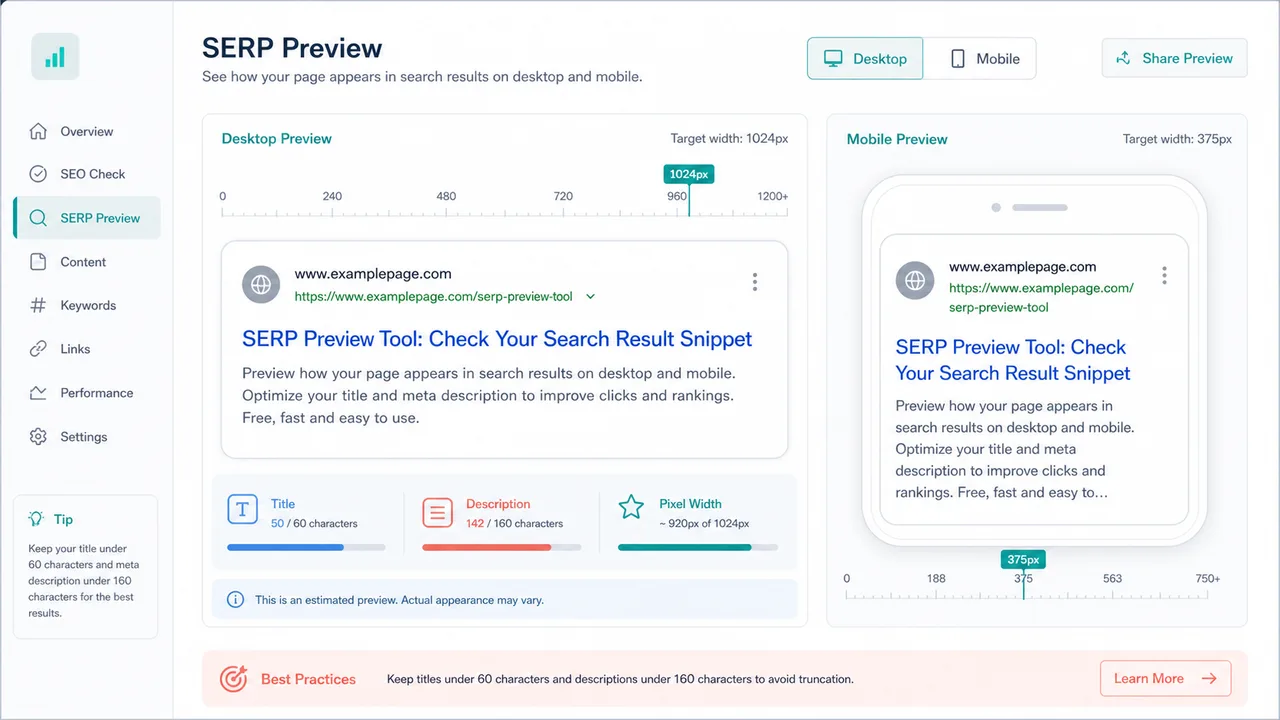
Switch the preview tool between desktop and mobile widths to see where titles and descriptions feel tight.
Measure approximate title and description pixel width instead of relying only on character counts.
Flag likely truncation when the preview tool sees title or description text exceed the selected preview width.
Spot meta descriptions that are too short, too long, or missing a clear click reason.
Check domain, path depth, spaces, and query parameters before handing a page to an editor or developer.
Preview ordinary pages, article-like snippets, and tool pages without changing the underlying inputs.
A quick preview workflow for SEO editing, independent stores, and content publishing.
Add the title, meta description, URL, and brand so the preview tool can build a realistic result card.
Open the toolSwitch between desktop and mobile, then watch pixel width and truncation warnings change with the preview.
Compare previewsTighten the title, expand thin descriptions, and simplify the URL until the preview tool checks read cleanly.
Improve the snippetUse the preview tool for drafting, responsive review, and final quality checks before publishing.
Write the title and description in the preview tool while the preview updates beside the form.
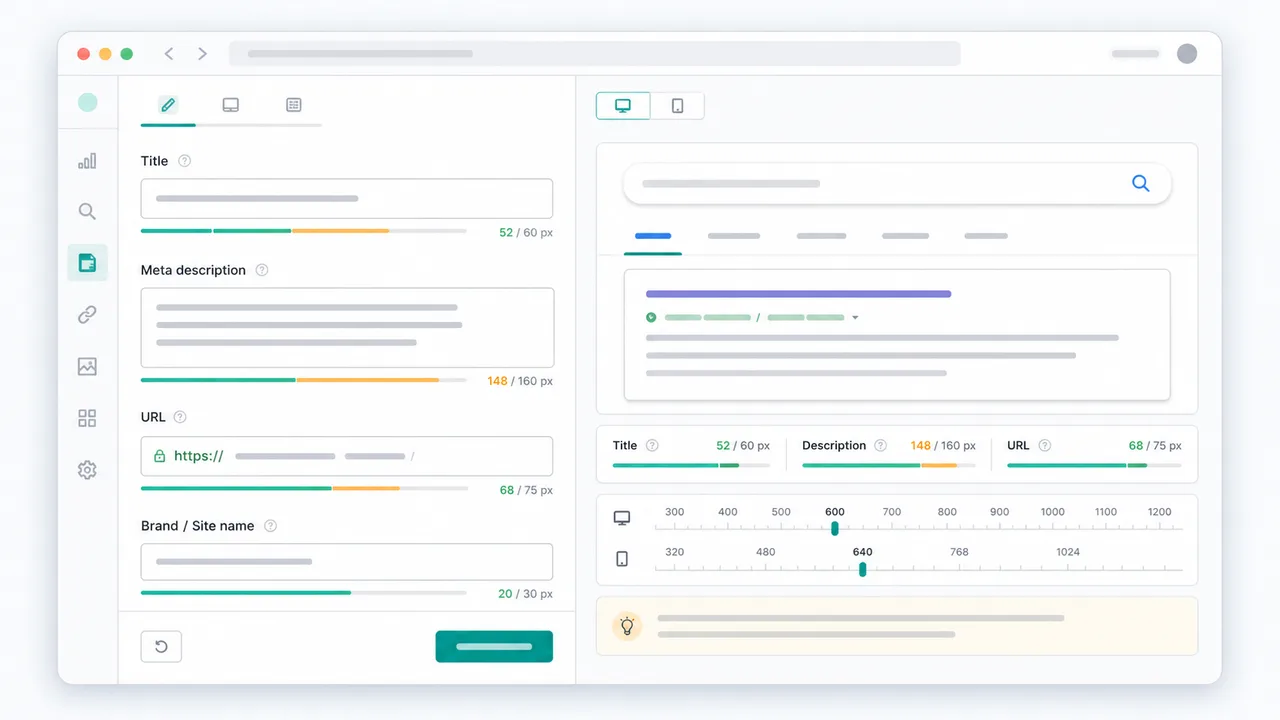
Use the preview tool device switch to see whether mobile width changes the title or description risk.
Review length, pixels, truncation, description depth, and URL clarity in one review pass.
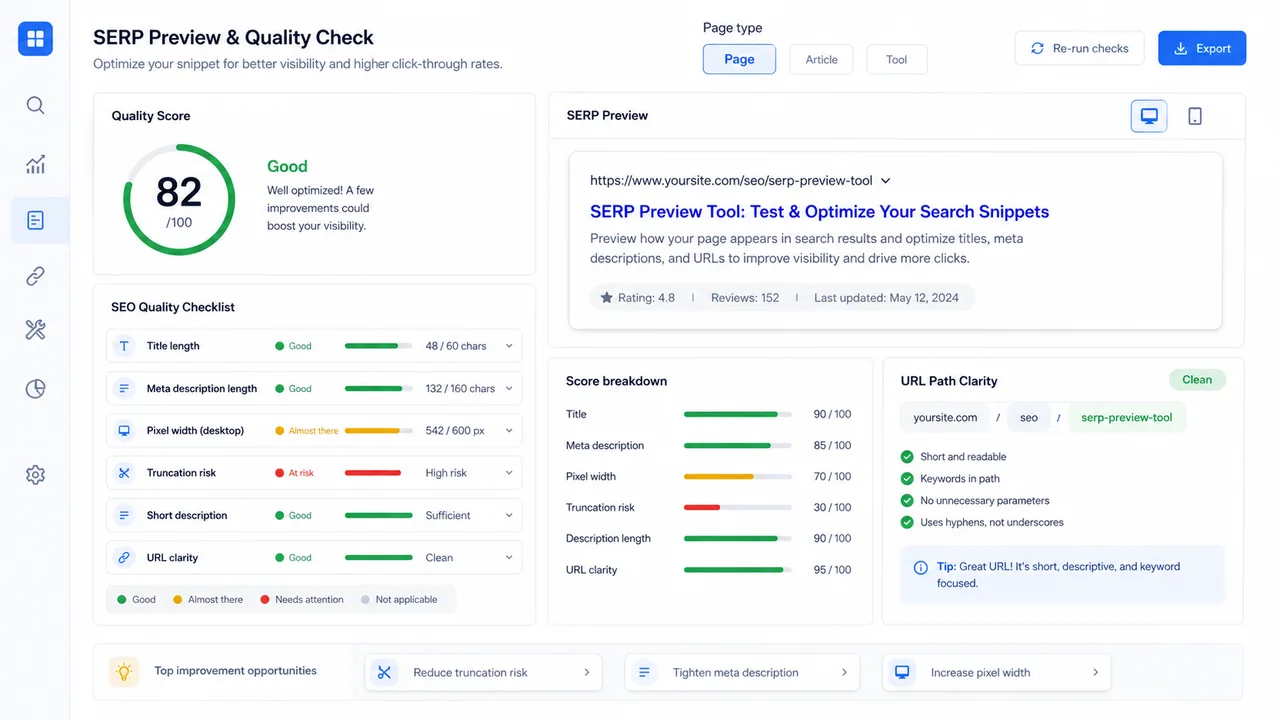
The preview tool is useful for SEO editors, independent site owners, content creators, and product marketers.
Review page titles and meta descriptions with the preview tool during content audits and publishing QA.
Use the preview tool to improve product, category, and landing page snippets before launch.
Test article headlines and descriptions in the preview tool before sharing a new post.
Check whether a web tool result explains the problem, value, and URL clearly in a compact preview.
The preview tool gives practical signals, but final search appearance can change by query and page content.
The preview tool estimates the visible search result, then helps you rewrite toward a clearer promise and a cleaner URL.
A strong preview result usually puts the page topic, user benefit, and brand cue in a natural order.
After using the preview tool, use the URL Slug Generator to clean route names or browse more tools for content workflows.
Common SERP Preview Tool questions about accuracy, pixel width, and meta descriptions.
No. It is an approximation for editing. Search engines can choose different title links and snippets based on the query, page content, and device.
Pixel width helps because wide letters take more space than narrow ones, so two titles with the same character count can display differently.
Yes. The preview tool includes desktop and mobile modes with different width thresholds.
No. The preview, measurements, and checks run locally in your browser.
Open the preview tool, paste your next title and meta description, and refine the result before the page goes live.