Classical words are context sensitive
It keeps multiple possible meanings visible for words such as 之, 以, 于, 者, 也, and 焉.
Classical Chinese learning tool
Classical Chinese Translator turns short 文言文 passages into modern 白话文 with sentence explanations, word notes, function-word examples, pattern analysis, and a modern Chinese to classical-style rewriting mode.
This browser tool helps students and Chinese learners move from raw 古文 to an inspectable study result instead of a single black-box answer.
It keeps multiple possible meanings visible for words such as 之, 以, 于, 者, 也, and 焉.
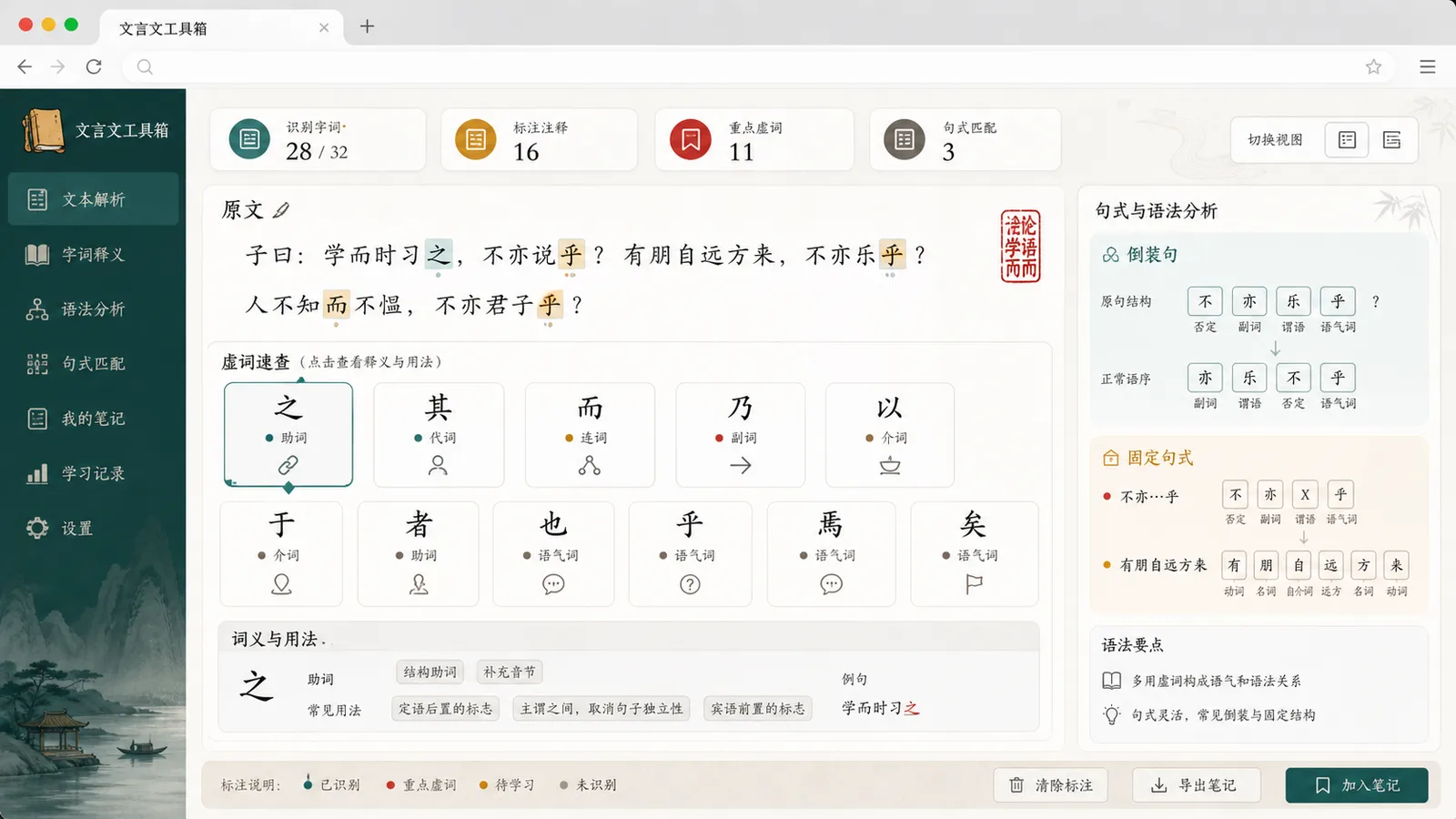
It highlights common patterns such as 不亦……乎, ……者……也, inverted structures, and fixed expressions.
The page states that output is for learning reference, which matters for long prose, poetry, and unusual allusions.
A local study assistant for 文言文翻译器, 古文翻译器, 文言文转白话文, 白话文转文言文, and 古文解释器 workflows.
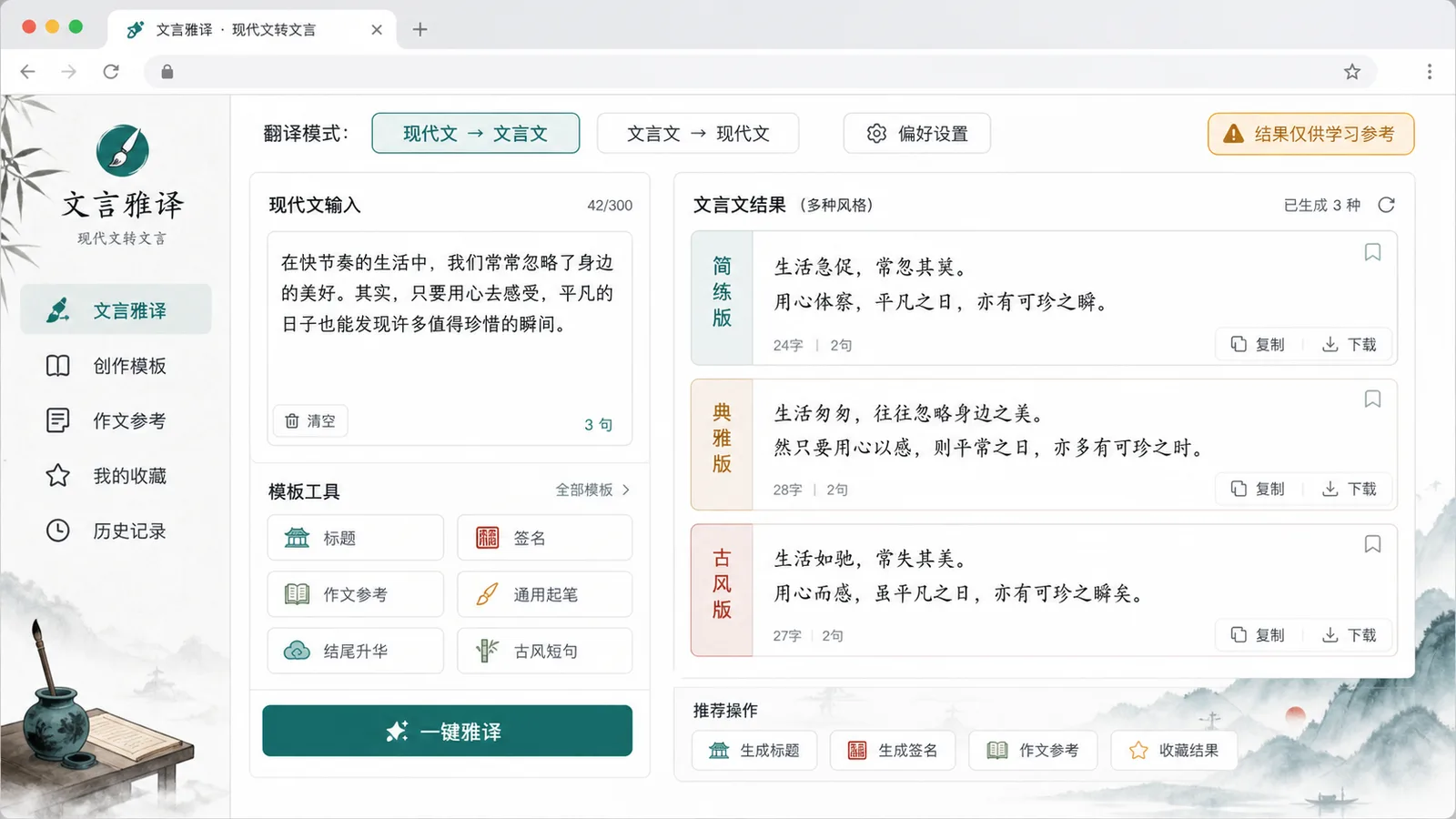
Switch between 文言文转白话文 and 白话文转文言文 style rewriting.
View the original sentence, modern translation, grammar patterns, and possible alternate readings together.
Recognize common content words, function words, 通假字, 古今异义词, and fixed expressions from a local dictionary.
Click 之、其、而、乃、以、于、者、也、乎、焉、矣 to see examples and usage hints.
Track character count, sentence count, recognized terms, and generated notes.
Copy the translation, copy notes, download TXT, clear, restore, or send output back into the editor.
Use it as a study assistant: translate first, then verify details against the passage context.
Paste a textbook sentence, ancient prose snippet, idiom story, or a modern Chinese sentence for rewriting.
Open Classical Chinese TranslatorUse Classical Chinese to modern Chinese for explanation, or modern Chinese to classical style for concise rewriting.
Open Classical Chinese TranslatorCheck the highlighted terms, function-word examples, grammar patterns, and possible alternate translations.
Open Classical Chinese TranslatorCopy the translation, copy annotations, download TXT, or restore the original text for another pass.
Open Classical Chinese TranslatorThe workflow supports classroom study, quick 古文解释, writing reference, and classical-style copy creation.
Use the split preview to keep the original sentence and modern translation side by side.
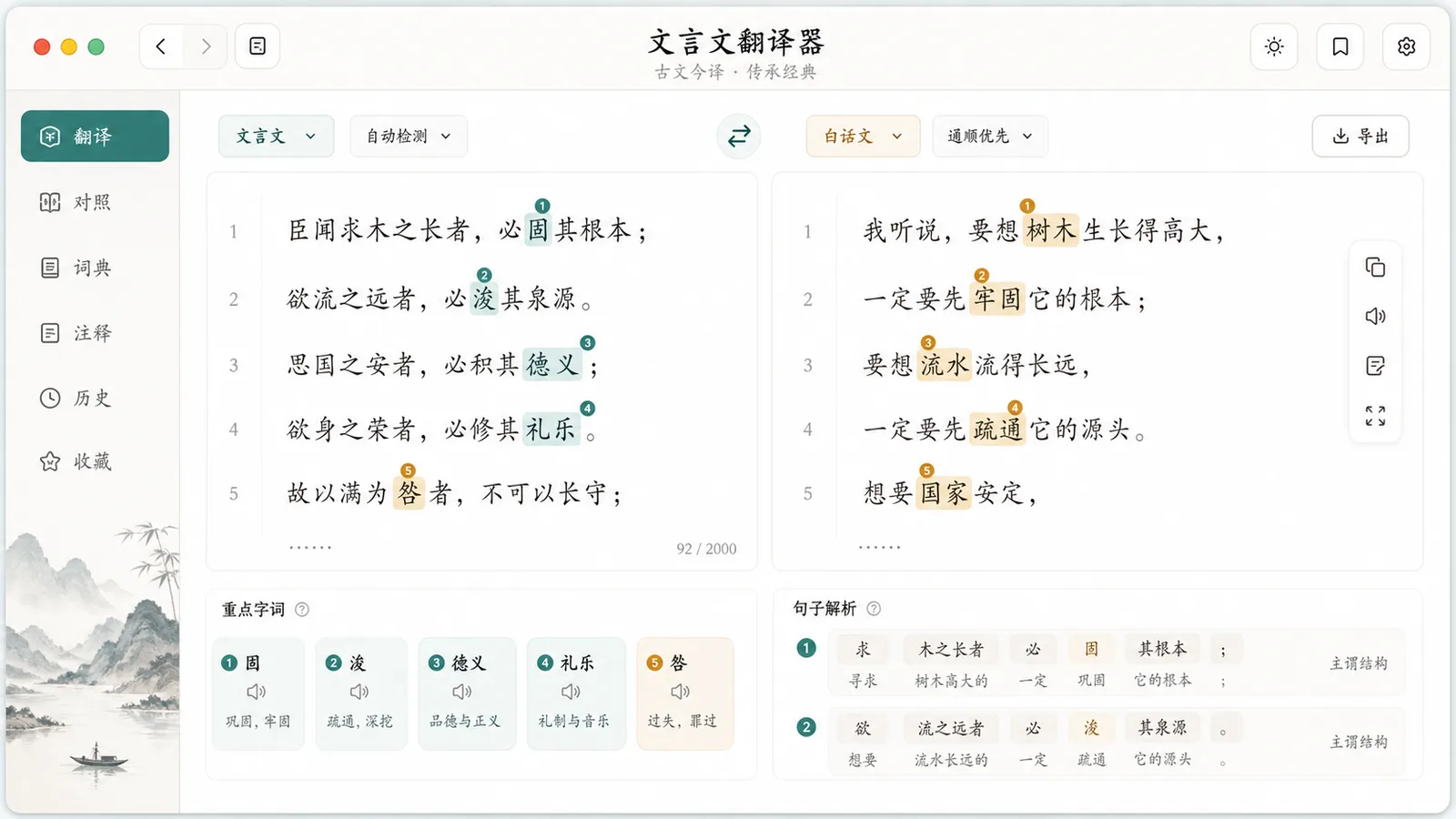
Review function words, 通假字, 古今异义词, fixed sentence patterns, and possible alternate readings.
Turn modern Chinese into shorter, more elegant, classical-style lines for titles, signatures, copy, and study notes.
Useful for students, teachers, Chinese learners, writers, and creators working with 古文.
Preview 文言文转白话文 before class and review difficult words after class.
Break a short passage into sentence translation, word notes, and pattern analysis.
Understand ancient Chinese expressions with modern Chinese explanations and examples.
Draft concise 文言文-style titles, signatures,作文参考, and social copy.
After translating, these local tools can clean, convert, compare, and polish Chinese text.
Use Traditional Chinese Converter when the passage needs Simplified-Traditional conversion.
Use Ancient-Modern Character Converter when character forms and historical variants need separate review.
Use Text Cleaner before Classical Chinese Translator when copied text contains extra spaces or broken lines.
Common questions about accuracy, privacy, modes, and learning use.
No. It runs in the browser with local dictionaries and rule matching, so pasted content does not need a login or server upload.
No. It is a learning reference for short common passages. Long context, poetry, imagery, rare names, and special allusions may require a teacher, dictionary, AI, or human translator.
Yes. The second mode rewrites modern Chinese into concise classical-style wording for titles, signatures,作文参考, copywriting, and learning examples.
Paste 文言文 or modern Chinese and get a local study preview with translation, explanations, annotations, sentence patterns, copy, and TXT export.