Photos can reveal location
Check for GPS coordinates and other location clues before you share images on X, anonymous forums, Reddit, Discord, blogs, marketplaces, or social media.
Media Privacy
Upload JPG, JPEG, PNG, or WebP images and let EXIF Remover scan for hidden GPS, device model, capture time, camera, software, thumbnail, XMP, and IPTC metadata, then export a clean new image locally.
Use this browser-only privacy workflow before you post images where profile safety, location privacy, or device privacy matters.
Check for GPS coordinates and other location clues before you share images on X, anonymous forums, Reddit, Discord, blogs, marketplaces, or social media.
Look for device model, camera brand, software, and capture time fields that can connect an image to a person or workflow.
The cleanup runs in your browser, so original photos do not need to be sent to another server.
Detection, cleaning, previews, and downloads stay in one browser-only workflow.
Accept JPG, JPEG, PNG, and WebP images, then export a newly encoded file without copying the original metadata blocks.
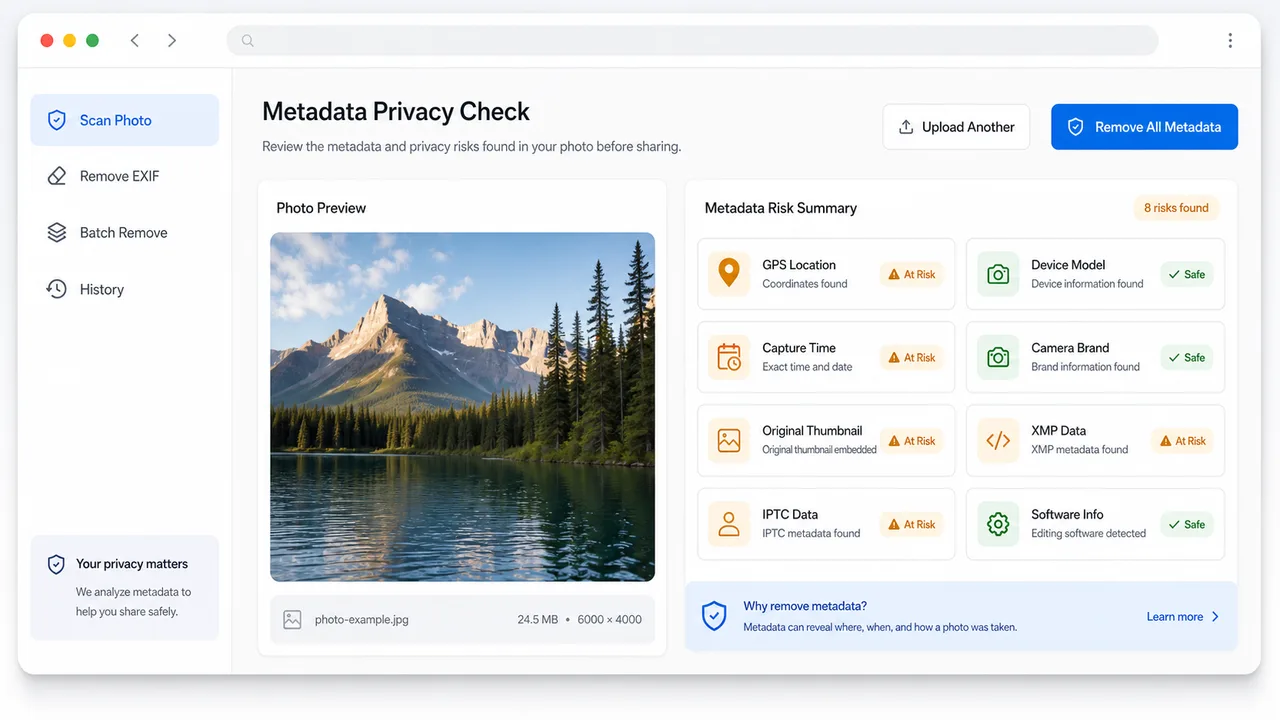
Point out GPS location, device model, capture time, camera brand, software info, original thumbnail, XMP, IPTC, and EXIF blocks when detected.
Download one clean image or a ZIP of all clean images after the browser finishes re-encoding them.
Use this workflow before publishing images in public, pseudonymous, or marketplace contexts.
Drop JPG, JPEG, PNG, or WebP images into the tool. The scan runs locally and marks privacy metadata that can be detected.
Open toolCheck whether GPS, device model, capture time, camera brand, software, thumbnail, XMP, IPTC, or EXIF data was found.
Choose the output format, click remove metadata, then download the clean image or ZIP before posting.
Scanning, cleaning, and exporting all stay inside the browser.
Upload JPG, JPEG, PNG, or WebP images and inspect obvious metadata blocks without uploading the file.
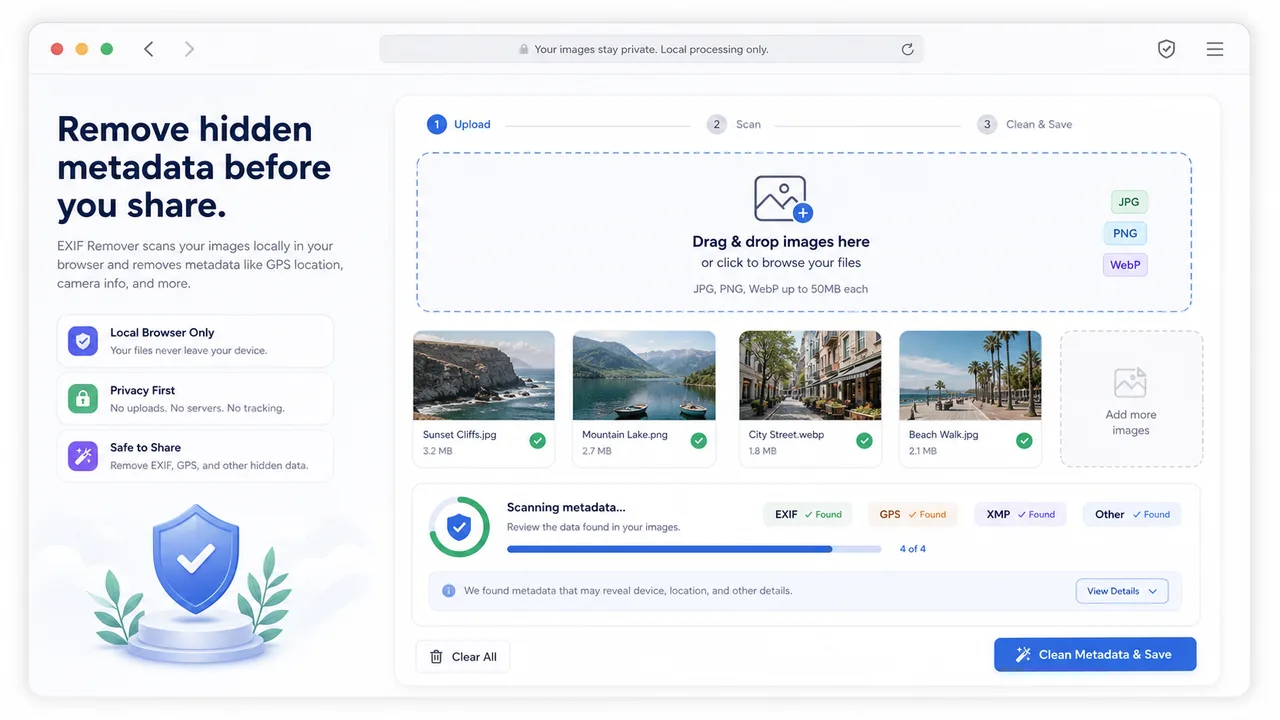
See concrete labels when GPS location, device model, capture time, camera brand, thumbnail, XMP, IPTC, software info, or EXIF blocks are found.
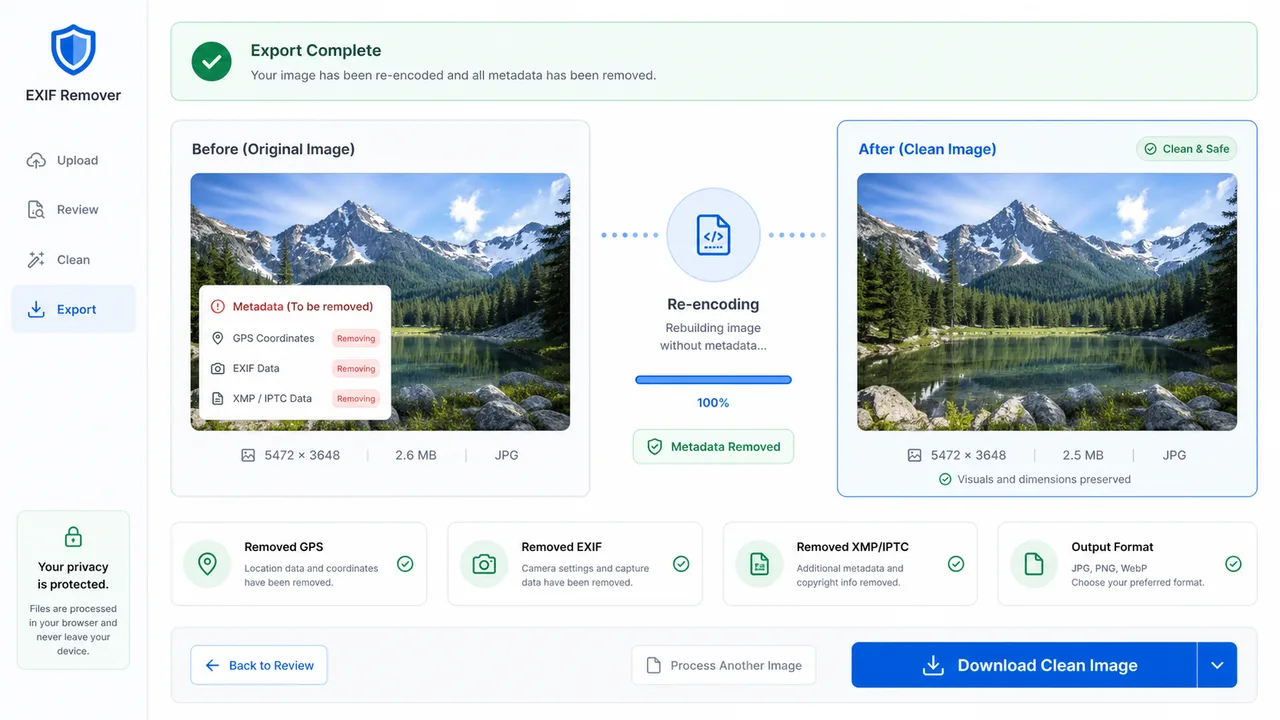
Re-encode the image so hidden metadata is removed, then download a clean file whose visible content and dimensions stay intact.
Useful before sharing images in places where privacy context can matter.
Clean images before posting to X, anonymous forums, Reddit, Discord, or community chats.
Remove capture details and software traces before uploading article images, screenshots, or portfolio media.
Strip device, time, and location clues before publishing product photos on second-hand platforms.
Common questions about browser-only metadata cleanup.
No. Images are scanned and re-encoded in your browser, so your files are not uploaded to a server.
JPG, JPEG, PNG, and WebP files up to 25 MB are supported. Other formats are marked unsupported.
It detects common EXIF, GPS, XMP, IPTC, thumbnail, device, camera, software, and time signals. Some vendor-specific or encrypted data may not be labeled, but the clean export is freshly encoded by the browser.
The visible image content and dimensions stay intact. JPEG and WebP exports may be re-compressed based on the quality setting.
Open the tool before your next public post and export a clean image locally.