Duplicate rows hide in copied lists
Find repeated keywords, URLs, emails, names, and snippets while keeping the first version when needed.
Free Text Utility
Deduplicate, sort, remove blank rows, shuffle, copy, and download keyword lists, URL lists, email lists, names, code snippets, and cleanup data.
Clean messy lists without spreadsheet formulas or manual line-by-line editing.
Find repeated keywords, URLs, emails, names, and snippets while keeping the first version when needed.
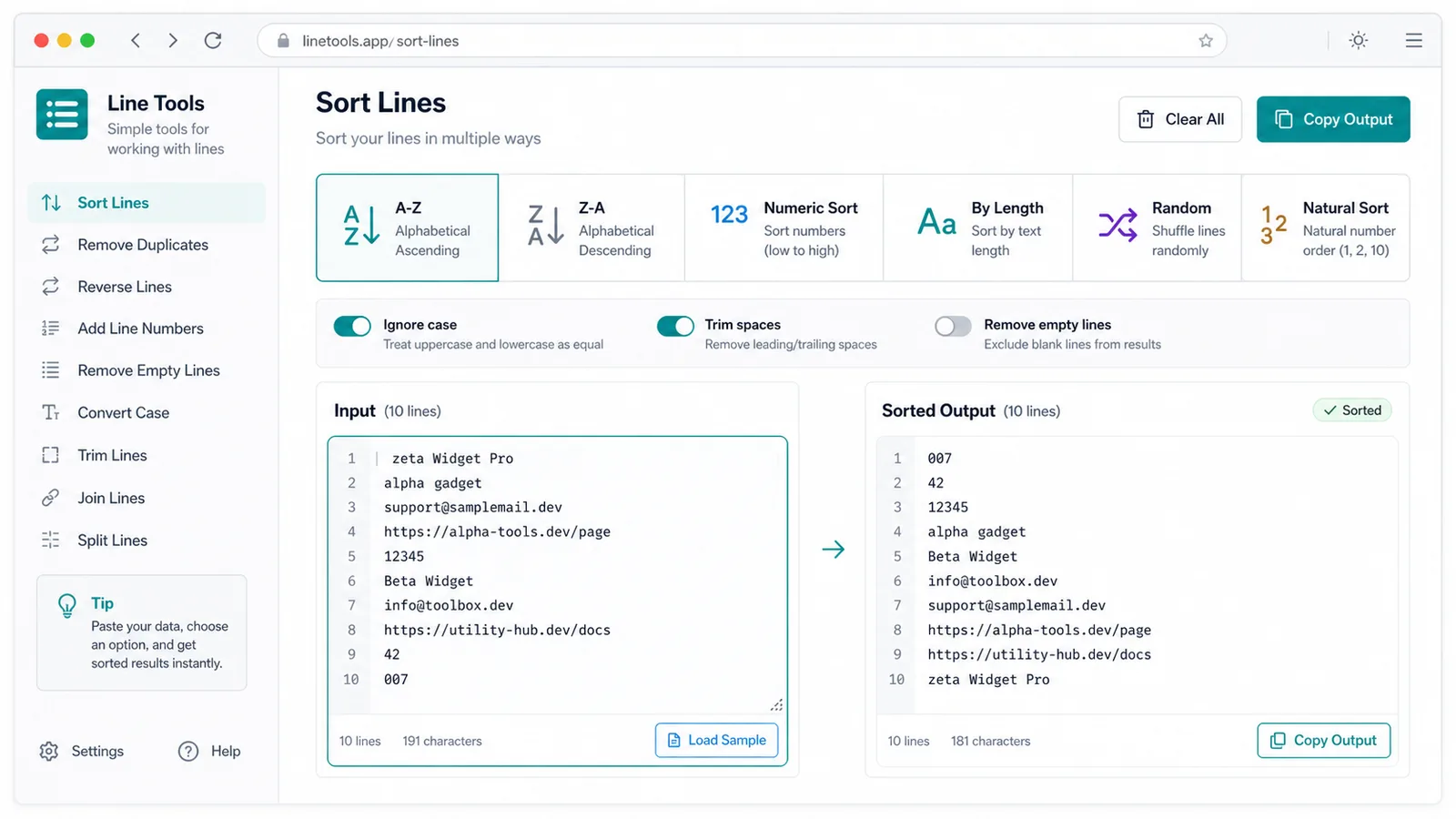
Switch between first occurrence order, A-Z, Z-A, numeric sorting, text length sorting, natural sorting, and random order.
Use one browser tool instead of moving data through spreadsheets for small cleanup jobs.
Practical controls for deduplicating, sorting, shuffling, and exporting multi-line text.
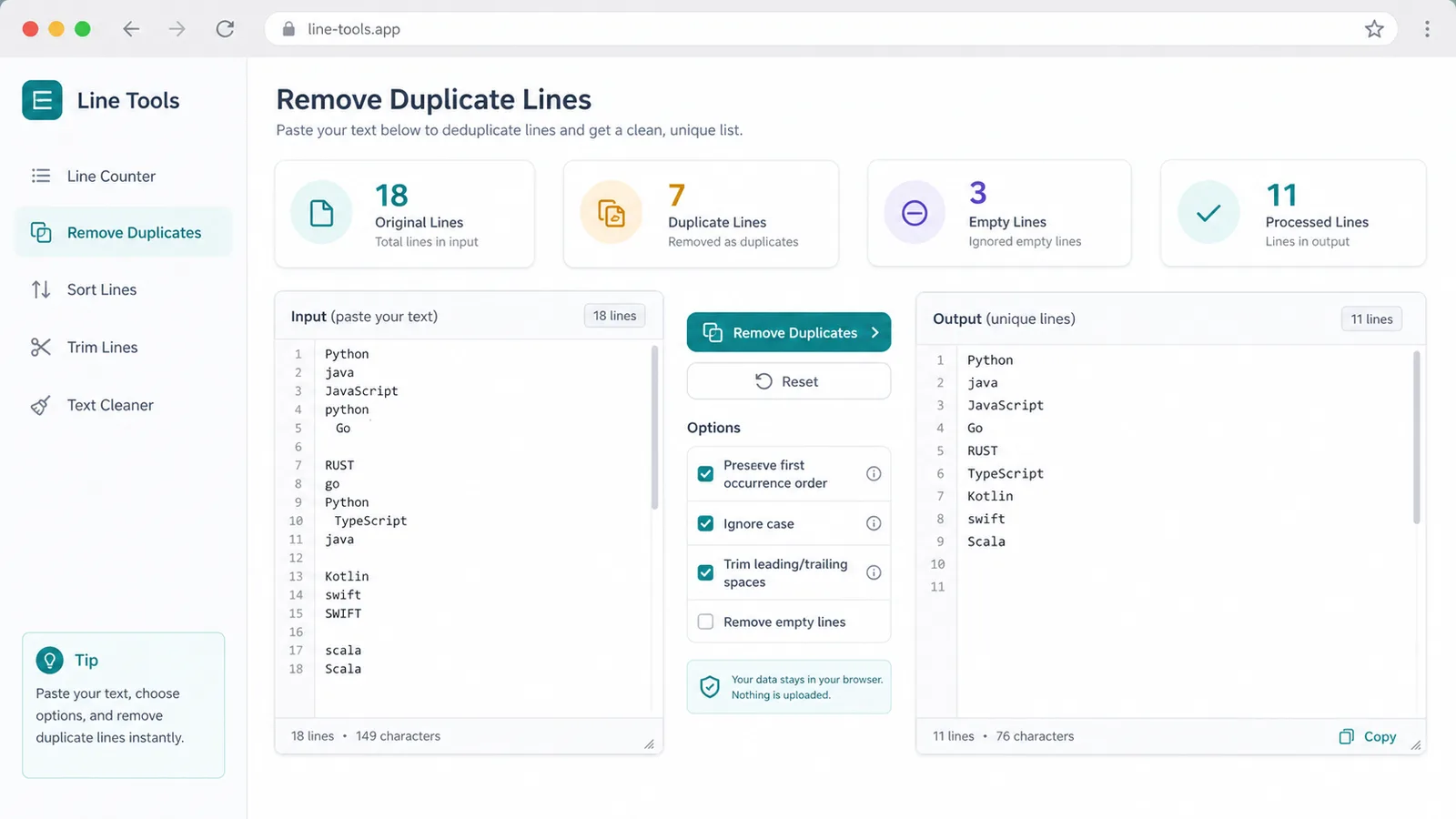
Remove repeated lines while preserving the first occurrence order.
Sort A-Z, Z-A, by number, by text length, or shuffle lines randomly.
Ignore case and trim surrounding spaces before comparison.
See original lines, duplicate lines, empty lines, and processed lines as you type.
Copy the output or download a plain text file in one click.
All processing happens in the browser, so pasted lists do not need to be uploaded.
A quick workflow for keyword lists, URL lists, email lists, names, snippets, and raw data cleanup.
Paste keywords, URLs, emails, names, code snippets, or raw rows into Line Tools.
Open Line ToolsEnable duplicate removal, blank-line removal, case-insensitive matching, trimming, natural sorting, and the order you need.
Open Line ToolsReview the counts, then copy the processed result or download it as a .txt file.
Open Line ToolsUse Line Tools for the repetitive list cleanup steps that happen before publishing, importing, or sharing data.
Remove repeated rows from copied keyword lists, URL lists, email lists, and name lists.
Pick first order, A-Z, Z-A, numeric, length, random, or natural number sorting for the final line order.
Use Line Tools to copy the processed text or download a .txt file for imports and sharing.

Built for SEO work, developer cleanup, operations lists, outreach prep, and everyday text organization.
Deduplicate keyword exports, sort terms naturally, and remove empty rows before content planning.
Clean logs, URL sets, code snippets, IDs, and pasted rows before comparing or importing them.
Prepare names, emails, and small data lists before outreach, review, or assignment.
Understand how comparison options affect duplicates, sorting, and exported text.
When duplicate removal is enabled, Line Tools keeps the first matching row and removes later matches.
Natural sorting treats embedded numbers intelligently, so item 2 can appear before item 10.
The download action exports exactly the processed output as a browser-generated .txt file.
Common questions about duplicate detection, natural sorting, privacy, and export behavior.
No. Line Tools processes text locally in your browser and does not upload pasted lines or generated output.
Duplicate detection can use the exact line, trimmed line, case-insensitive line, or both trim and case-insensitive matching depending on your options.
Yes. Enable natural number sorting, then use A-Z or Z-A sorting for mixed text and numbers.
Yes. You can copy the processed output or download it as a .txt file.
Paste your next list, clean duplicate or empty lines, choose the right order, and copy or download the result.