Too many QR formats
Restaurants need URL QR codes, offices need WiFi QR codes, and teams need vCard, email, SMS, phone and event QR codes. This page keeps those formats in one place.
Free QR Code Tool
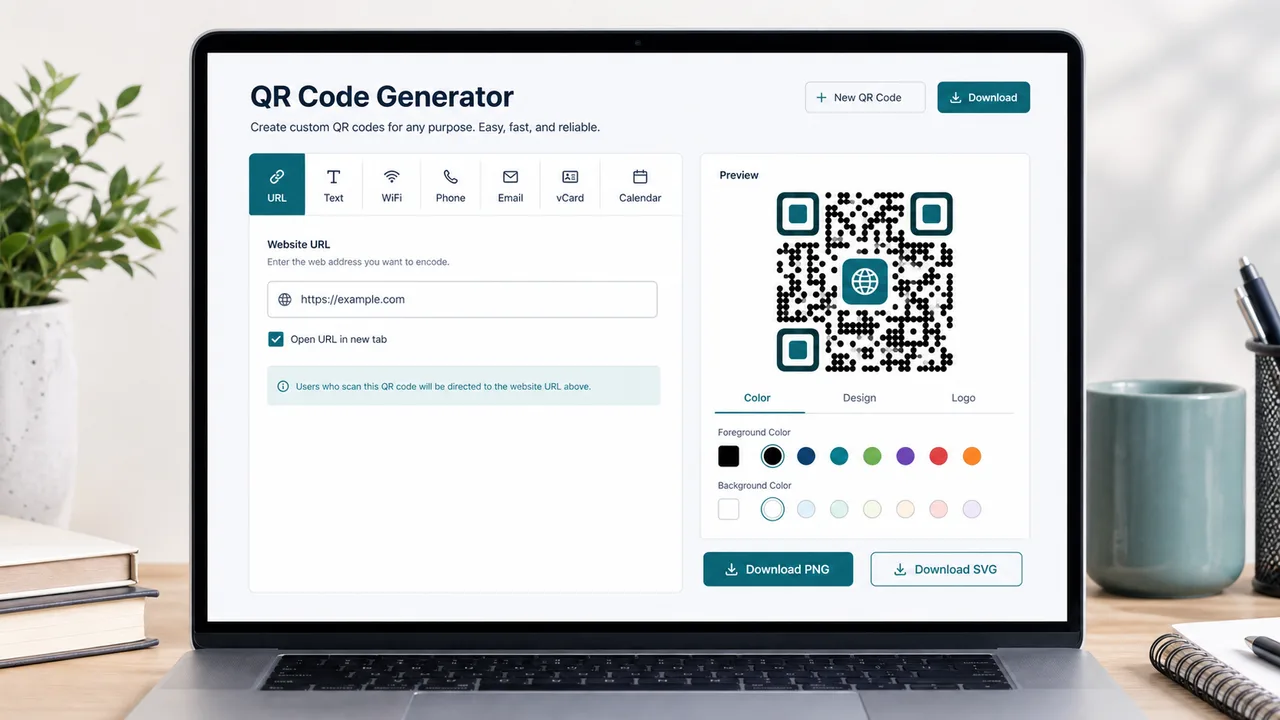
Create URL, text, WiFi, phone, email, SMS, vCard and calendar QR codes, customize the look, export PNG or SVG, and preview suspicious QR links before you open them.
A useful generator should cover everyday QR formats, export clean files, and help people check unfamiliar QR links before trusting them.
Restaurants need URL QR codes, offices need WiFi QR codes, and teams need vCard, email, SMS, phone and event QR codes. This page keeps those formats in one place.
Export crisp assets for menus, posters, packaging and web pages. Download PNG for quick sharing or SVG for print and design workflows.
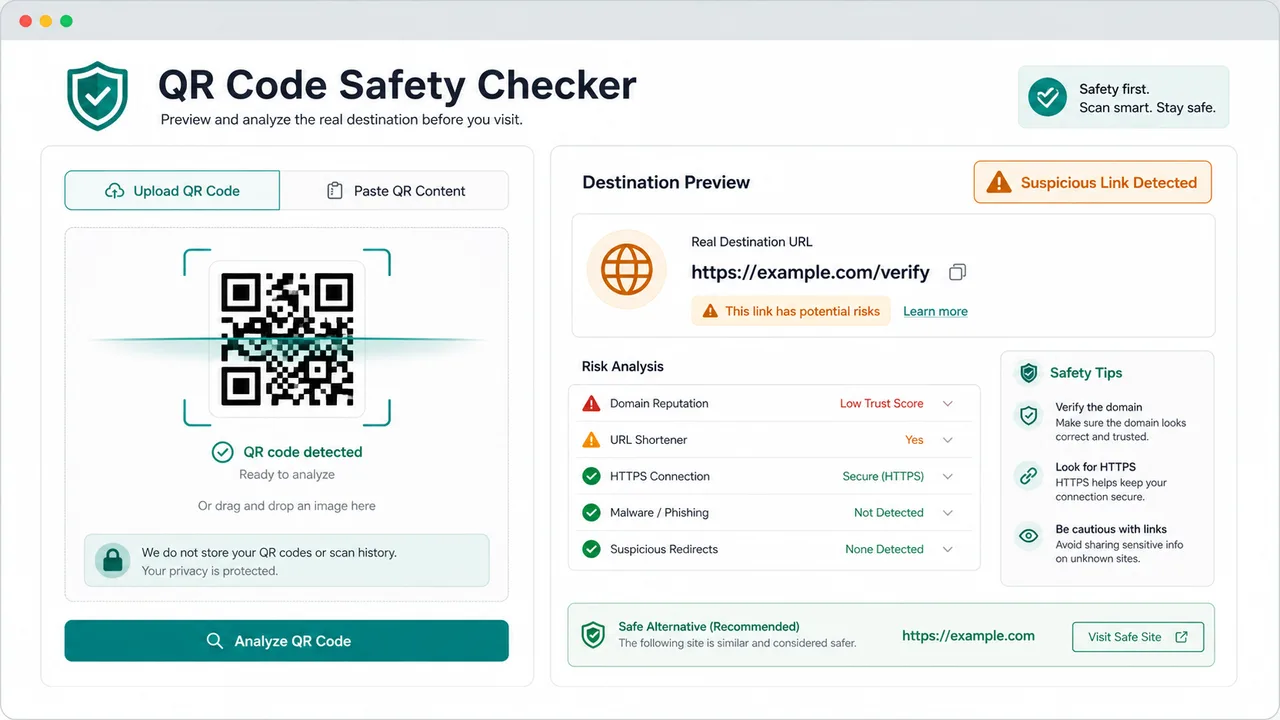
Public QR codes can hide the real destination. The QR Code Safety Checker previews the URL and highlights suspicious patterns before a user opens it.
Create a free QR code, style it, add a logo, export it, and inspect risky links without leaving the page.
Generate a QR code for landing pages, menus, payment instructions, support links, instructions, labels or simple text.
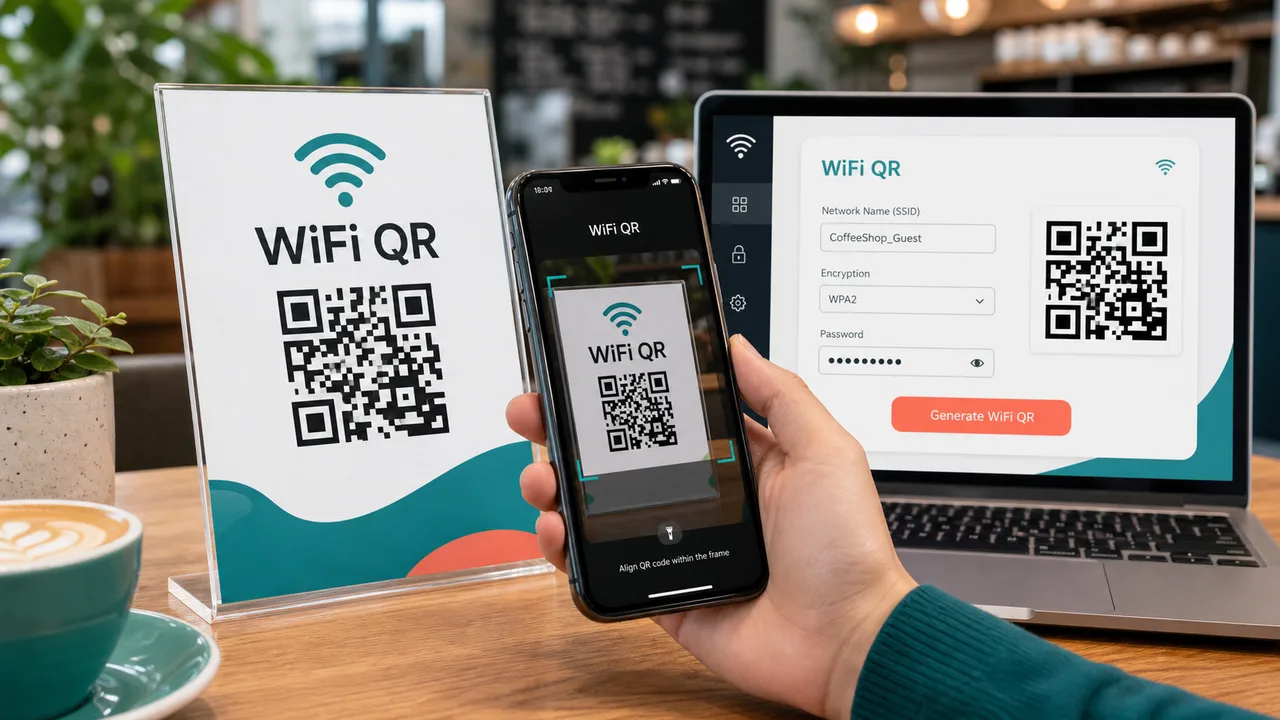
Create a WiFi QR code with SSID, password, encryption mode and hidden-network support so guests can join faster.
Build phone, email, SMS, vCard and calendar event QR codes for cards, badges, appointment reminders and flyers.
Customize QR dots, corners, background color, rounded modules and an optional logo while keeping high error correction available.
Download a PNG QR code for everyday use or an SVG QR code for high-quality print, design and responsive web layouts.
Paste decoded content or upload a QR image to preview the real URL and flag shorteners, non-HTTPS links, IP addresses and look-alike domain clues.
The workflow is simple: choose a format, style the result, test the destination and export.
Pick URL, text, WiFi, phone, email, SMS, vCard or calendar event. The form converts your fields into the correct encoded content.
Adjust colors, rounded dot style, corner color, logo and error correction. Use high error correction when you add a logo.
Export PNG or SVG, then scan the result on a phone. For QR codes from other people, use the QR Code Safety Checker to preview the URL first.
Use this page for everyday sharing, WiFi access and safer QR scanning habits.
Switch between URL, text, phone, email, SMS, vCard and calendar formats without rebuilding the setup from scratch.
The WiFi QR Code Generator encodes network name, password, encryption type and hidden status so guests can scan instead of typing.
The QR Code Safety Checker decodes uploaded images or pasted QR content, then shows the real URL and warning signs.
This QR Code Generator covers common business, event and personal QR code jobs.
Create a QR code that points to a menu, campaign page, event signup, coupon or support article.
Use the free WiFi QR Code Generator for cafes, rentals, classrooms, reception desks and coworking spaces.
Generate vCard, email, phone, SMS and calendar event QR codes for badges, business cards and booking reminders.
Common questions about free QR codes, WiFi QR codes, styling and safety checks.
Yes. It creates QR codes in your browser and lets you download PNG or SVG files without registration.
Yes. Choose WiFi, enter the network name, password, encryption type and hidden-network setting, then download the WiFi QR code.
Yes. Upload a logo image and keep error correction set to High for better scan reliability. Always test the final QR code on a phone.
It decodes pasted QR content or an uploaded QR image, previews the real URL, and flags patterns like URL shorteners, non-HTTPS links, raw IP addresses and punycode domains.
No. QR generation, styling and basic safety checks run locally in your browser. Uploaded QR images are decoded in the browser for preview.
Create a free QR code for URL, WiFi, vCard, email, SMS, phone, text or events, customize it, export PNG/SVG, and check unfamiliar QR links before opening.
Free QR tool - no registration, browser-only workflow.