Raw logs often contain secrets
the redactor catches JWTs, Bearer tokens, API keys, cookies, authorization headers, passwords, and tokenized URLs before you paste them into tickets or public threads.
Privacy Tool
Sensitive Data Redactor detects and masks emails, phones, IPs, URLs, domains, JWTs, Bearer tokens, API keys, AWS keys, passwords, cookies, authorization headers, session IDs, and sensitive URL parameters locally before you share text.
the redactor helps teams share useful context without exposing secrets, customer details, or private infrastructure clues.
the redactor catches JWTs, Bearer tokens, API keys, cookies, authorization headers, passwords, and tokenized URLs before you paste them into tickets or public threads.
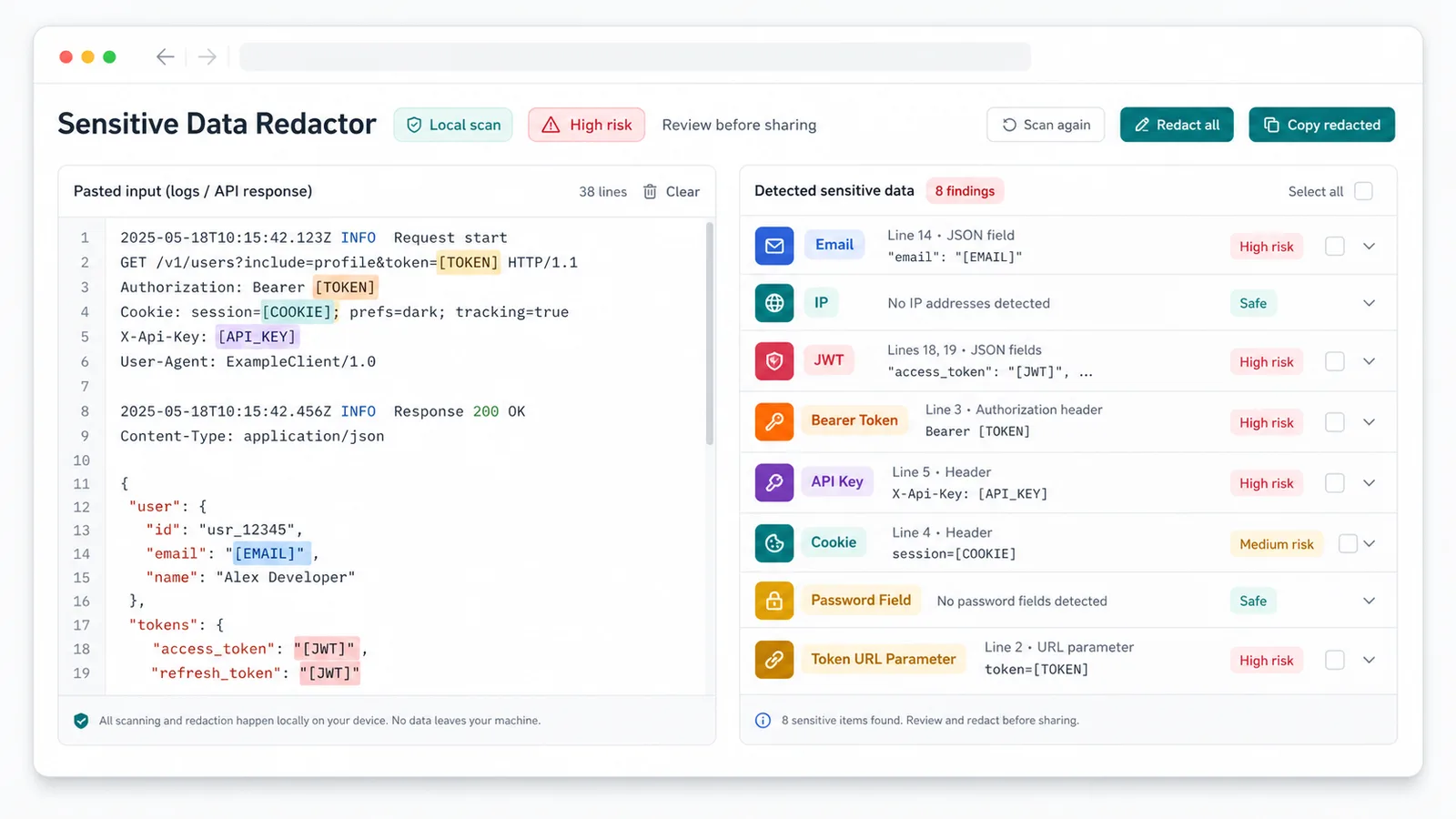
the redactor highlights emails, phones, IP addresses, domains, and suspicious long numbers so support and operations users can review before sharing.
the redactor creates a safer public version from logs, API returns, prompts, config, code, or HTML without uploading the text.
the redactor combines detection-only review, selectable redaction types, masking controls, copy, download, and risk summaries.
Use the redactor to inspect findings first, then redact selected types when you are ready.
JWT, Bearer Token, API Key, AWS Access Key, Cookie, Authorization Header, private key, password, session, and token URL parameters are flagged as high risk.
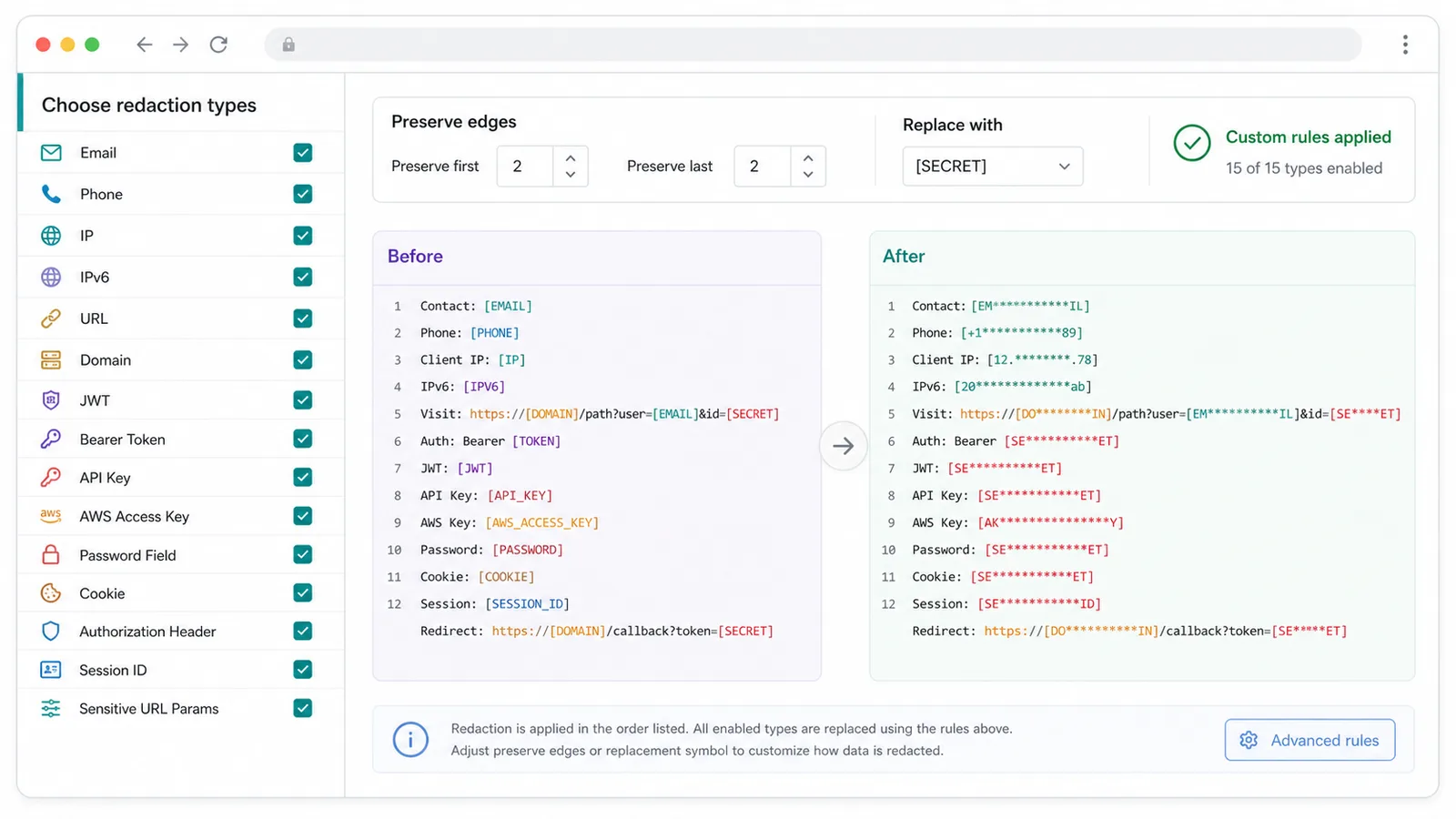
Turn each redaction type on or off so domains, URLs, phone numbers, or manual-review IDs can be handled with the right level of caution.
Keep the first and last characters or replace the full value with your preferred mask.
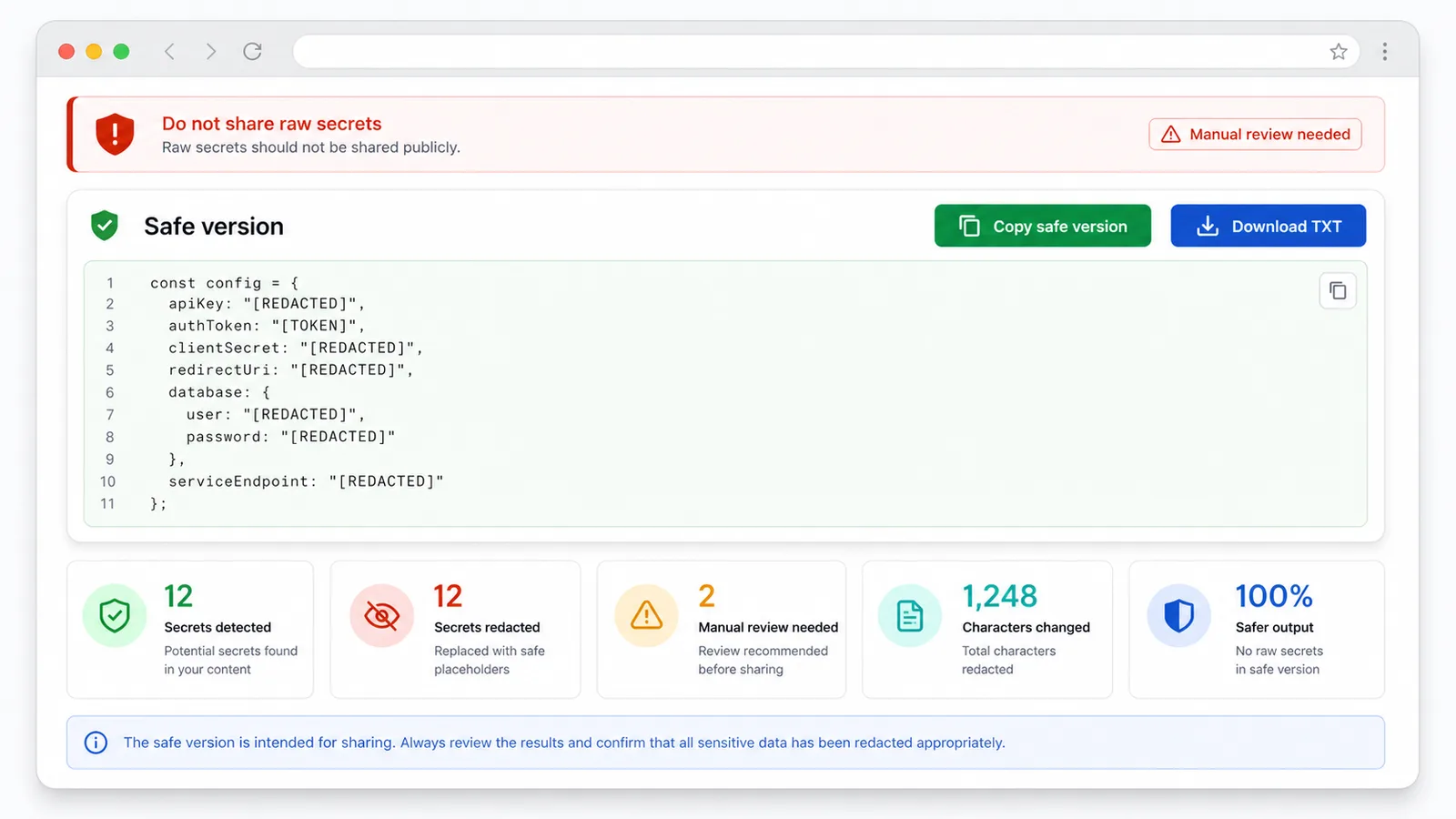
Copy the safe version or download a TXT file after the redactor finishes masking.
the redactor runs as a front-end text rule tool, so it does not need uploads, a database, or a backend.
A quick workflow for developers, site owners, support teams, SEO users, operators, and AI users.
Paste logs, error messages, API responses, support chats, emails, AI prompts, config snippets, code snippets, or page source into the redactor.
Open the redactorCheck the redactor summary for high-risk secrets, suspicious fields, and manual-review numbers before replacing anything.
Open the redactorSelect the redaction types, choose how many characters to preserve, add a custom replacement, or add a custom regex rule.
Open the redactorCopy or download the redactor output, then share only the redacted version in AI chats, support tickets, forums, GitHub Issues, or docs.
Open the redactorthe redactor is built around the moments before text leaves your private workspace.
the redactor detects emails, IP addresses, URLs, domains, JWTs, Bearer tokens, API keys, cookies, passwords, sessions, and token parameters in one page.
the redactor lets you choose types, preserve edge characters, apply a replacement symbol, and add a custom regex rule.
the redactor shows the safe output, risk summary, copy action, TXT download, and manual-review warnings before sharing.
the redactor is useful before pasting text into AI tools, public docs, forum posts, customer tickets, SEO workflows, and issue trackers.
Use the redactor before posting logs, stack traces, cURL examples, config snippets, or API JSON in a GitHub Issue or forum.
Use the redactor to remove customer emails, phones, cookies, sessions, and sensitive IDs from conversations before escalation.
Use the redactor before sending prompts, page source, analytics snippets, or crawl errors to AI tools or collaborators.
the redactor is related to JWT Decoder, Base64 tools, Text Formatter, and Line Tools, but its job is privacy masking before sharing.
JWT Decoder helps inspect token content; the redactor warns that raw JWTs should not be shared and can mask them in context.
Base64 tools encode or decode, Text Formatter and Line Tools clean text, while the redactor hides sensitive values inside real-world text.
Rule-based findings can include suspicious numbers or business IDs, so review the safe output before publishing.
Common questions about local processing, supported sensitive data, false positives, and sharing safe text.
No. the redactor runs in the browser and does not upload pasted text, findings, or the redacted output.
the redactor prioritizes emails, phones, IPv4, IPv6, URLs, domains, JWTs, Bearer tokens, API keys, AWS access keys, password fields, cookies, authorization headers, session IDs, private key snippets, and sensitive URL parameters.
No. If the redactor finds JWTs, API keys, Bearer tokens, cookies, passwords, private keys, sessions, or token URLs, share only the redacted version.
Yes. It is a front-end rule detector. Some phones, ID numbers, and business identifiers can be ambiguous, so manual review is recommended.
Paste private text, review the Sensitive Data Redactor summary, redact selected values, and copy a safer version before sharing.