Spreadsheet tables need publishing formats
Turn pasted Excel, Google Sheets, CSV, and TSV rows into Markdown Table or HTML Table output for README files, blogs, Notion, and Obsidian.
Free Developer Tool
Paste Excel, Google Sheets, CSV, TSV, Markdown Table, HTML Table, or aligned text and convert tables to CSV, Markdown Table, or HTML locally.
Keep platform-to-platform formatting focused and separate from JSON modeling or whole-document Markdown conversion.
Turn pasted Excel, Google Sheets, CSV, and TSV rows into Markdown Table or HTML Table output for README files, blogs, Notion, and Obsidian.
Detect delimiters, pad missing cells, remove empty rows or columns, and report when column counts are inconsistent.
This page complements CSV to JSON Converter and Markdown HTML Converter: it specializes in table formats, not full documents or JSON structures.
Parse, clean, escape, align, copy, and download table output in one focused browser page.
Handle quoted fields, commas inside quotes, escaped quotes, tab-separated values, and delimiter detection.
Escape Markdown pipes, insert alignment markers, and use the first row as the table header when needed.
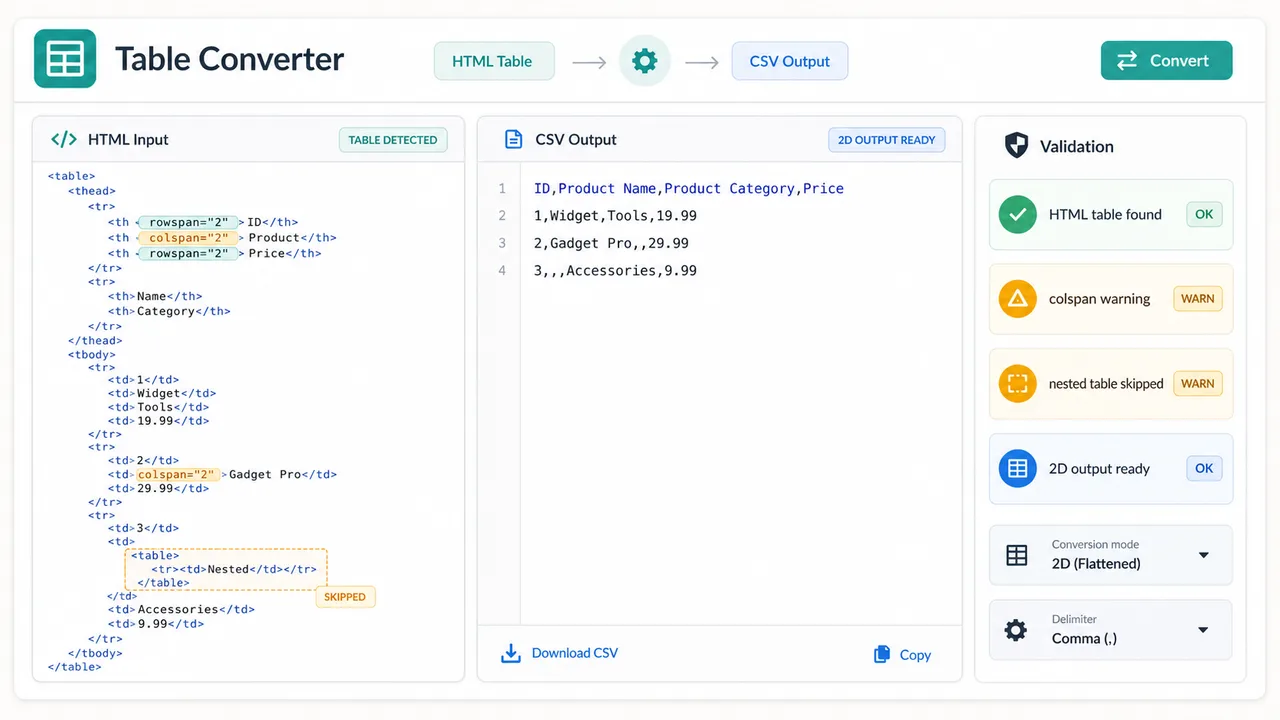
Read simple HTML tables and warn when rowspan, colspan, nested tables, or complex styles may flatten imperfectly.
Treat copied spreadsheet cells as tab-separated table data so editors can move quickly into Markdown Table or CSV.
Remove empty rows, remove empty columns, and pad missing cells to keep CSV and Markdown output regular.
Generate browser-local output that can be copied or downloaded as .csv, .md, or .html.
A short workflow: paste, inspect, choose the target format, then export.
Add CSV, TSV, Markdown Table, HTML Table, Excel copied cells, Google Sheets copied cells, or aligned text.
Choose CSV to Markdown Table, Markdown Table to CSV, CSV to HTML Table, HTML Table to CSV, TSV to Markdown Table, or auto-detect the input.
Check status messages for inconsistent columns, cleaned empty columns, escaped Markdown cells, delimiter failures, or complex HTML limitations, then copy or download.
Practical table movement between developer docs, content systems, note apps, and spreadsheet tools.
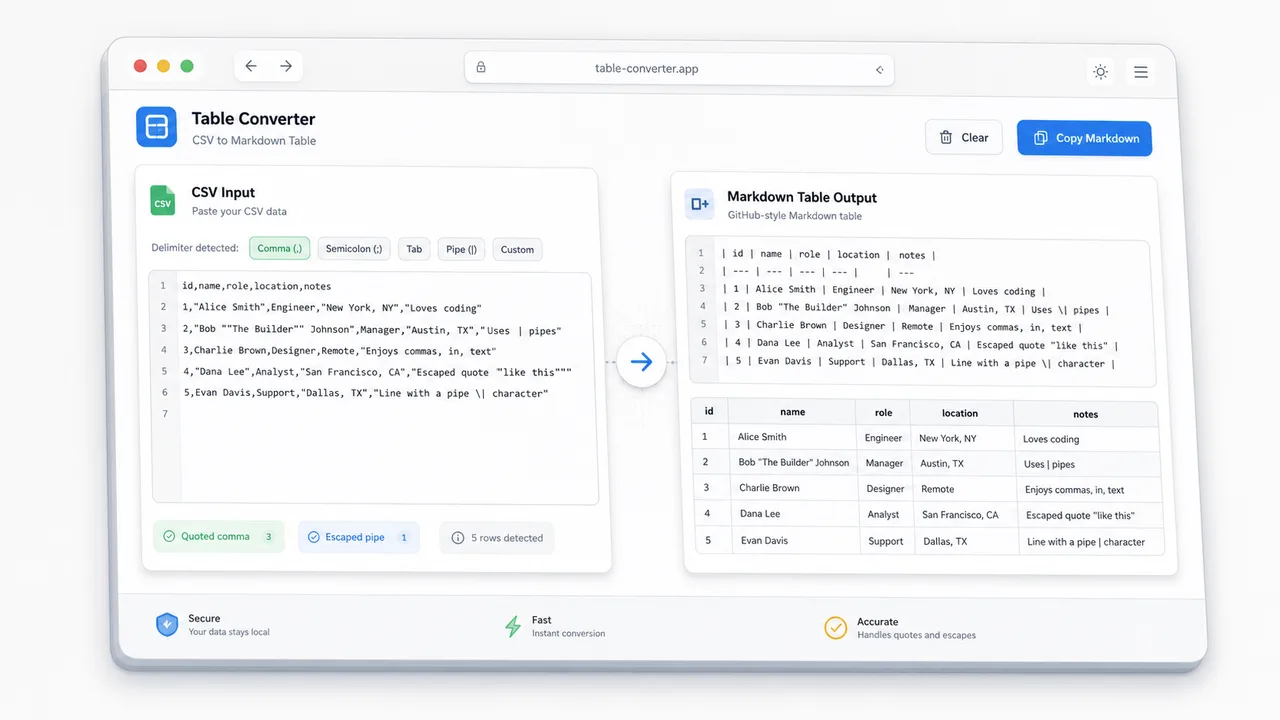
Paste CSV with quoted commas, clean the rows, escape Markdown pipes, and export a README-ready Markdown Table.
Parse simple HTML tables while warning about rowspan, colspan, nested tables, and styles that do not map cleanly to CSV.
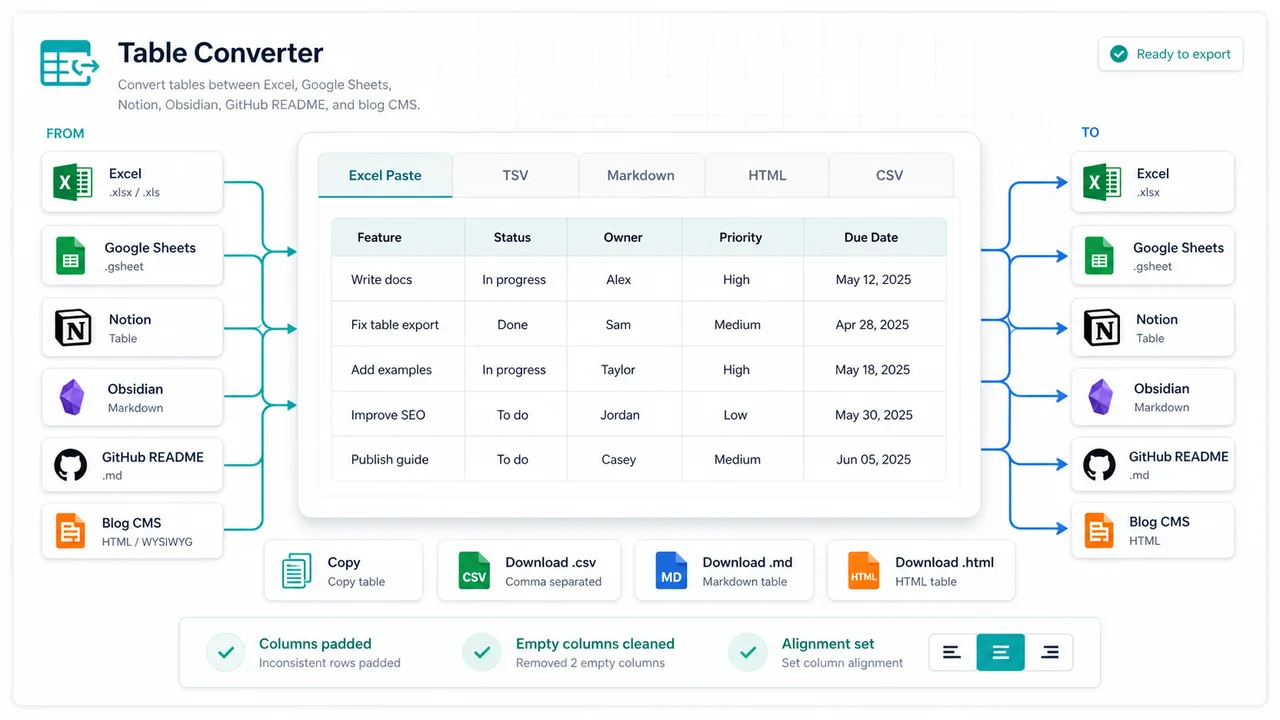
Move table content between Excel, Google Sheets, Notion, Obsidian, GitHub README files, and blog CMS editors.
Useful for developers, content editors, SEO teams, bloggers, README writers, and note-taking users.
Turn CSV exports into Markdown Table snippets for GitHub README files, changelogs, and docs.
Convert spreadsheet research tables into HTML Table or Markdown Table blocks before publishing.
Move tables between Notion, Obsidian, Google Sheets, and plain CSV without rebuilding columns by hand.
Common questions about parsing, delimiters, Markdown escaping, and HTML limitations.
Table Converter accepts Excel or Google Sheets pasted tables, CSV, TSV, Markdown Table, HTML Table, and regular aligned text. It outputs CSV, Markdown Table, or HTML Table depending on the selected direction.
Yes. CSV parsing supports quoted fields, commas inside quotes, and escaped double quotes before creating Markdown Table, HTML Table, or CSV output.
CSV and Markdown Table represent regular two-dimensional tables. HTML features such as rowspan, colspan, nested tables, and heavy styling can lose layout meaning when flattened into CSV or Markdown.
No. The conversion runs in your browser, and pasted table content is not uploaded by this tool.
Paste a table, convert CSV, Markdown Table, HTML Table, TSV, or Excel copied cells, then copy or download the cleaned result.
Local only - no upload