Manual review misses small edits
A tiny keyword, comma, or variable name change can alter meaning. This browser tool highlights every addition, deletion, and modification so reviewers do not rely on memory.
Browser text comparison
Paste two drafts, code snippets, titles, or page sections to see additions, deletions, and modified wording with clear highlights. Switch between line diff and word diff, ignore case, spaces, or blank lines, and copy a concise summary.
Turn vague version changes into visible, copyable evidence.
A tiny keyword, comma, or variable name change can alter meaning. This browser tool highlights every addition, deletion, and modification so reviewers do not rely on memory.
Developers can paste two snippets and quickly see which lines or words changed before committing, documenting, or sharing code.
Writers and SEO teams can compare titles, descriptions, headings, and page sections before publishing updates.
Use a practical browser review tool without sending text to a server.
Switch between line-by-line comparison for code blocks and word-by-word comparison for copy, titles, and page content.
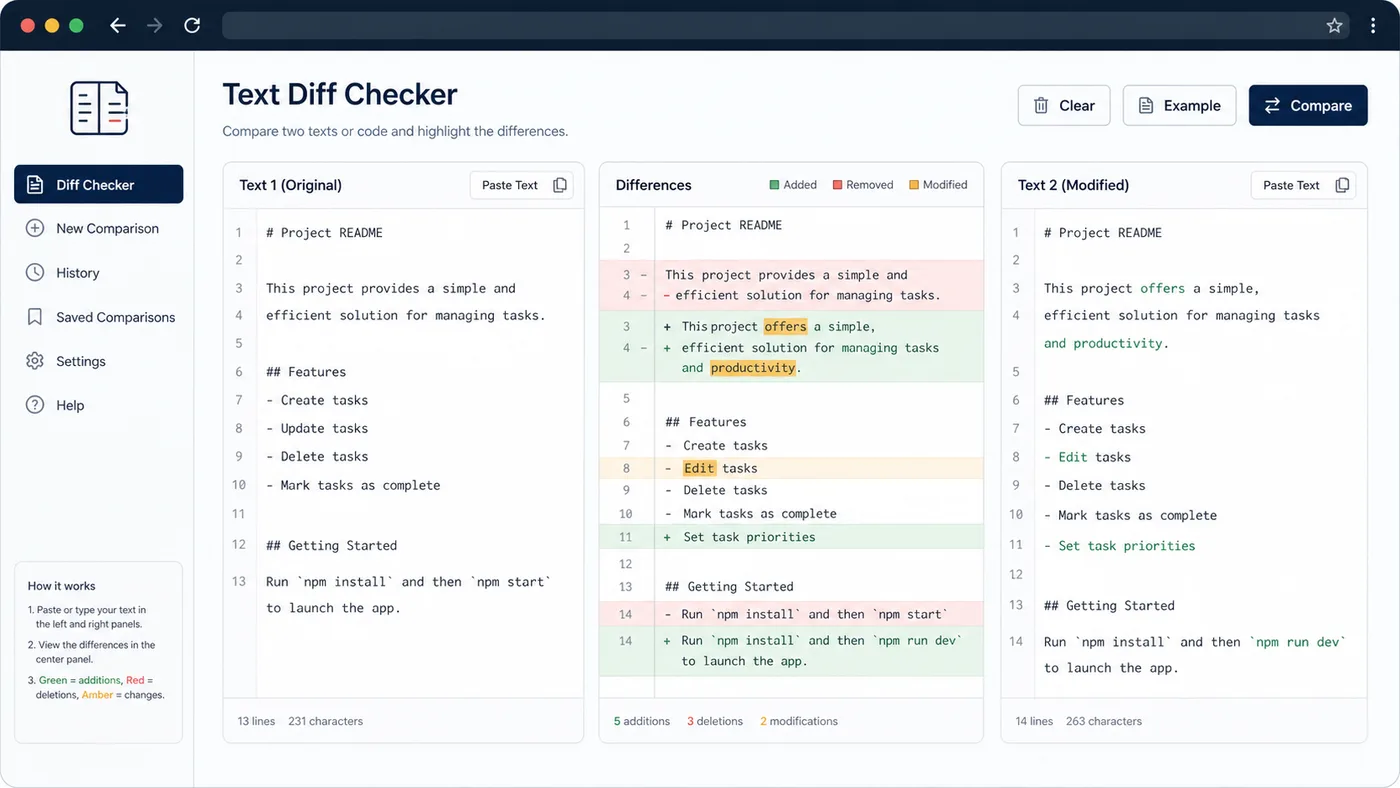
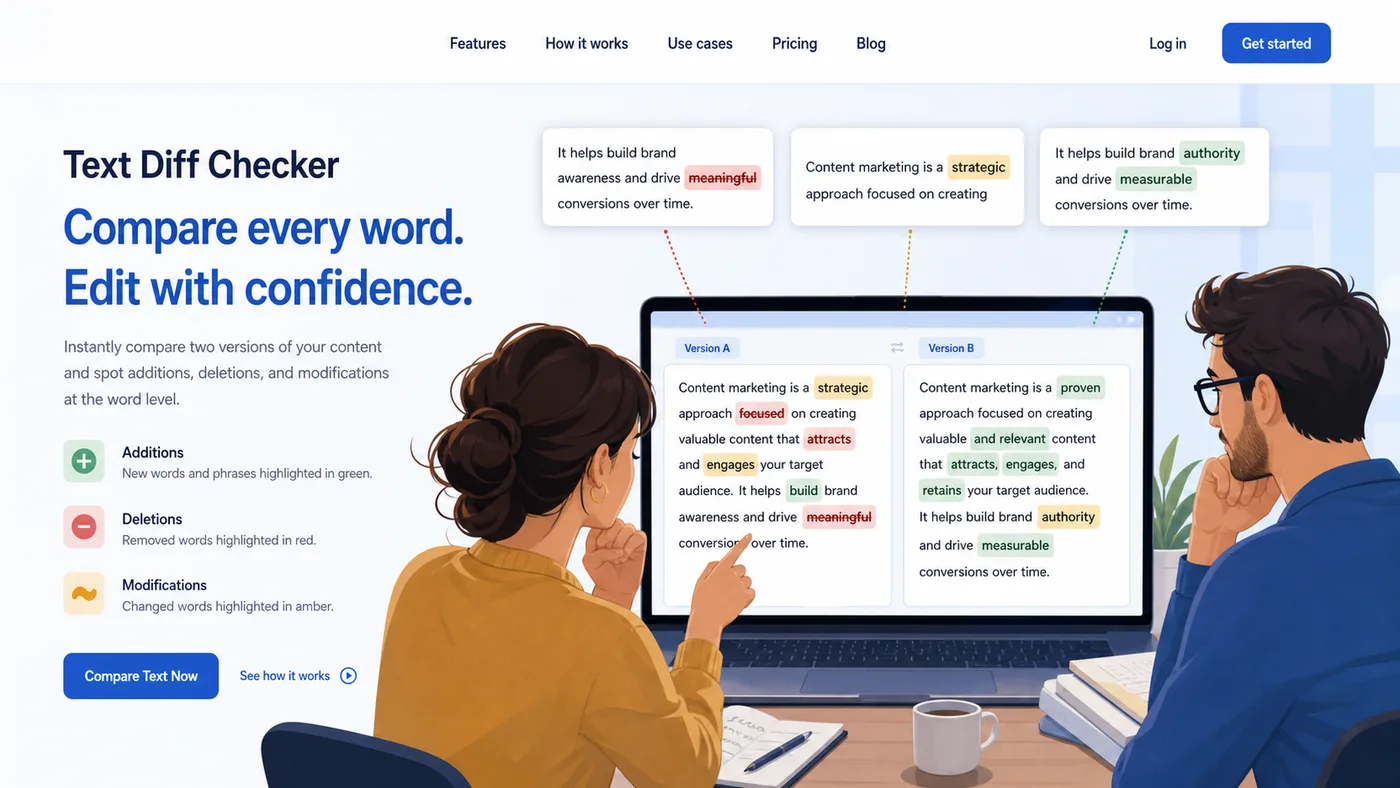
Green marks additions, red marks deletions, and amber marks modified parts so the result is easy to scan.
Ignore case, whitespace, or blank lines when formatting noise should not count as a real change.
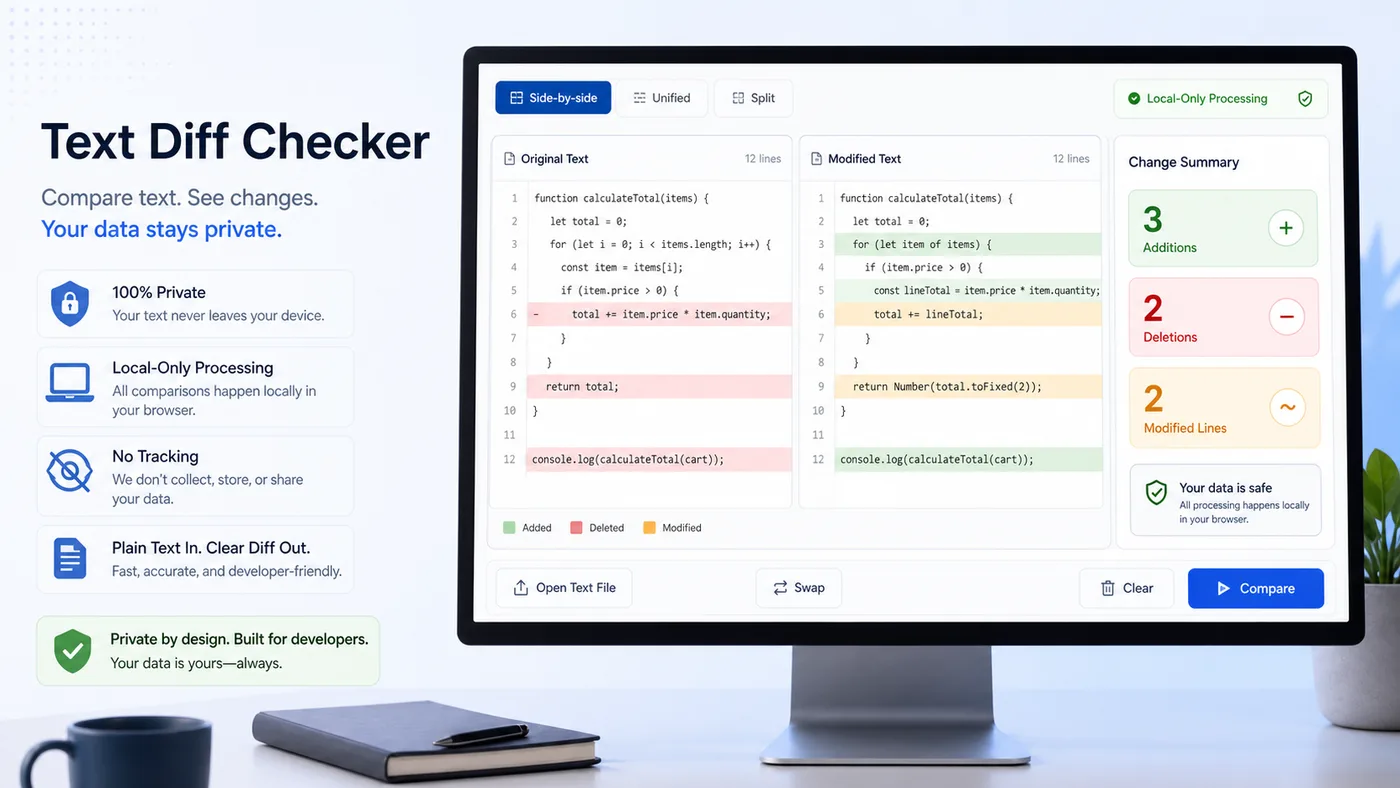
Copy a concise summary with counts and changed rows for tickets, pull requests, content approvals, or QA notes.
Use it with code snippets, Markdown, ad copy, title tags, product descriptions, CSV rows, and notes.
All comparison work runs in your browser, so pasted drafts and snippets stay on your device.
You only need two versions and the comparison style that fits your review.
Add the original text on the left and the changed version on the right. The diff updates locally as you edit.
Use line diff for code and structured content, or word diff when you need to expose wording changes inside sentences.
Scan the highlighted output, read the summary counts, and copy the diff summary for your workflow.
Three common ways teams review real changes.
Line-level code and configuration changes become visible before you paste them into a commit, ticket, or handoff note.
Word-level changes in headlines, title tags, page sections, and campaign copy become easier to approve precisely.
Differences become a compact summary you can copy into QA notes, pull requests, or editorial comments.
Useful whenever two text versions need an exact comparison.
Compare code snippets, API payloads, environment files, README changes, and generated output before sharing them.
Compare drafts, rewritten paragraphs, headlines, product copy, and style edits without losing small wording changes.
Compare title tags, meta descriptions, headings, body sections, and content refreshes before publishing.
Common questions about comparison options.
It compares any plain text you paste: code, prose, Markdown, SEO metadata, titles, descriptions, or short notes.
Line diff compares each line as a unit, which is best for code and structured blocks. Word diff compares individual words and punctuation, which is better for copy and editorial review.
Yes. Turn on ignore whitespace or ignore blank lines when spacing changes should not count. Turn on ignore case when uppercase and lowercase should be treated as the same.
No. The comparison runs in the browser with client-side JavaScript. The pasted text is processed locally on your device.
Yes. Use Copy result to copy a concise summary with counts and changed rows.
Paste two versions, choose line or word mode, and copy a clear summary of the real changes.