These are the real situations that send people looking for a text formatter every day.
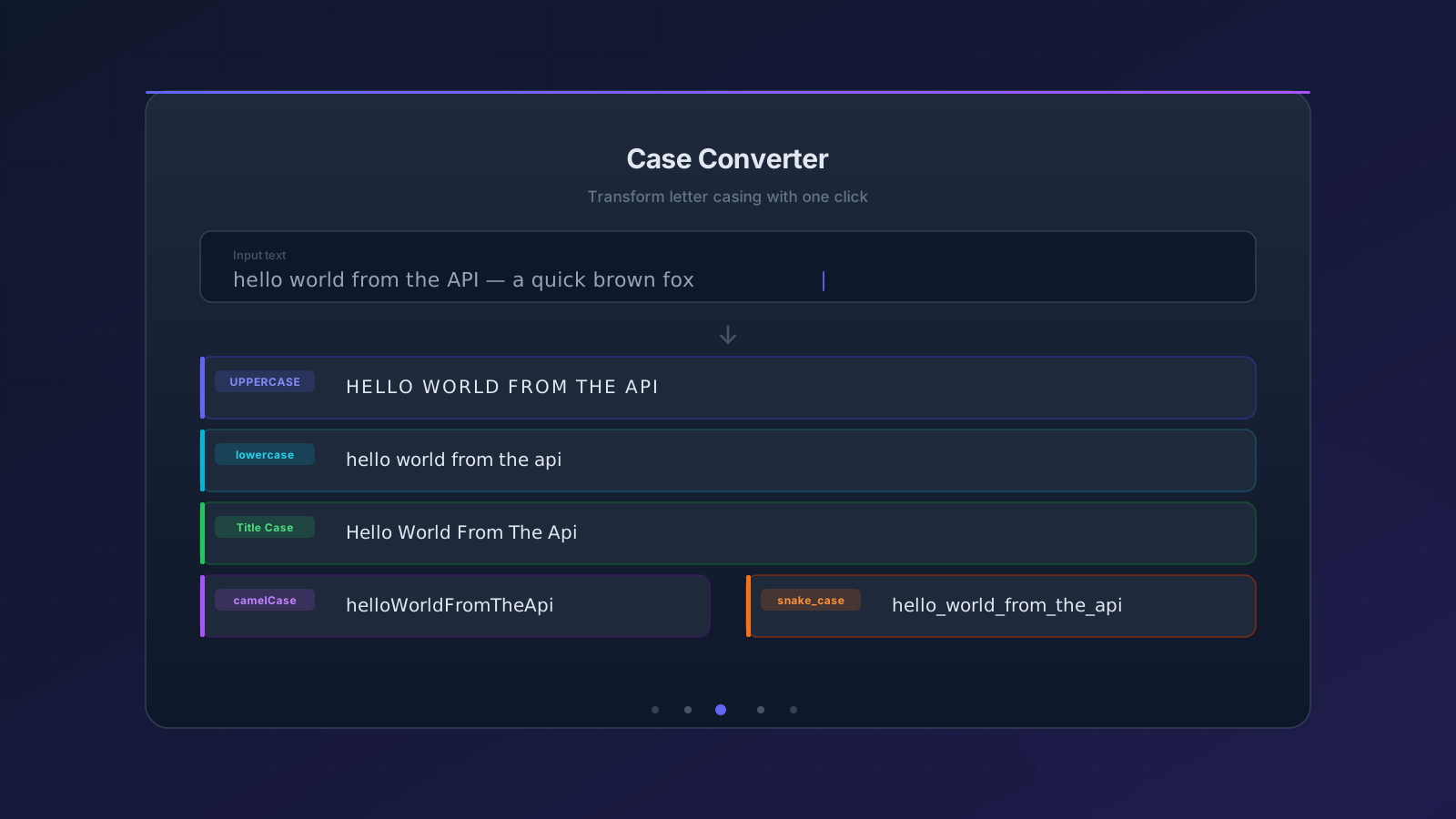
Text copied from PDFs, emails, or web pages often arrives in the wrong case — ALL CAPS, random Capitalization, or no capitals at all. Re-typing is slow; the text formatter's built-in case converter fixes it in seconds.
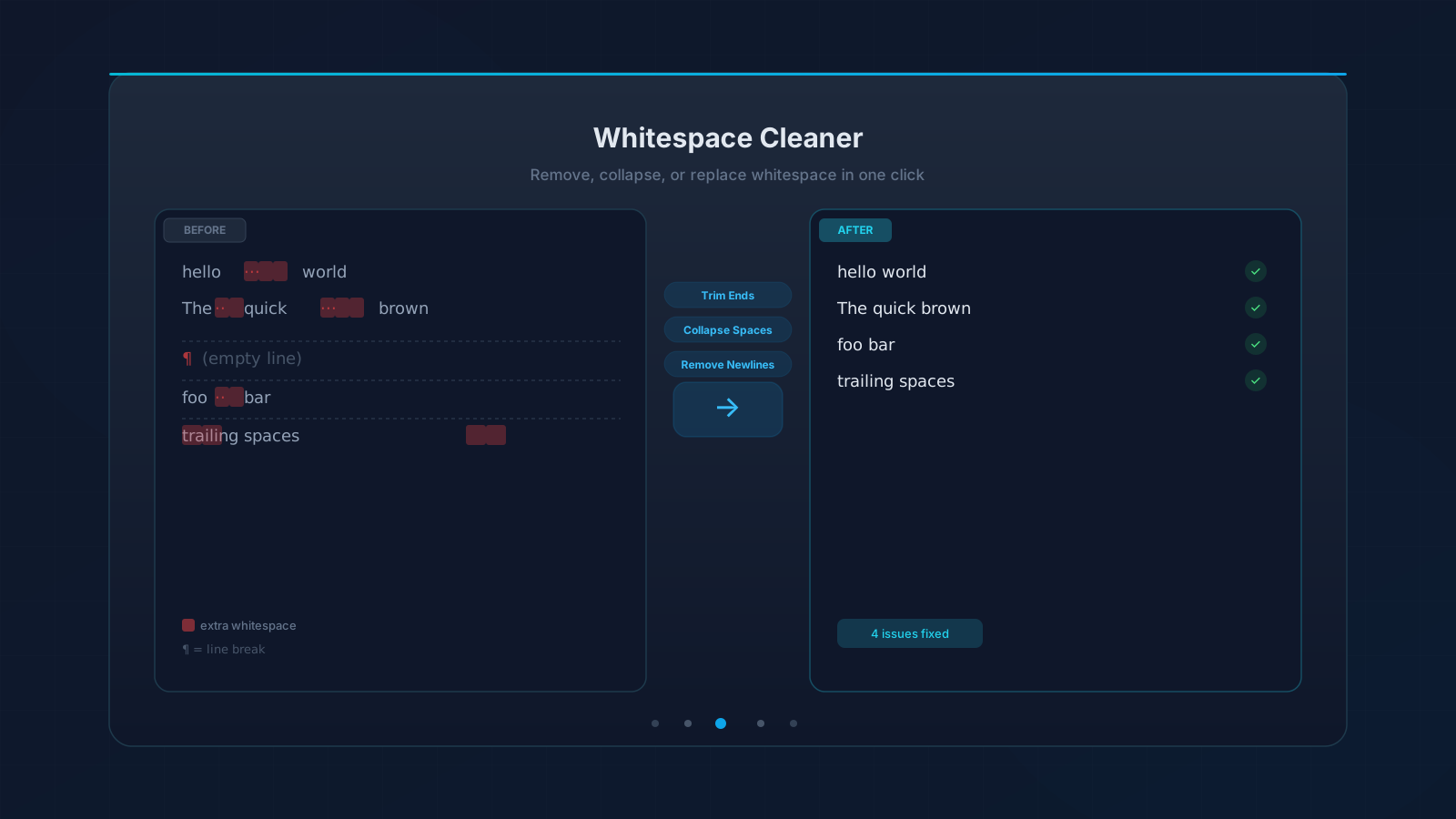
Copy-pasted content frequently contains extra spaces between words, trailing whitespace in each line, or hard line breaks that break paragraph flow. These invisible characters cause real problems in databases, code, and documents — exactly what this text formatter is built to clean up.
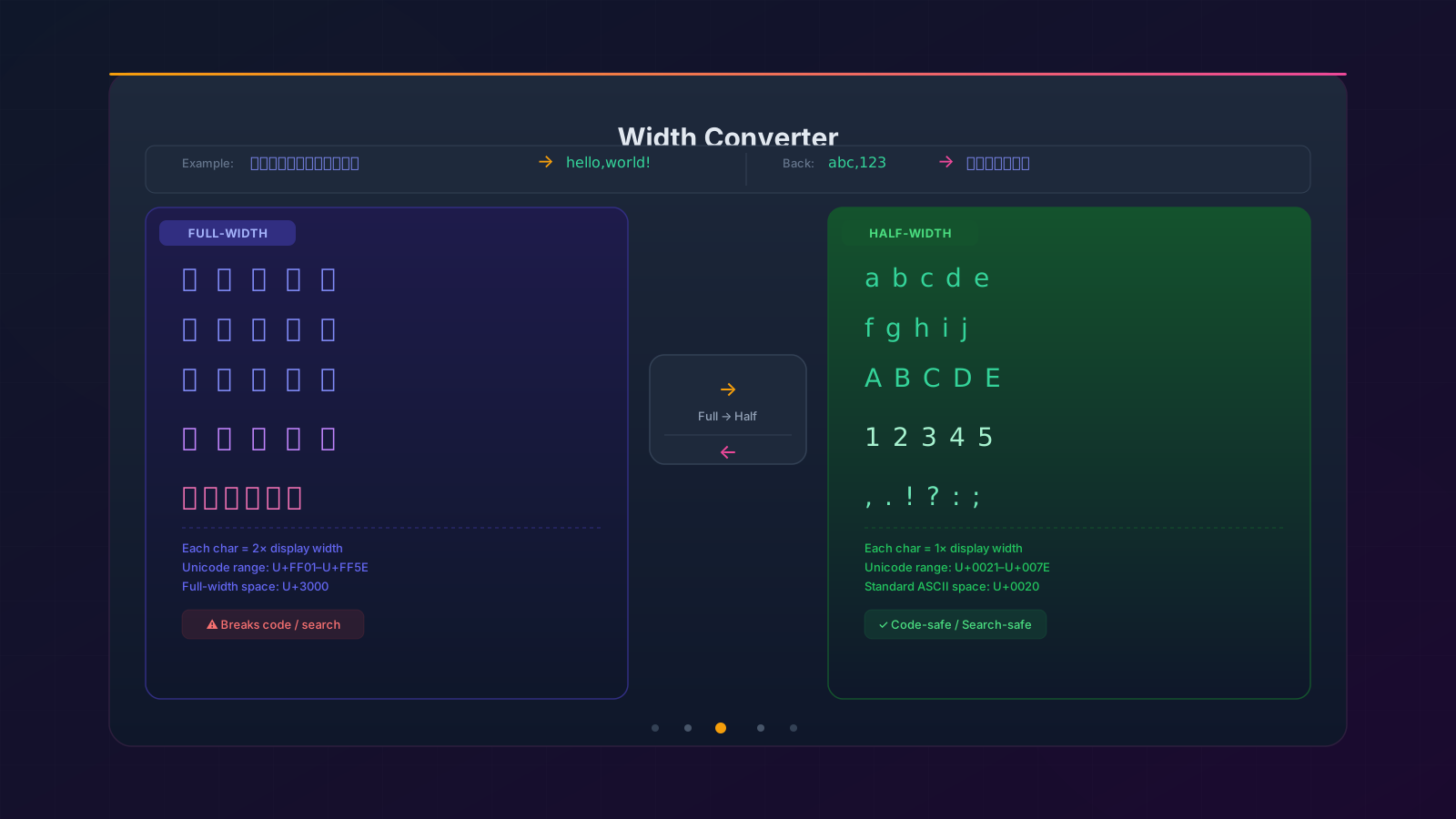
In CJK (Chinese/Japanese/Korean) contexts, it's easy to accidentally type full-width punctuation like ,、。or full-width letters like abc. These look similar to standard ASCII but break code, search queries, and data fields.
Paste your text below, then click any action to format it instantly
Transform letter casing with one click
Normalize spaces and line breaks
Convert between full-width (abc) and half-width (abc) characters
See exactly what each text formatter module does — and why it matters.
Eight case styles at your fingertips: UPPERCASE, lowercase, Title Case, Sentence case — plus the four developer formats camelCase, PascalCase, snake_case, and kebab-case. Input any mix of casing and get perfectly normalized output in a single click. Ideal for renaming variables, standardizing database column names, or preparing text for headings.
Copy-pasted text is full of invisible traps: double spaces, trailing blanks, hard line breaks from PDFs, and empty lines from spreadsheets. Trim Ends removes leading and trailing whitespace, Collapse Spaces merges runs of spaces into one, and Remove Newlines flattens multi-line text into a single paragraph. You can also replace every newline with a custom character — a comma, a pipe, or anything else — for instant CSV or TSV conversion.
In Chinese, Japanese, and Korean (CJK) writing contexts it is easy to accidentally type full-width characters — abc instead of abc, or ,instead of ,. These look almost identical on screen but break code, database queries, and search engines that expect standard ASCII. One click converts every full-width Latin letter, digit, and punctuation mark to its half-width equivalent, or back again when you need the wider display style.
Your all-in-one text formatter to clean, reformat, and normalize text — fast.
UPPERCASE, lowercase, Title Case, Sentence case, camelCase, PascalCase, snake_case, and kebab-case — all available with one click. Perfect for renaming variables, editing headlines, or normalizing database fields.
Trim leading/trailing spaces, collapse multiple spaces into one, remove all line breaks, or replace newlines with any custom character. Ideal for cleaning text copied from PDFs, spreadsheets, or web pages.
Convert full-width characters (abc, 123) to standard half-width ASCII and back. Essential for normalizing CJK-mixed text where accidental full-width punctuation sneaks in.
Each action modifies the text in-place, so you can chain operations: Trim → Collapse Spaces → camelCase. The result of each step feeds straight into the next.
Made a mistake? Hit Undo to instantly restore the previous version of your text. Experiment freely without fear of losing your original content.
All processing runs entirely in your browser — nothing is sent to our servers. Your text stays on your device, even when working with sensitive content.
Get started with this text formatter in three simple steps.
Click into the text area and type, or paste (Ctrl+V / ⌘+V) any content you want to format. A live character count shows how much text you have.
Click any button in the text formatter's Case Converter, Whitespace Cleaner, or Width Converter panels. Your text updates instantly — no page reload, no waiting.
Click Copy to save the text formatter output to your clipboard, then paste it into a document, code editor, spreadsheet, or any input field you need.
Common questions about the Text Formatter and its formatting options.
Title Case capitalizes the first letter of every word in a string — for example, 'the quick brown fox' becomes 'The Quick Brown Fox'. It's standard for article headlines, book titles, and UI button labels.
camelCase joins words together without separators, capitalizing the first letter of each word except the very first — for example, 'user profile page' becomes 'userProfilePage'. It's the default naming convention in JavaScript, TypeScript, Java, and many other languages.
Both are lowercase naming styles that separate words, but snake_case uses underscores (user_profile_page) and kebab-case uses hyphens (user-profile-page). snake_case is common in Python and SQL column names; kebab-case is popular in CSS class names and URL slugs.
Full-width characters are a typographic variant of standard ASCII used in East Asian (CJK) text. Characters like a, b, c and full-width punctuation ,。! are visually wider versions of a, b, c and ,. They can break code, data fields, or search queries that expect ordinary ASCII — the Width Converter fixes this in one click.
No — Collapse Spaces only merges multiple consecutive internal spaces into one (e.g. 'hello world' → 'hello world'). To also remove leading and trailing spaces, click Trim Ends first, or click both buttons in sequence.
No. This text formatter runs entirely in your browser using client-side JavaScript. Your text is never uploaded, logged, or stored anywhere — it even works offline once the page has loaded.
Before every formatting action, the text formatter saves a snapshot of your current text. Clicking Undo restores that snapshot. Only one level of history is kept, so clicking Undo a second time re-applies the last action.
