Rotaları tekrar düzenlemeden taşıyın
Outdoor, bisiklet, koşu, seyahat, harita ve GPS rotalarını Google Earth, spor uygulamaları, planlayıcılar ve GPS cihazları arasında taşıyın.
GPS rota aracı
Harita Dosyası Dönüştürücü helps outdoor, cycling, running, travel, map, and GPS users move route files between Google Earth, sports apps, route planners, and GPS devices in one browser page.
Harita Dosyası Dönüştürücü solves common route-file friction before a trip, race, ride, or GIS handoff.
Outdoor, bisiklet, koşu, seyahat, harita ve GPS rotalarını Google Earth, spor uygulamaları, planlayıcılar ve GPS cihazları arasında taşıyın.
Rota dosyanız işlem sırasında cihazınızda kalır.
KML renkleri, ikonları veya katman stilleri GPX’e tam geçmezse araç uyarır.
Harita Dosyası Dönüştürücü focuses on route-file structure, not single coordinate formatting.
Harita Dosyası Dönüştürücü turns GPX tracks, routes, waypoints, elevation, timestamps, and names into a KML file for Earth viewers.
Harita Dosyası Dönüştürücü extracts KML LineString, gx:Track, and Point data into GPX tracks and waypoints, with style warnings when needed.
Harita Dosyası Dönüştürücü exports tracks and routes as GeoJSON LineString features and waypoints as Point features.
Harita Dosyası Dönüştürücü converts KML paths and points into a clean FeatureCollection for web maps and GIS workflows.
Harita Dosyası Dönüştürücü reports route names, point counts, elevation fields, timestamps, track points, route points, and waypoints.
Harita Dosyası Dönüştürücü creates a target GPX, KML, or GeoJSON file directly in your browser after conversion.
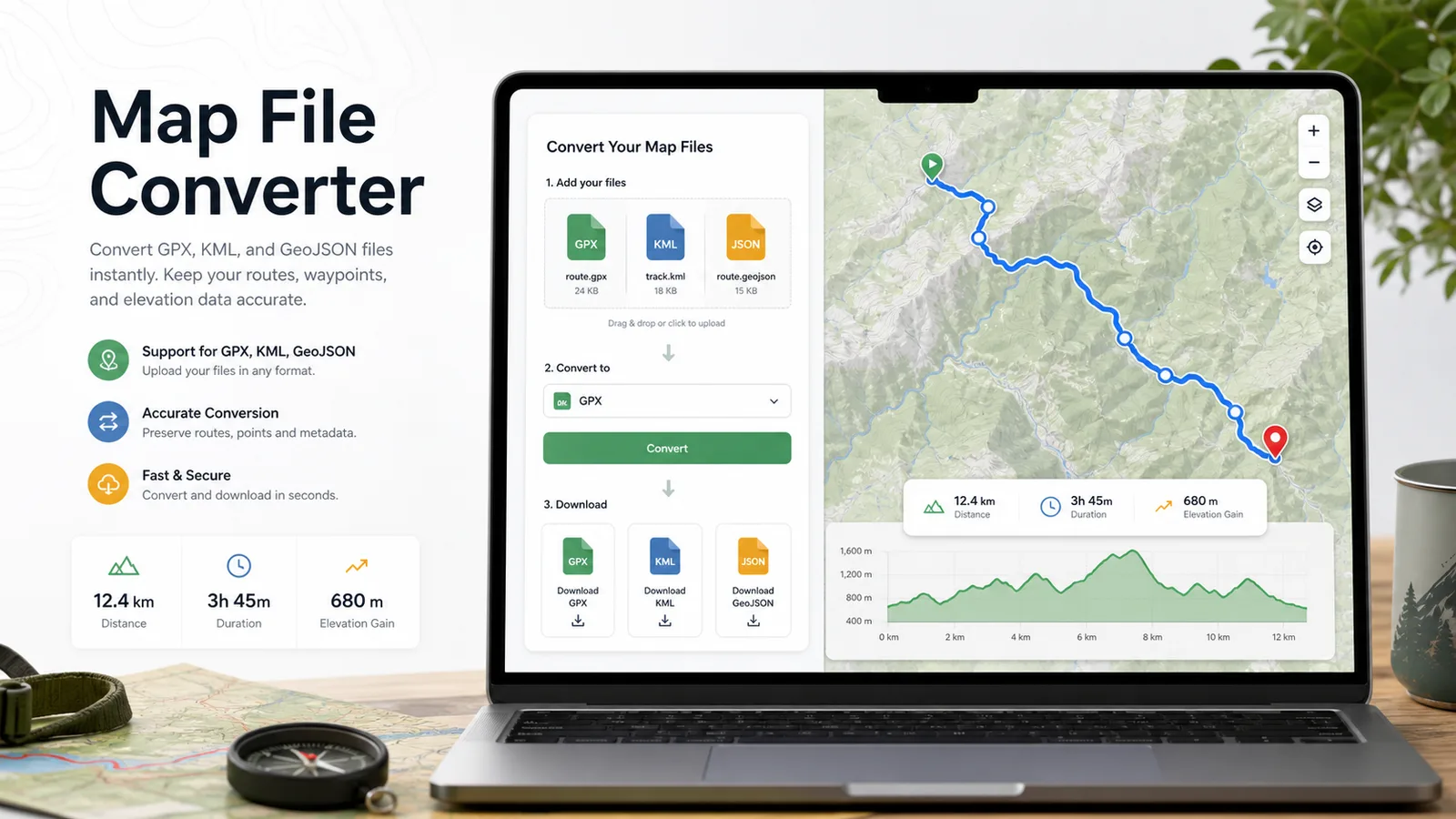
Harita Dosyası Dönüştürücü needs only three steps: upload, review, convert.
Choose a GPX, KML, GeoJSON, or JSON file. Harita Dosyası Dönüştürücü checks file size and structure before parsing.
Harita Dosyası Dönüştürücü shows route name, source format, target format, tracks, routes, waypoints, point totals, elevation values, and timestamps.
Select GPX, KML, or GeoJSON as the target, run conversion, then download the generated file for your map app, sports app, planner, or GPS device.
Harita Dosyası Dönüştürücü keeps upload, route analysis, warnings, and file download on the same page.
Drop in GPX, KML, or GeoJSON and choose GPX to KML, KML to GPX, GPX to GeoJSON, KML to GeoJSON, or GeoJSON export paths.
Before download, Harita Dosyası Dönüştürücü summarizes track points, route points, waypoints, elevation, timestamps, route name, and possible field loss.
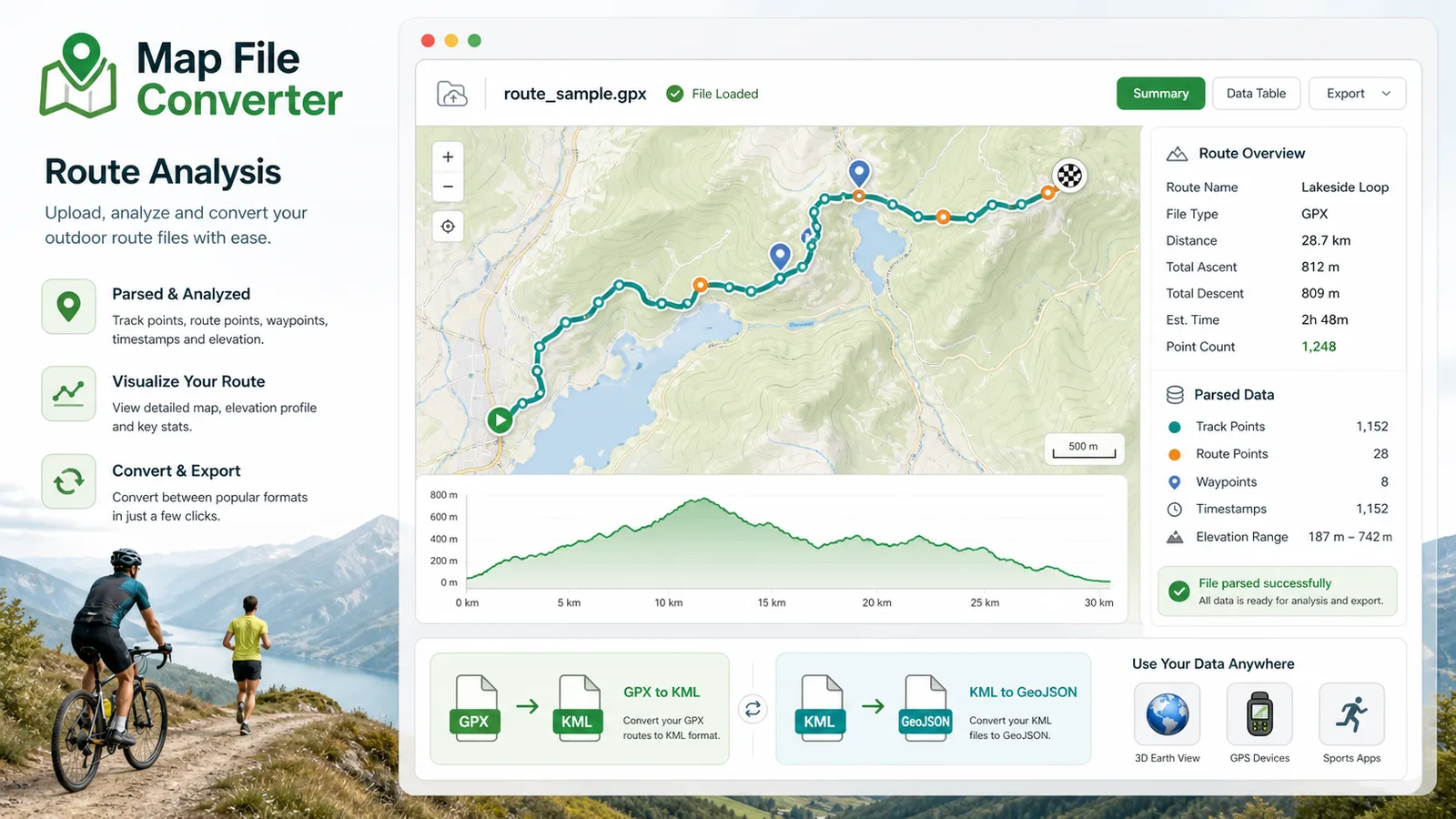
Harita Dosyası Dönüştürücü is built for people moving real route files between different mapping ecosystems.
Use Harita Dosyası Dönüştürücü to move hiking, road-trip, and travel routes between Google Earth, route planners, and mobile navigation apps.
Use Harita Dosyası Dönüştürücü to prepare GPX or GeoJSON route data for sports dashboards, ride planners, and race-day files.
Use Harita Dosyası Dönüştürücü to cleanly export route and waypoint data for GPS devices that prefer GPX.
Common questions about Harita Dosyası Dönüştürücü.
Harita Dosyası Dönüştürücü converts GPX, KML, and GeoJSON route files. Priority paths are GPX to KML, KML to GPX, GPX to GeoJSON, and KML to GeoJSON, with GeoJSON export paths also available.
No. Harita Dosyası Dönüştürücü parses and converts the file in your browser tab, so route data is not sent to a server during conversion.
KML can contain colors, icons, folders, and layer styles. GPX is mainly for tracks, routes, and waypoints, so Harita Dosyası Dönüştürücü warns that style information may not fully survive KML to GPX conversion.
LatLong Coordinate Converter handles single points and coordinate formats. Harita Dosyası Dönüştürücü handles complete route files with many points, names, elevation values, timestamps, tracks, routes, and waypoints.
Harita Dosyası Dönüştürücü gives you a quick, private way to move route files between map tools, sports apps, planning workflows, and GPS hardware.