Identify invisible characters
Spot spaces, line breaks, combining marks, and punctuation that can break search, layout, imports, or localization QA.
Free Developer Tool
Paste one symbol or a full string. The inspector splits it into characters and shows code point, name, block, UTF-8, UTF-16, HTML entity, CSS escape, and JavaScript escape.
Use this browser inspector when two symbols look alike, copied text behaves oddly, or code needs the exact escape form.
Spot spaces, line breaks, combining marks, and punctuation that can break search, layout, imports, or localization QA.
Check UTF-8 bytes, UTF-16 code units, HTML entities, CSS escapes, and JavaScript escapes before shipping code.
Review CJK, Arabic, emoji, currency, and symbol characters with names and Unicode blocks in one browser tool.
Everything needed to understand a character without leaving the browser.
See U+ values and Unicode character names, including useful labels for controls, private-use, noncharacters, and reserved code points.
Locate the block for scripts, symbols, punctuation, emoji support characters, and compatibility ranges.
Copy UTF-8, UTF-16, HTML Entity, CSS Escape, and JavaScript Escape values for documentation and code.
Paste a string and inspect every code point, or switch to grapheme mode for user-perceived characters.
Spaces, tabs, line feeds, and combining marks get readable previews so hidden characters are easier to debug.
Inspection runs locally with browser APIs and bundled Unicode data, so pasted text is not uploaded.
Paste, split, inspect, and copy the exact values you need.
Enter one symbol, copied UI text, multilingual content, emoji, whitespace, or a mixed string in the input box.
Use code point mode for exact Unicode scalar values, or grapheme mode when you want combined emoji and accented letters kept together.
Review the glyph preview, Unicode code point, character name, block, UTF-8, UTF-16, HTML Entity, CSS Escape, and JavaScript Escape.
Use the copy buttons for bug reports, font QA notes, translation tickets, CSS content strings, JavaScript tests, or docs.
Use the inspector for debugging, localization, typography, and web escaping.
Paste text that combines Latin letters, CJK characters, currency signs, emoji, and punctuation, then review every character row.
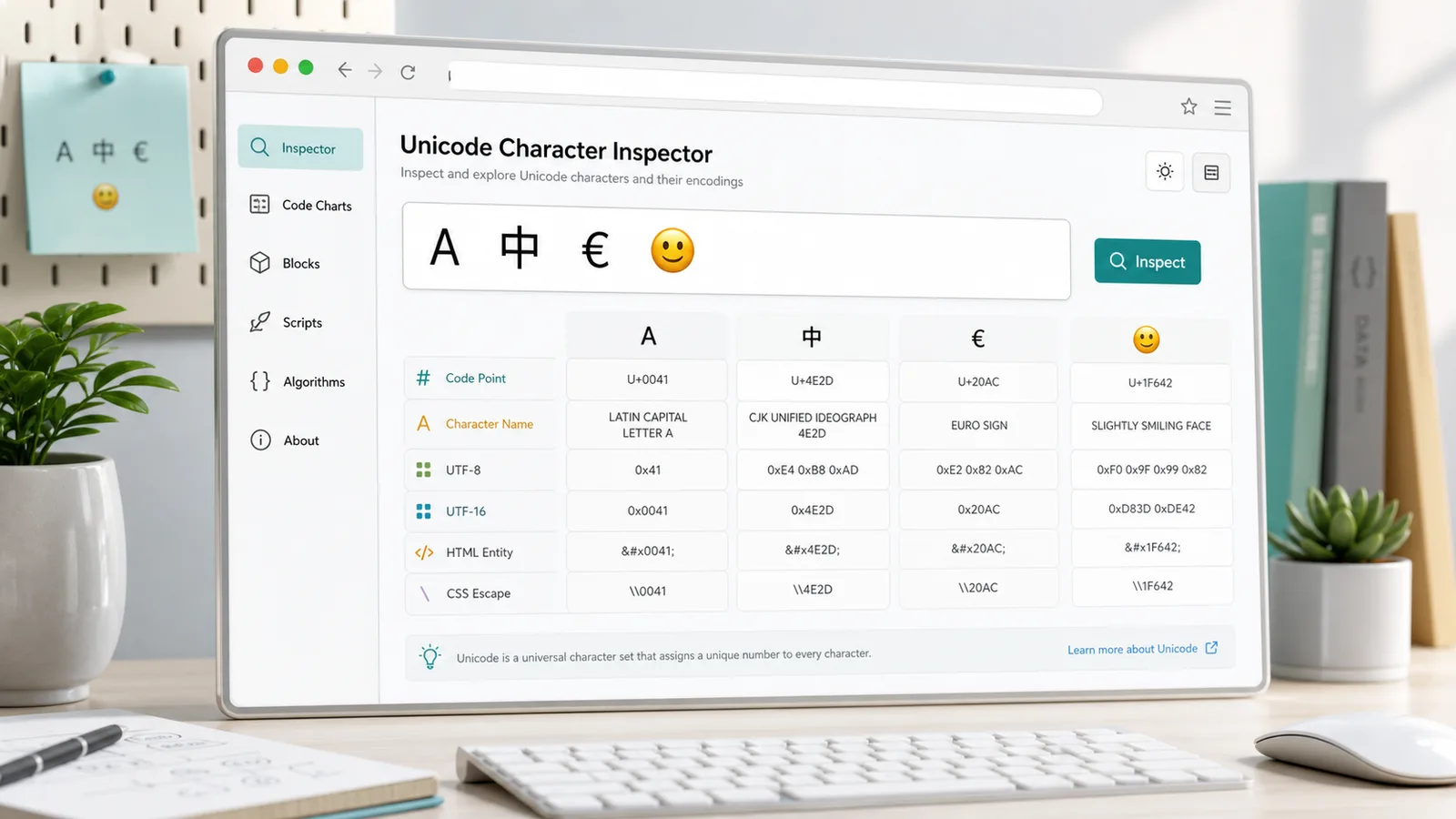
Find narrow spaces, combining marks, bidirectional punctuation, and glyphs that look correct but encode differently.

Move from a visible symbol to code point, UTF-8 bytes, UTF-16 units, HTML Entity, CSS Escape, and JavaScript Escape values.
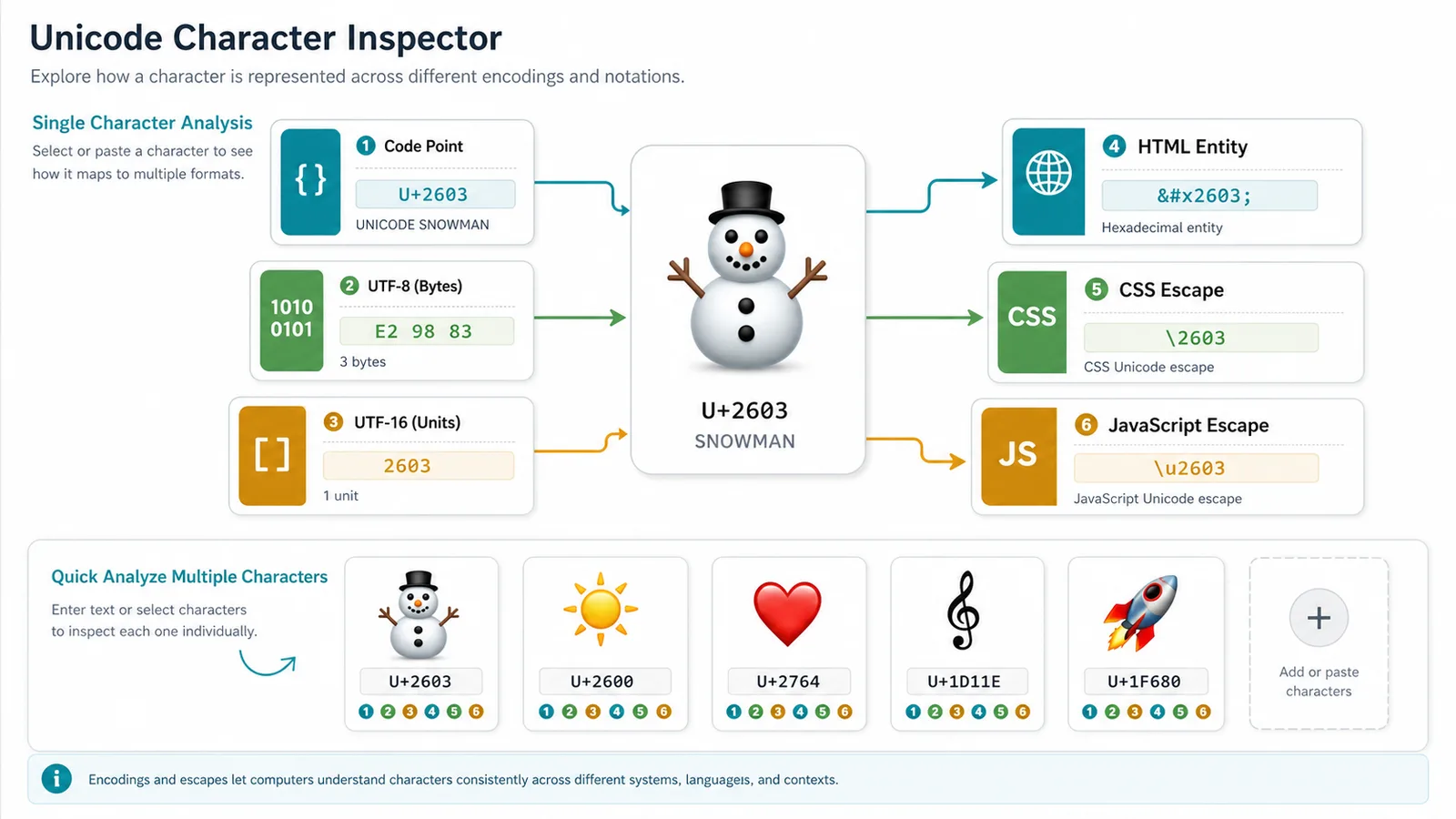
Built for developers, translators, font designers, editors, and symbol lookup users.
Confirm exact escapes for CSS content, HTML documentation, JavaScript strings, tests, and data fixtures.
Identify hidden spaces, wrong punctuation, unexpected combining marks, and script-specific characters in localized strings.
Check character names and blocks before choosing fallback fonts, testing coverage, or reporting missing glyphs.
Answers about code points, names, blocks, encodings, escape formats, and privacy.
It inspects each character and reports the Unicode code point, character name, Unicode block, UTF-8, UTF-16, HTML Entity, CSS Escape, and JavaScript Escape.
Yes. Paste a full string and the tool splits it into entries. Code point mode is exact; grapheme mode keeps combined user-visible characters together.
No. The inspector runs in your browser with local encoding APIs and bundled Unicode data.
Some visible characters are sequences, such as emoji with modifiers or letters plus combining marks. Grapheme mode shows those sequences together.
Paste a symbol, emoji, whitespace character, or multilingual string and copy precise Unicode details in seconds.
Free forever - browser-only Unicode inspection.