Raw headers are hard to scan
The parser separates names, values, duplicates, Cookie pairs, Set-Cookie attributes, and malformed lines so copied debugging output becomes readable.
Developer Tool
HTTP Header Parser turns headers copied from DevTools, Postman, curl, server logs, or packet captures into structured rows, cookie details, Authorization hints, CORS/CSP findings, and safe exports without sending data anywhere.
HTTP Header Parser helps developers and site owners understand copied headers without online scanning, backend proxying, or saving pasted data.
The parser separates names, values, duplicates, Cookie pairs, Set-Cookie attributes, and malformed lines so copied debugging output becomes readable.
It masks Authorization, Cookie, Set-Cookie, token, session, and key-like values by default before you copy JSON or cleaned headers.
It flags broad CORS, unsafe-inline CSP, missing HSTS, and common security headers while reminding you that static checks are only a first pass.
HTTP Header Parser combines structured parsing, static security checks, safe exports, and browser-only processing for everyday API debugging.
The parser handles request headers, response headers, browser DevTools copies, Postman snippets, curl -H lines, and server log fragments.
It extracts Cookie name/value pairs plus Set-Cookie Domain, Path, Expires, Max-Age, Secure, HttpOnly, and SameSite attributes.
It recognizes Bearer token placeholders and Basic Auth structure while keeping the actual value hidden unless you choose to reveal it.
It highlights Access-Control-Allow-Origin, Access-Control-Allow-Credentials, Content-Security-Policy, and unsafe-inline patterns.
It checks Strict-Transport-Security, X-Frame-Options, Referrer-Policy, and Permissions-Policy for quick triage.
It copies structured JSON, copies cleaned headers, and downloads a TXT result for tickets, audits, and debugging notes.
Use HTTP Header Parser as a local first-pass reader before sharing headers in tickets, docs, chats, or audits.
Paste Request Headers, Response Headers, Cookie, Set-Cookie, Authorization, CORS, CSP, DevTools, Postman, curl, or server log text into the parser.
Open parserCheck parsed header names, merged duplicates, Cookie fields, Set-Cookie missing attributes, malformed lines, and security findings.
Open parserLeave masking enabled before copying structured JSON, cleaned headers, or TXT output if real tokens, sessions, or cookies are present.
Open parserUse static CORS, CSP, and security header signals as triage, then confirm behavior in your actual server and business configuration.
Open parserThis tool focuses on fast local comprehension instead of scanning remote sites or storing pasted headers.
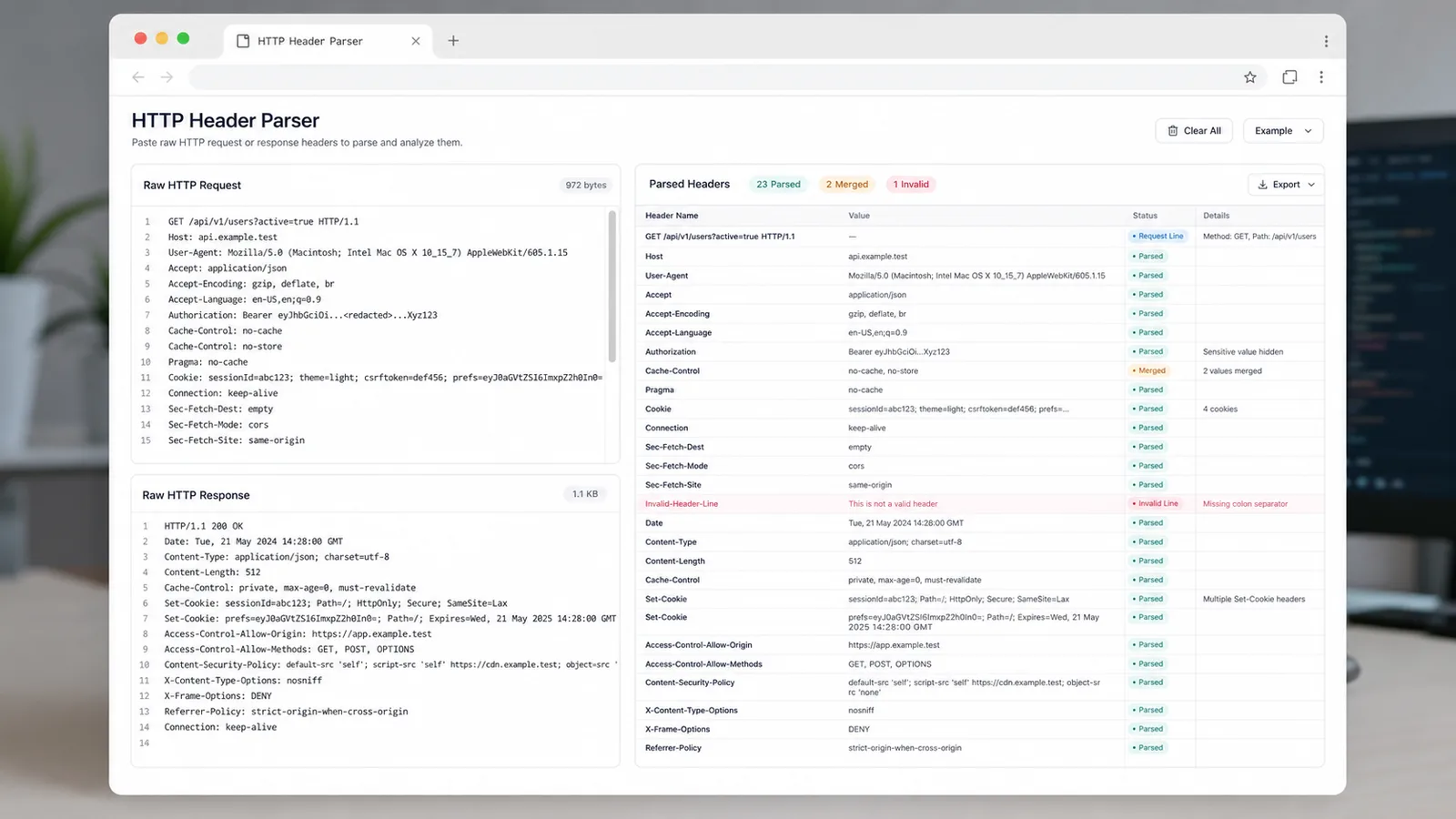
Paste mixed request and response headers into the tool and get structured names, values, line numbers, duplicates, and abnormal lines.
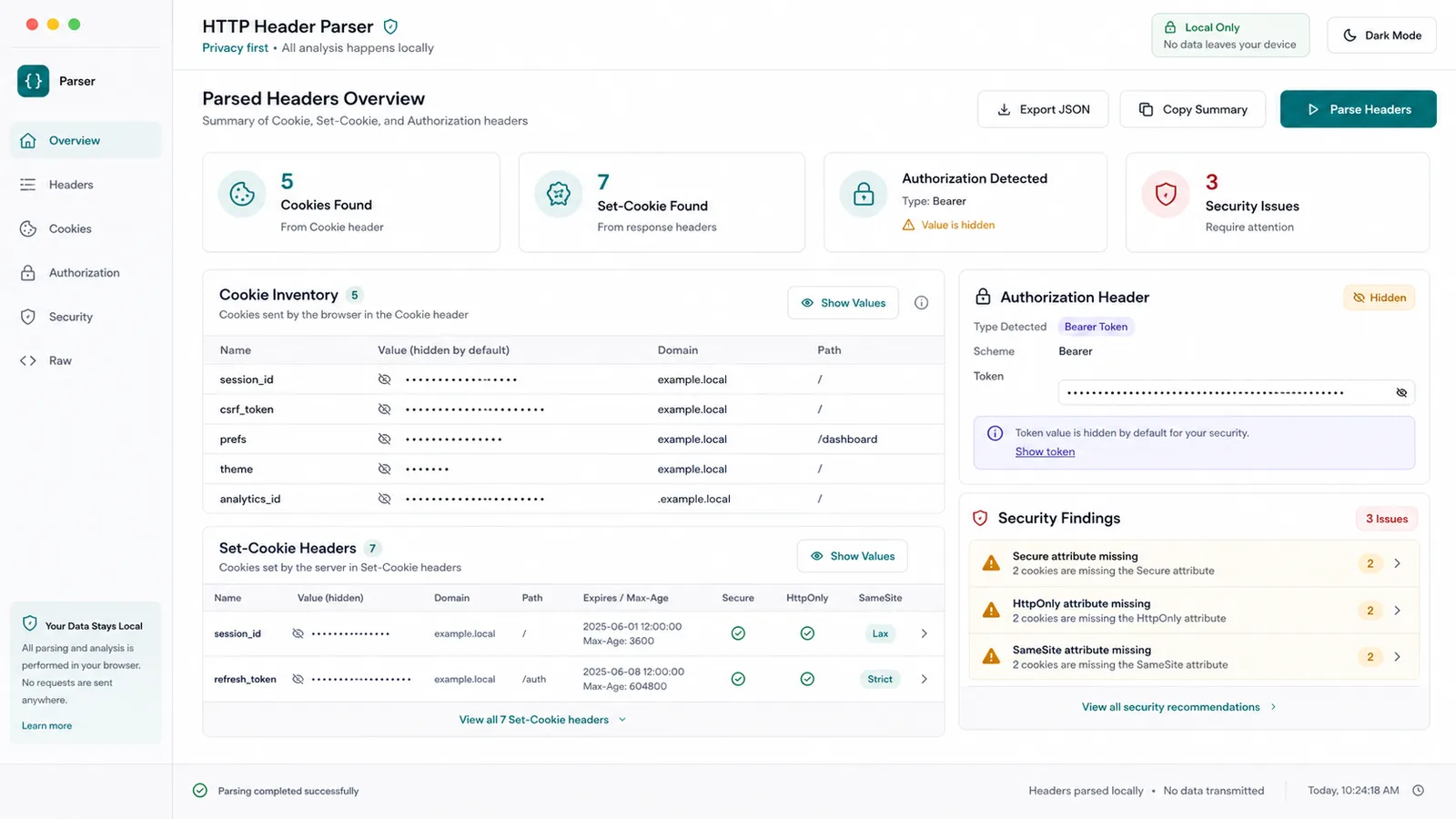
The tool breaks down Cookie and Set-Cookie fields, shows missing Secure, HttpOnly, SameSite, Domain, or Path attributes, and masks Authorization content.
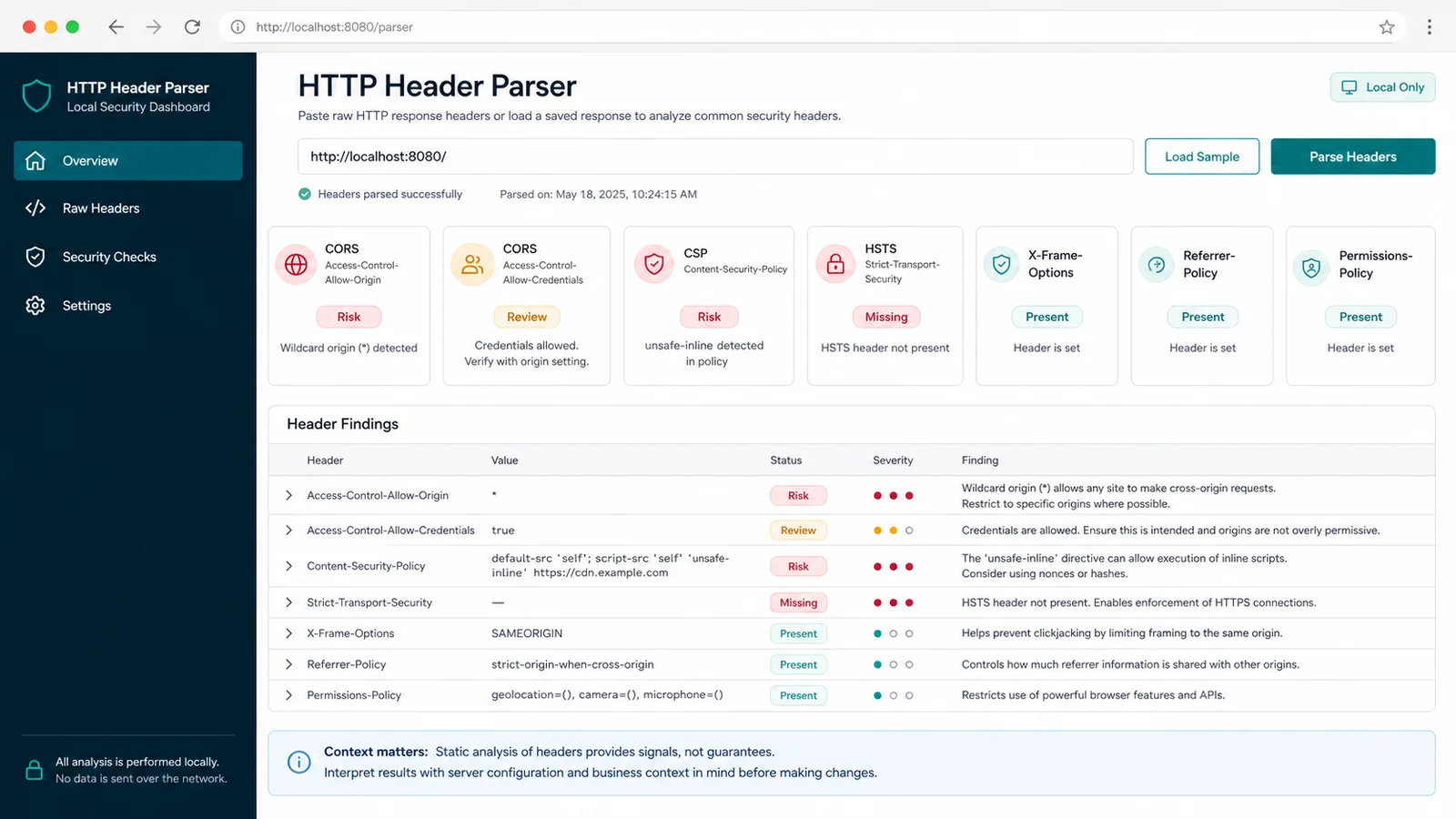
The tool surfaces broad CORS, unsafe-inline CSP, missing HSTS, and common policy headers so teams know what to verify next.
HTTP Header Parser complements the JWT Decoder, URL tools, and Base64 tools by focusing on headers, cookies, CORS, CSP, and security policies.
Use it to understand browser Request Headers, Response Headers, CORS results, Cookie behavior, and cache headers before opening a backend ticket.
Use it to clean log snippets, inspect Authorization headers, merge duplicate headers, and share structured JSON with teammates.
Use it to review CSP, HSTS, X-Frame-Options, Referrer-Policy, Permissions-Policy, and cookie attributes before deeper testing.
After parsing headers, open the JWT Decoder for JWT payloads, URL Master for query strings, or Base64 Decoder for encoded payload fragments.
Common questions about what HTTP Header Parser does and does not do.
No. This is a pure front-end parser. It does not request the target website, use an online scanner, proxy traffic, or save pasted data.
No. The tool uses static rules to highlight broad CORS, unsafe-inline CSP, missing HSTS, and common policy headers. Final safety must be judged with real business behavior and server configuration.
The tool hides sensitive values by default because real headers can contain session cookies, bearer tokens, API keys, and credentials that should not be shared publicly.
This tool focuses on HTTP header names, values, cookies, Authorization structure, CORS, CSP, and security headers. JWT Decoder focuses on JWT payloads, URL tools focus on URLs, and Base64 tools focus on encoding and decoding.
Paste copied headers into the tool, keep sensitive values hidden, and turn messy debugging text into structured results you can inspect, copy, or download.