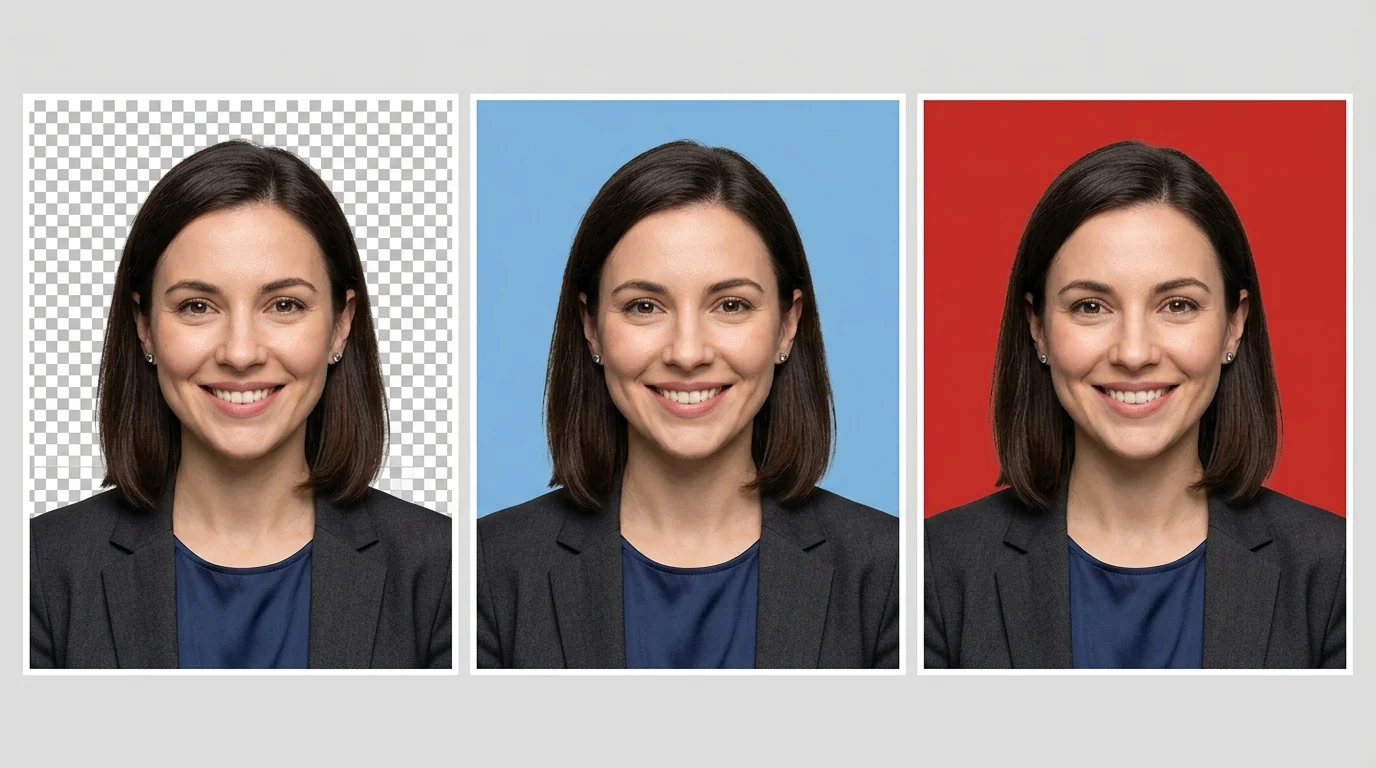
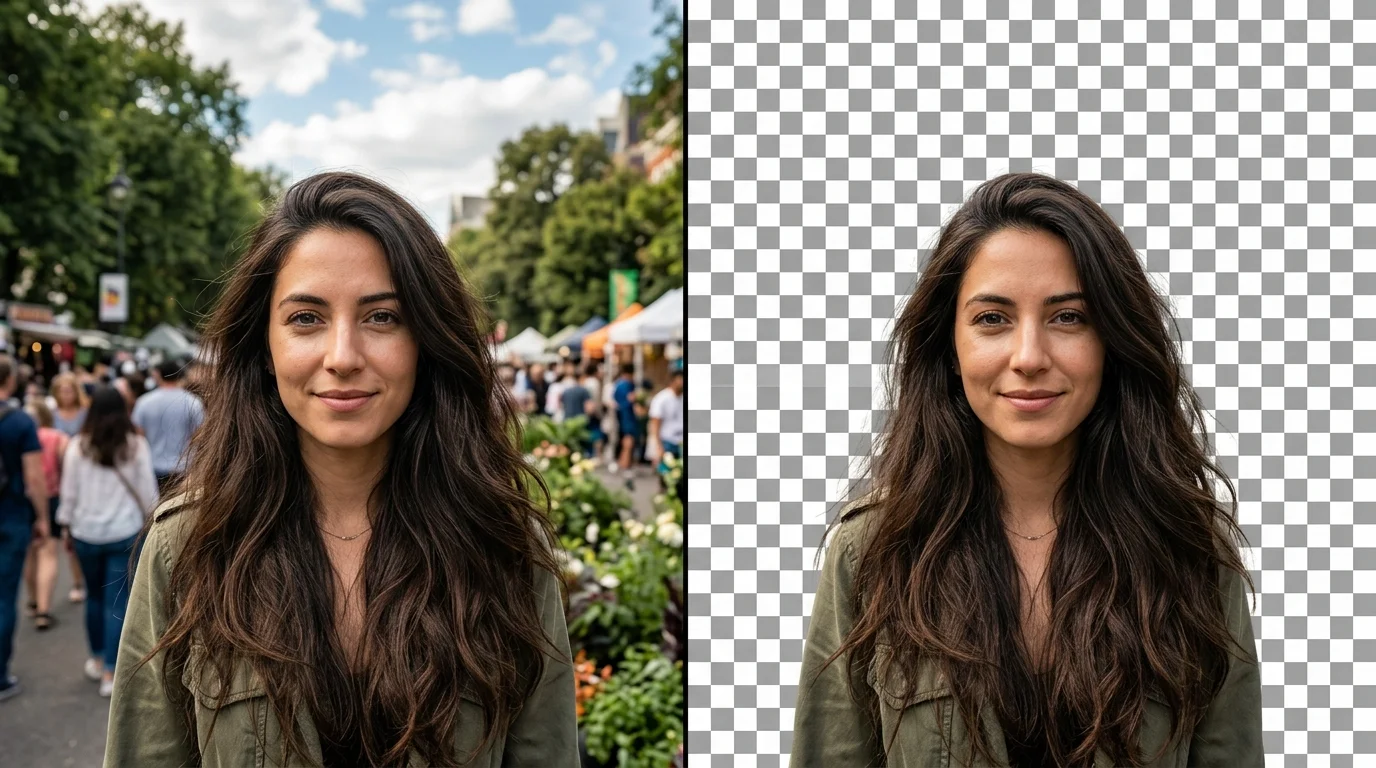
Millions search for a reliable Transparent Background Maker every day and walk away frustrated. Here are the three most common reasons why.
Most "free" background removers send your image to a cloud server before any processing happens. For product shots, personal portraits, or document images, that is a privacy risk you should not have to accept.
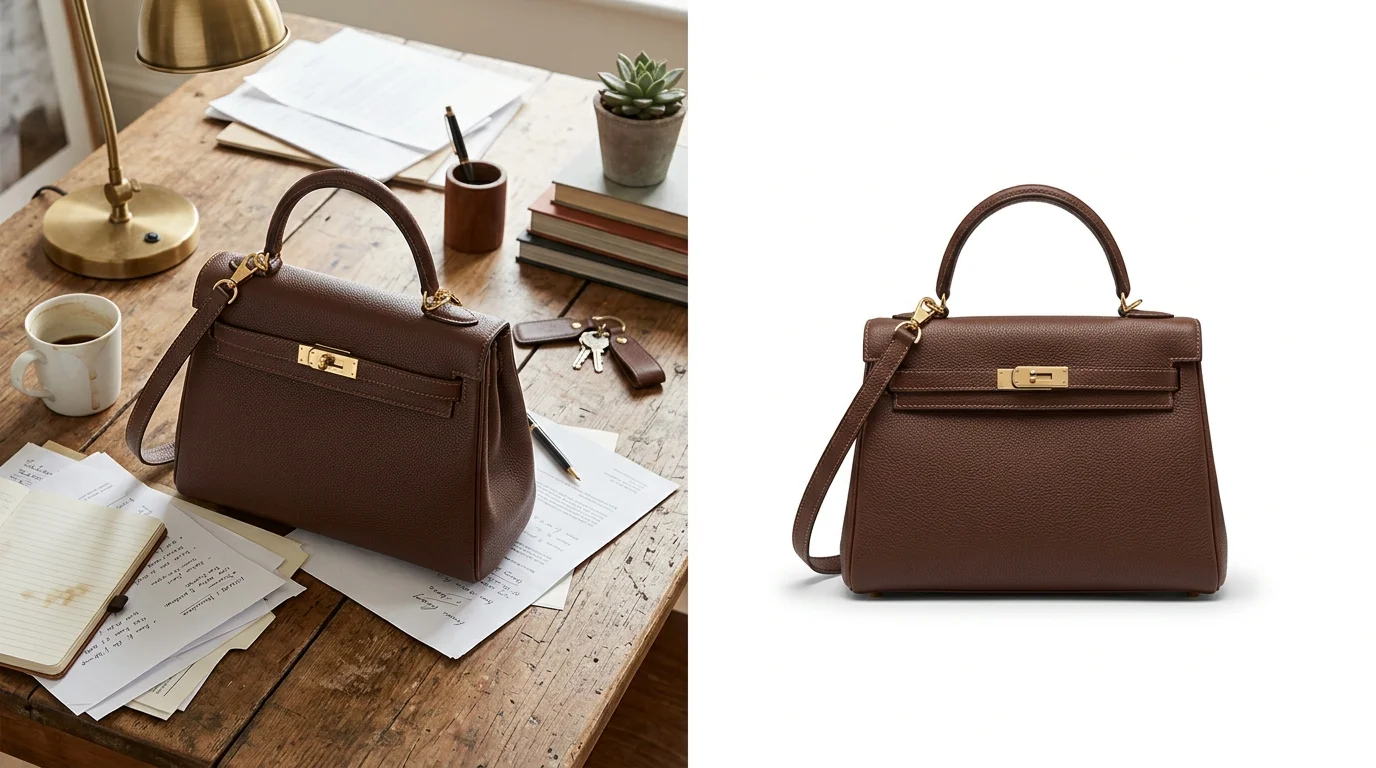
You wait for results, then hit a paywall. Free tiers stamp a watermark on your image or cap downloads at low resolution. A proper Transparent Background Maker should deliver full-resolution output at zero cost.
Popular cloud background removers throttle free users during peak hours. Waiting minutes per image destroys productivity. Running the AI locally via WebAssembly means no shared queue and no throttle โ your result is ready in seconds.
Drop a photo below โ AI removes the background right in your browser
Drop your image here
or click to browse files
Five principles that separate a browser-local tool from every cloud service that charges you for what should be free.
Your image never leaves your device. The Transparent Background Maker reads files locally via the HTML5 File API and runs all AI inference in WebAssembly โ no server call, no logs.
Powered by a quantized ONNX vision model, the AI accurately separates subjects from complex backgrounds โ including fine hair strands, product edges, and mixed lighting conditions.
Download at the exact pixel dimensions of your source image. No resolution cap, no watermark โ the output is a clean alpha-channel PNG that matches the original quality.
After removal, preview your subject on white (e-commerce standard), red or blue (ID photo), or keep the transparent layer for compositing in Figma, Canva, or PowerPoint.
The AI runs on a background thread so the page stays interactive while processing. No frozen tabs, no dead buttons โ the UI responds normally while the model is working.
Open the Transparent Background Maker, drop your photo, download the result. No sign-up, no credit card, no usage limit โ ever.
Three steps to remove any background and download a professional transparent PNG โ no software required.
Drag and drop a JPG, PNG, WebP, or GIF onto the upload zone, or click to browse. Files up to 20 MB are accepted. The Transparent Background Maker reads the image locally โ nothing is sent to a server.
On first use, the AI model (~25 MB) is downloaded once and cached in your browser. Processing a typical photo takes 3โ10 seconds depending on image size and device. The Transparent Background Maker handles everything automatically โ no interaction needed.
Preview your result on transparent, white, red, or blue. Click Download PNG to save the full-resolution image with your chosen background already composited. The Transparent Background Maker merges the color directly on the canvas before export.
From product sellers to ID photo applicants to privacy-conscious creators โ these are the real jobs this tool is built for.
Amazon, Shopify, Etsy, and most marketplaces require product images on a clean white background. Drop your product photo in, select White, and download a marketplace-ready PNG in under 15 seconds โ no Photoshop, no subscription fee.

Shoot a headshot at home, then remove the background and switch to standard red or blue. Perfect for passport photos, visa applications, and company ID cards โ processed entirely in your browser, never on a server.

When your image contains a face, product prototype, or confidential document, cloud upload is not an option. Every pixel stays on your device โ WebAssembly AI runs locally, no network transfer, no storage risk, no third party ever sees your file.

Common questions about this free browser-based AI background removal tool.
No. This Transparent Background Maker is 100% browser-local. Your image is read directly from your device using the HTML5 File API. The AI model runs via WebAssembly โ no server receives your file, not even the filename is logged.
The tool accepts JPG, JPEG, PNG, WebP, and GIF files up to 20 MB. The output is always a full-resolution PNG with a transparent alpha channel โ even if you export with a solid color background.
On first use, the browser downloads the AI model (~25 MB of ONNX weights and WASM binaries) from a CDN. This is a one-time download โ the browser caches the model automatically, so every subsequent use is significantly faster.
The model handles most product photos, portraits, and objects with clear edges very well. Very fine hair or fur against a busy, same-color background may have minor fringe artifacts. Cropping tightly around the subject before uploading improves edge quality noticeably.
Yes. After removal, choose White, Red, or Blue from the color selector. The Transparent Background Maker composites your chosen color onto an HTML5 Canvas before downloading โ the resulting PNG includes the solid color, not just a transparent layer.
There is no resolution cap. The exported PNG matches the original image pixel-for-pixel in width and height. No watermark, no forced resize โ what you upload is what you get back, minus the background.
Yes. The Transparent Background Maker works in modern mobile browsers (Safari on iOS, Chrome on Android). Performance depends on available RAM โ large images over 12 megapixels may process more slowly on older or low-memory phones.