Markdown drafts need final files
Turn README files, technical documents, study notes, AI reports, product descriptions, course materials, and resume drafts into PDF documents.
Free Developer Tool
Use the Markdown to PDF Converter to paste Markdown, render a clean document preview, review headings, tables, code blocks, quotes, links, images, and export a PDF with page size, margin, font size, and table of contents controls.
Markdown is fast for drafting, but final documents often need a downloadable, printable, and shareable PDF.
Turn README files, technical documents, study notes, AI reports, product descriptions, course materials, and resume drafts into PDF documents.
Choose A4 or Letter, set margins, change font size, preview a table of contents, and review the document before export.
Remote images may be blocked by CORS or network rules. The Markdown to PDF Converter surfaces that risk and suggests local images or accessible links.
The Markdown to PDF Converter focuses on the final file: preview, pagination settings, export status, and a practical PDF workflow.
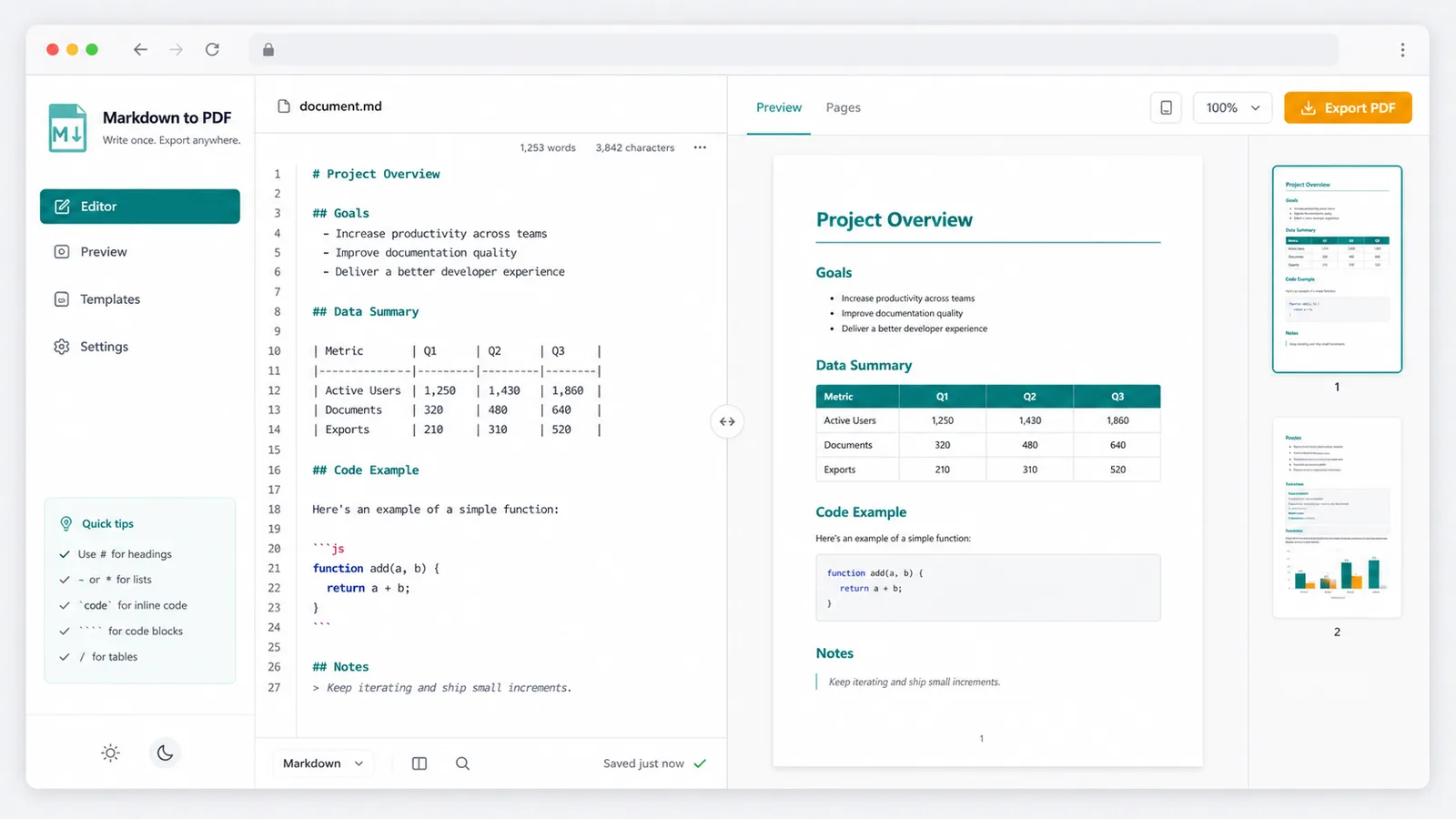
Headings, lists, tables, code blocks, blockquotes, links, and images render into a document-style preview.
Switch page size, margin preset, font size, and table of contents inclusion before exporting.
Use document headings to preview the structure that readers will scan in a PDF.
See preview success, syntax warnings, image load issues, long content notices, and export failure messages.
Insert local images as data URLs when external image hosting is unreliable for PDF export.
Markdown HTML Converter prepares web code; this Markdown to PDF Converter prepares a downloadable, sendable, printable final file.
Paste Markdown, inspect the preview, fix warnings, and export the PDF file your reader actually needs.
Start with README content, technical documentation, notes, AI-generated reports, product copy, course materials, or a resume draft.
Check the rendered document, table of contents preview, syntax warnings, image warnings, and long-content status before export.
Choose A4 or Letter, margin preset, font size, and table of contents, then export a PDF for sharing, printing, or archiving.
Use the Markdown to PDF Converter when Markdown needs to become a polished document instead of web markup.
Write once in Markdown, then review the final document view with headings, tables, lists, code blocks, quotes, links, and images.
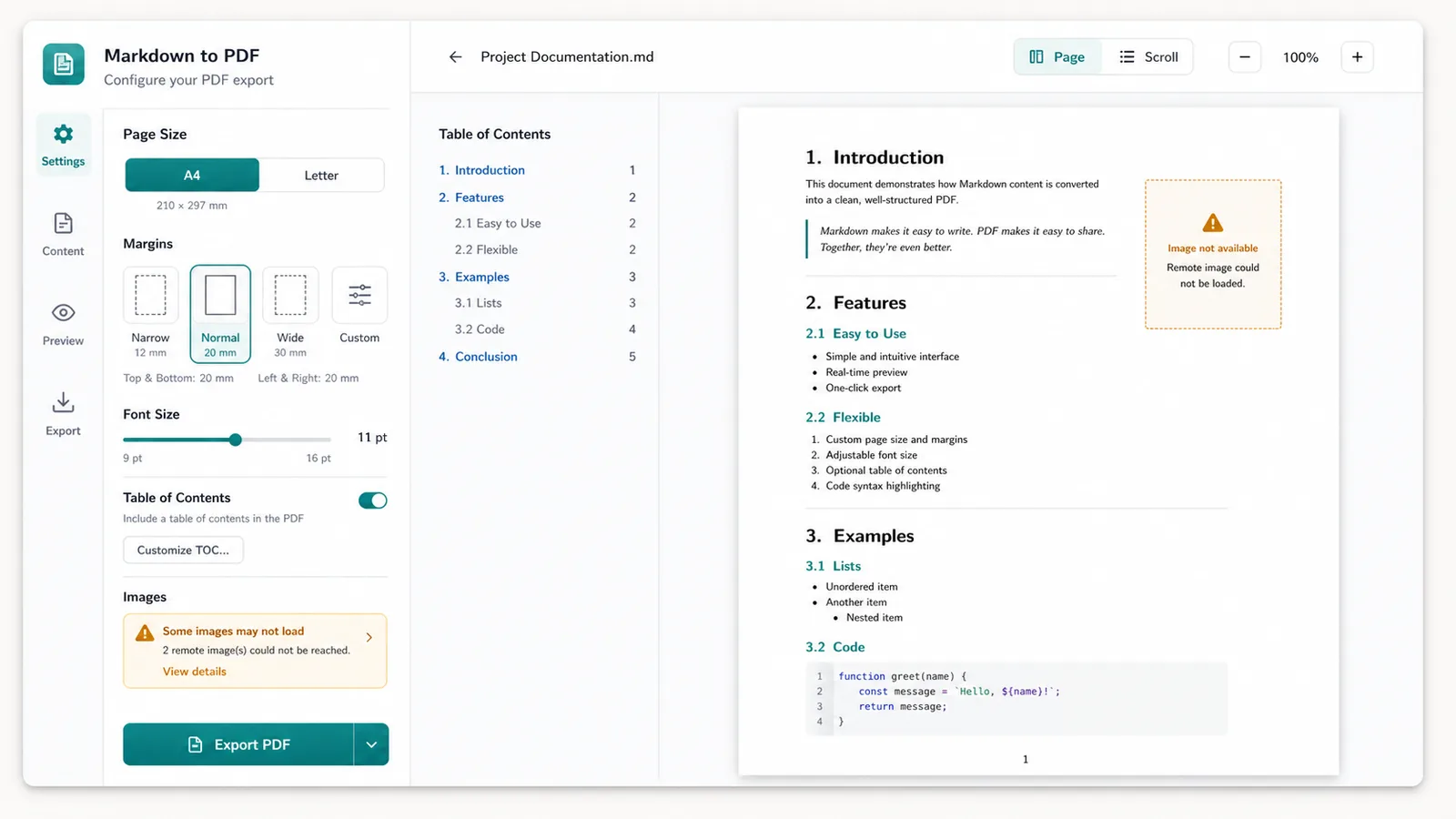
Choose A4 or Letter, margins, font size, and table of contents settings so the PDF reads cleanly on screen and paper.
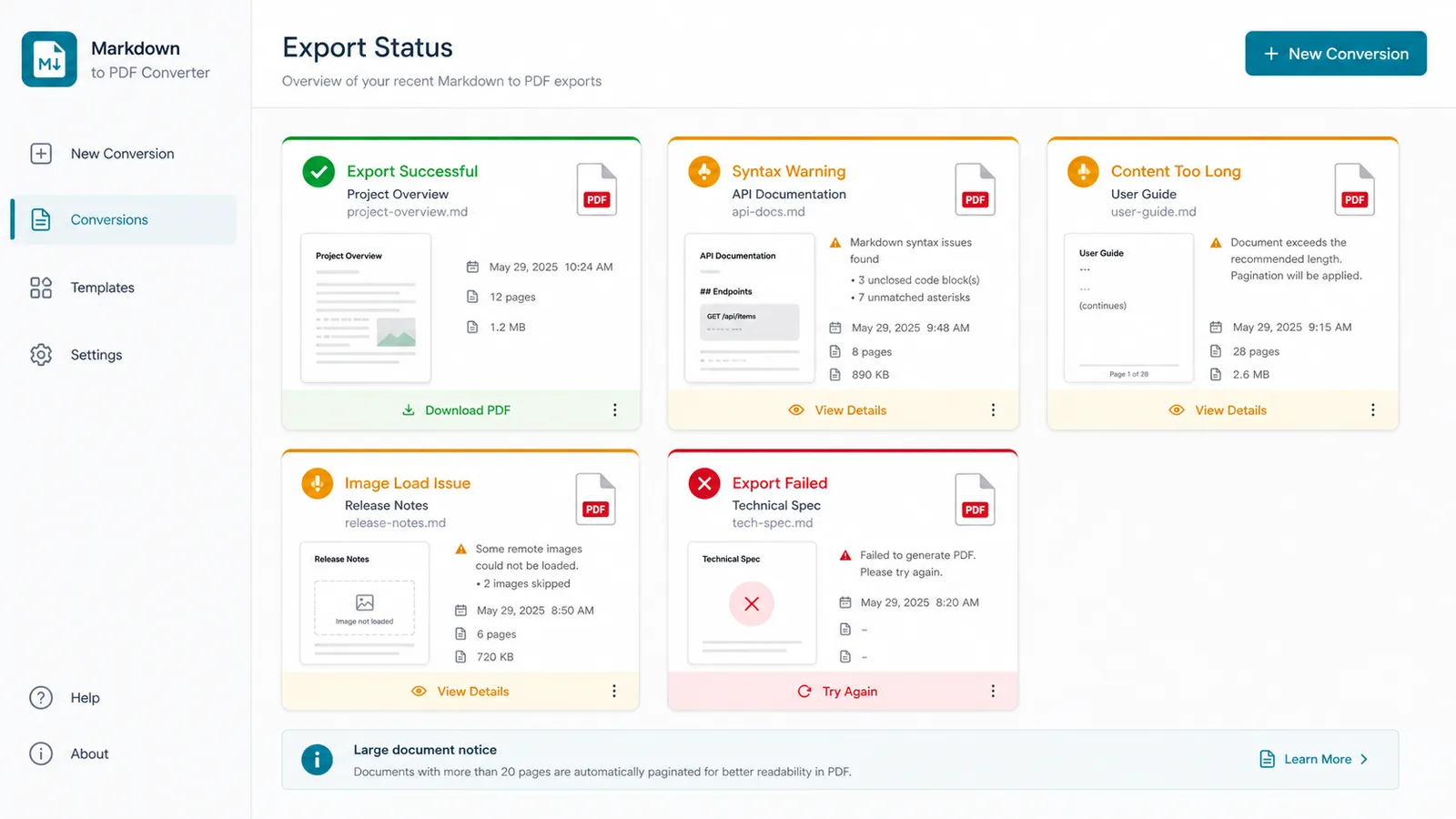
Check success, Markdown syntax warnings, image load issues, long content notices, and export failures before sending the file.
A practical Markdown to PDF Converter for writers, developers, students, operators, and AI-assisted workflows.
Convert project READMEs, API notes, release notes, and engineering handoffs into PDFs.
Turn Markdown outlines, lesson notes, and classroom resources into printable packets.
Review generated reports, product briefs, and resume drafts before exporting a shareable PDF.
Common questions about Markdown syntax, image limits, PDF settings, privacy, and the Markdown HTML Converter difference.
No. Markdown rendering, preview, status checks, and PDF export run in your browser.
It supports common Markdown and GFM-style headings, lists, tables, fenced code blocks, blockquotes, links, images, emphasis, and inline code.
External images can be blocked by cross-origin or network rules when the browser tries to draw them into the PDF. Use local images or URLs that allow browser access.
Markdown HTML Converter prepares clean web HTML. Markdown to PDF Converter prepares a downloadable, sendable, and printable final document.
Paste Markdown, preview the document, check warnings, tune PDF settings, and export a clean file for readers, teammates, clients, or classes.