
Insights
What Is Wingdings? The Complete Guide to Microsoft's Iconic Symbol Font
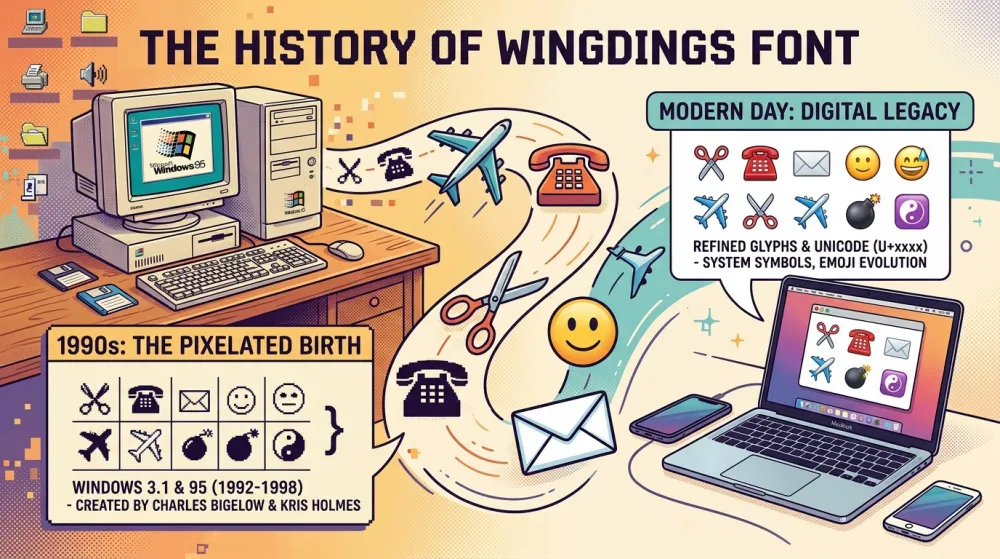
If you've ever opened Microsoft Word and stumbled upon a font that turns your text into mysterious symbols, you've met Wingdings. But what exactly is this peculiar font, and why does it still matter decades after its creation?
A Brief History of Wingdings
Wingdings was created by Microsoft in 1990 and bundled with Windows 3.1. It was designed by Kris Holmes and Charles Bigelow — the same typographers behind the Lucida font family. The name "Wingdings" is a playful combination of "Windows" and "dingbats" (typographic ornaments).
The original idea was practical: give users easy access to commonly needed symbols — arrows, check marks, envelopes, phones, scissors — without requiring separate clip art or image files. In the early days of desktop publishing, this was genuinely useful.
The Three Versions
Wingdings (V1)
The original 1990 release. Contains the classic symbols most people think of:
- Scissors, envelopes, and telephones
- Check marks and crosses
- Arrows in various directions
- Religious and zodiac symbols
- Geometric shapes
Wingdings 2
Released later, this version expanded the symbol set with:
- Human figures and hand gestures
- Directional and navigational symbols
- Additional geometric shapes
- Numbering and list symbols
Wingdings 3
The third and final version added:
- Weather symbols (sun, cloud, rain)
- Nature-related icons
- Additional arrows and pointers
- Miscellaneous objects
How Does the Character Mapping Work?
Wingdings works by replacing standard ASCII characters (the letters, numbers, and symbols you type on your keyboard) with corresponding symbols. Each character from code 32 (space) to 126 (~) maps to a specific Wingdings symbol.
Under the hood, these symbols live in the Unicode Private Use Area — specifically the range U+F020 to U+F0FF. The mapping formula is straightforward:
Wingdings character = Unicode U+F020 + (ASCII code - 32)
For example, the letter "A" (ASCII 65) maps to Unicode U+F041, which displays as a specific Wingdings symbol.
Common Uses for Wingdings
Despite seeming like a relic, Wingdings still has practical applications:
- Decorative documents — Adding bullet points, dividers, and ornamental elements
- Puzzles and codes — Creating encoded messages for games and escape rooms
- Education — Teaching about character encoding and font systems
- Social media — Creating unique text styles that stand out
- Design mockups — Quick placeholder icons before final assets are ready
The Wingdings Conspiracy Theory
In 1992, a rumor spread that typing "NYC" in Wingdings produced a skull and crossbones, Star of David, and thumbs up — supposedly an anti-Semitic message about New York City. Microsoft denied any intentional meaning, explaining that the mapping was purely alphabetical. This incident became one of the earliest viral internet conspiracy theories.
Using Our Free Wingdings Translator
Our Wingdings Translator makes it easy to:
- Convert any text to Wingdings — Type or paste your text and see the symbol translation instantly
- Decode Wingdings back to text — Paste mysterious Wingdings symbols and read what they say
- Switch between V1, V2, and V3 — Compare how the same text looks in each version
- View the character map — See the complete mapping of ASCII characters to Wingdings symbols
Everything runs in your browser — your text is never sent to any server, so your privacy is fully protected.
Conclusion
Wingdings may look like a curiosity from the early '90s, but it represents an important moment in computing history — when symbol fonts made visual communication accessible to everyday users. Whether you're encoding secret messages, decorating documents, or just curious about how fonts work, our free translator tool has you covered.