Every developer hits these timestamp headaches daily.
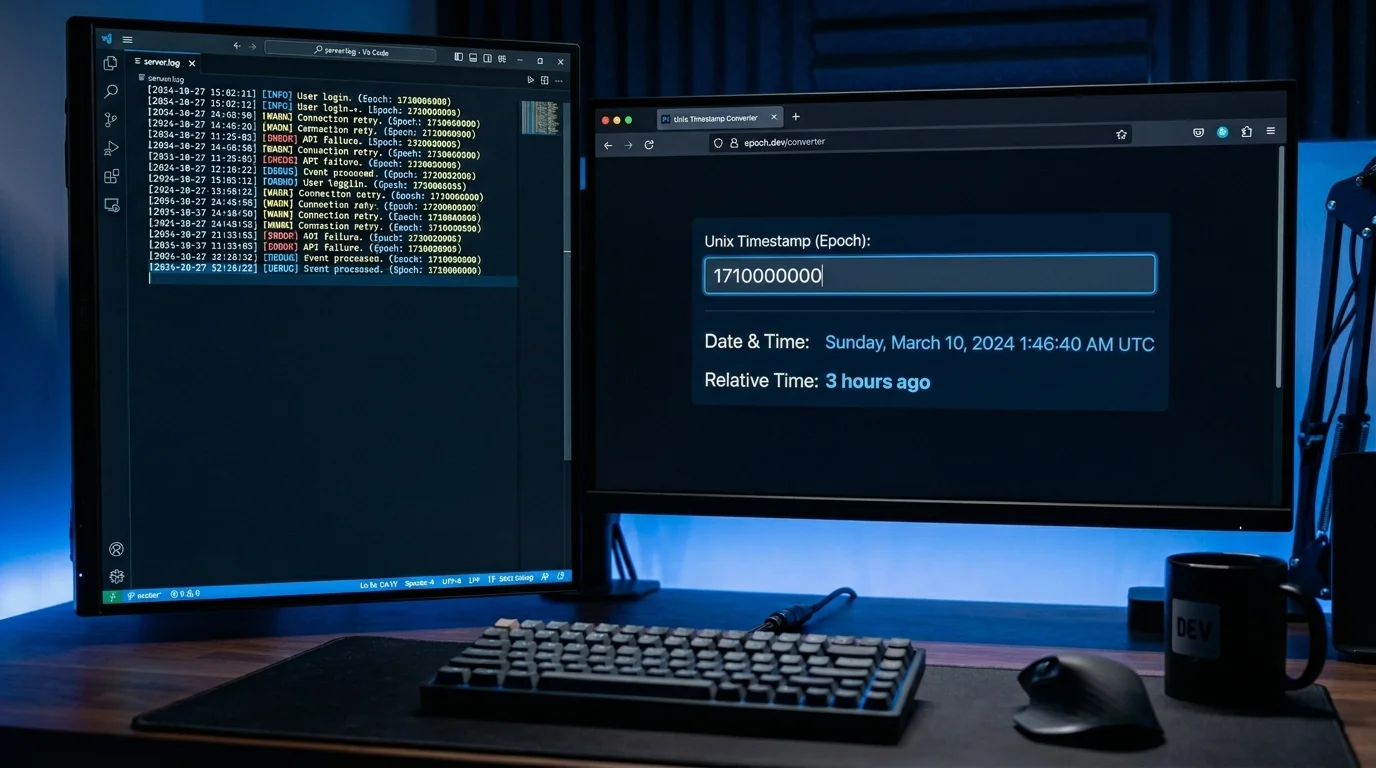
Running new Date(1710000000000).toLocaleString() in Chrome DevTools every time you need to decode a timestamp is tedious. A dedicated Unix Timestamp Converter eliminates that loop entirely.
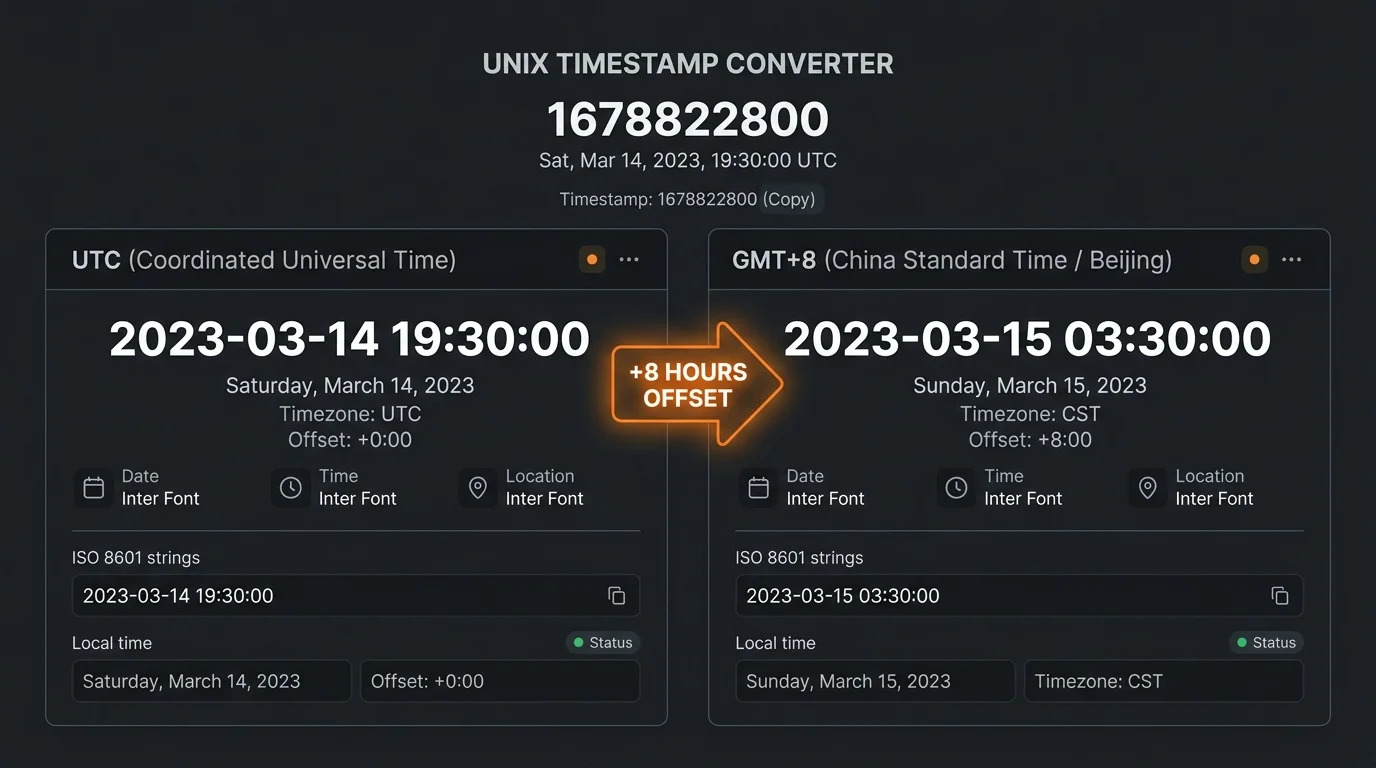
When your backend stores UTC but the frontend shows Beijing time (GMT+8), an 8-hour offset silently corrupts your UI. Side-by-side UTC / GMT+8 comparison catches the bug before it ships.
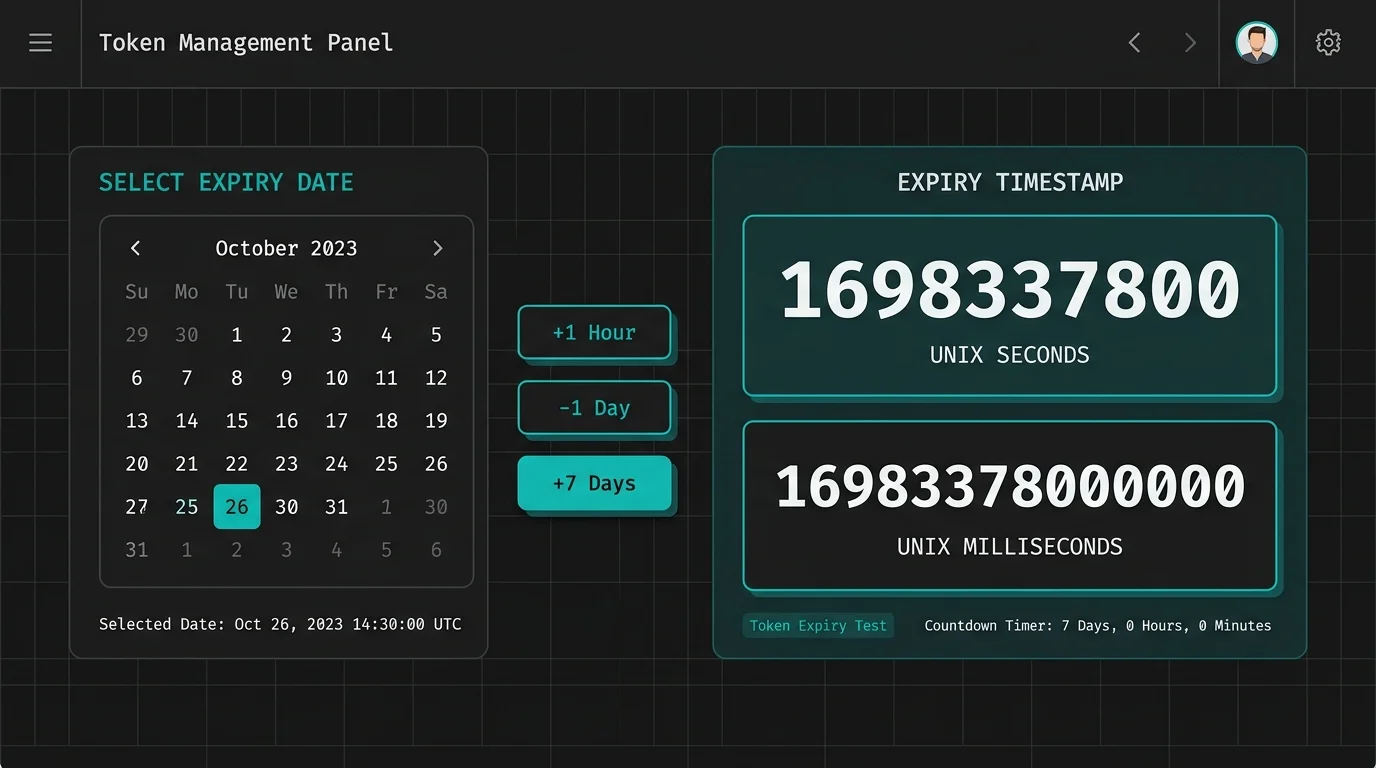
Creating future timestamps for token expiry or countdown tests forces manual calculation. Quick offset buttons like +1 hour and -1 day generate exact Unix timestamps without any arithmetic.
000x665F57C0Quick Offset
Built for developers who need speed, accuracy, and zero friction.
Watch the Unix timestamp tick in real time at millisecond precision. Freeze any moment with one click to capture the exact epoch for debugging or logging.
Paste any Unix timestamp and this converter instantly identifies whether it is in seconds or milliseconds — no manual unit switching, no wrong results.
Switch between UTC and Beijing time (GMT+8) with a single tap. Eliminate the classic 8-hour offset bug that plagues backend-to-frontend timezone alignment.
Every conversion shows how far the timestamp is from right now — "3 minutes ago", "in 5 hours" — so you can instantly understand token lifetimes and log timing.
Click +1 Hour, -1 Day, or +7 Days to shift your target timestamp instantly. Generate test data for token expiry, session timeouts, and countdown scenarios without any math.
All Unix timestamp conversions run locally in your browser. No data is sent to any server, making this Unix Timestamp Converter safe for sensitive production logs and business data.
Four common workflows — each takes under 10 seconds.
Paste any 10-digit (seconds) or 13-digit (milliseconds) Unix timestamp into the "Epoch → Human Date" panel. The converter auto-detects the unit and instantly shows the human-readable date with relative time.
Open the "Date → Unix Timestamp" panel. Pick a date and time using the date picker, enter milliseconds for 13-digit precision if needed, then copy the resulting epoch.
After converting an epoch, click the UTC / GMT+8 toggle buttons in the result area. Both times display instantly, helping you verify that your backend UTC storage matches your frontend display timezone.
The last 5 conversions are stored locally in your browser. Click "Fill" next to any history entry to repopulate the input panels and continue working from that point.
See how the Unix Timestamp Converter solves everyday developer problems.
Stop typing new Date(ts).toLocaleString() in the console. Paste any Unix timestamp into this converter and get the human-readable date, relative time, and both UTC / GMT+8 in under a second. Your Unix timestamp converter is always one tab away.
Backend stores UTC. Frontend shows GMT+8. A single toggle reveals both. Use this Unix Timestamp Converter to instantly verify that your stored epoch maps to the correct local time — before the bug reaches production.
Click +1 Hour or +7 Days to shift any base timestamp. Generate precise future or past Unix timestamps for testing token expiry, countdown timers, and scheduled-job logic — with millisecond precision using the ms micro-input.
Common questions about Unix timestamps and how to use this converter.
A Unix timestamp (also called epoch time) is the number of seconds — or milliseconds — that have elapsed since January 1, 1970 00:00:00 UTC. It is the universal time format used by servers, databases, APIs, and operating systems worldwide. A 10-digit Unix timestamp counts seconds; a 13-digit one counts milliseconds.
Everything runs in your browser using JavaScript's built-in Date API. When you paste a Unix timestamp, the converter detects its length (10-digit for seconds, 13-digit for milliseconds), computes the corresponding date for both UTC and GMT+8, and calculates how far that moment is from right now. No data ever leaves your device.
A 10-digit Unix timestamp represents seconds since the epoch (e.g., 1710000000). A 13-digit timestamp represents milliseconds (e.g., 1710000000000). JavaScript's Date.now() returns milliseconds. Most Unix system commands (date +%s) return seconds. This converter auto-detects which you pasted.
China Standard Time (CST) is UTC+8, meaning Beijing is exactly 8 hours ahead of Coordinated Universal Time. If your backend stores timestamps as UTC and your frontend displays them in the user's local timezone without conversion, a fixed 8-hour offset appears. Use the UTC / GMT+8 toggle in this converter to verify alignment.
Yes. Use the "Date → Unix Timestamp" panel. Select any date and time, optionally enter milliseconds (0–999) for 13-digit precision, and the converter outputs both the seconds and milliseconds epoch values instantly. Quick offset buttons let you shift the result by ±1 hour, ±1 day, or +7 days.
A Hex (hexadecimal) Unix timestamp is an epoch written in base-16 format, often prefixed with 0x, such as 0x665F57C0. It is common in low-level system logs, network packets, and embedded systems. This Unix Timestamp Converter auto-detects 0x-prefixed input and converts it to both a decimal timestamp and a human-readable date.
Yes. All conversion logic runs entirely in your browser with no network calls. Once the page has loaded, you can disconnect from the internet and continue converting Unix timestamps, generating dates, and reviewing history without any interruption.
Completely. No timestamp, date, or any other input is ever sent to a server. Everything is computed locally in your browser using standard JavaScript APIs. This makes it safe to paste sensitive production log timestamps, session tokens, or internal API responses — nothing leaves your machine.
