Every developer who has ever dropped raw SVG into a React project knows these pain points firsthand.
Raw SVG uses hyphenated attributes like clip-rule, fill-opacity, and stroke-linecap. React expects camelCase — clipRule, fillOpacity, strokeLinecap. Missing even one causes a runtime error or a silent style bug.
Figma and Sketch export SVGs with fill="#3B82F6" baked in. Every icon becomes a one-trick prop. To reuse the same SVG in a dark theme, hover state, or different brand color you have to clone and edit it again.
Design tools dump <title>, <defs>, empty <g> groups, and redundant attributes into every exported SVG. That dead weight inflates your JSX bundle and slows parse time — especially when you inline dozens of icons.
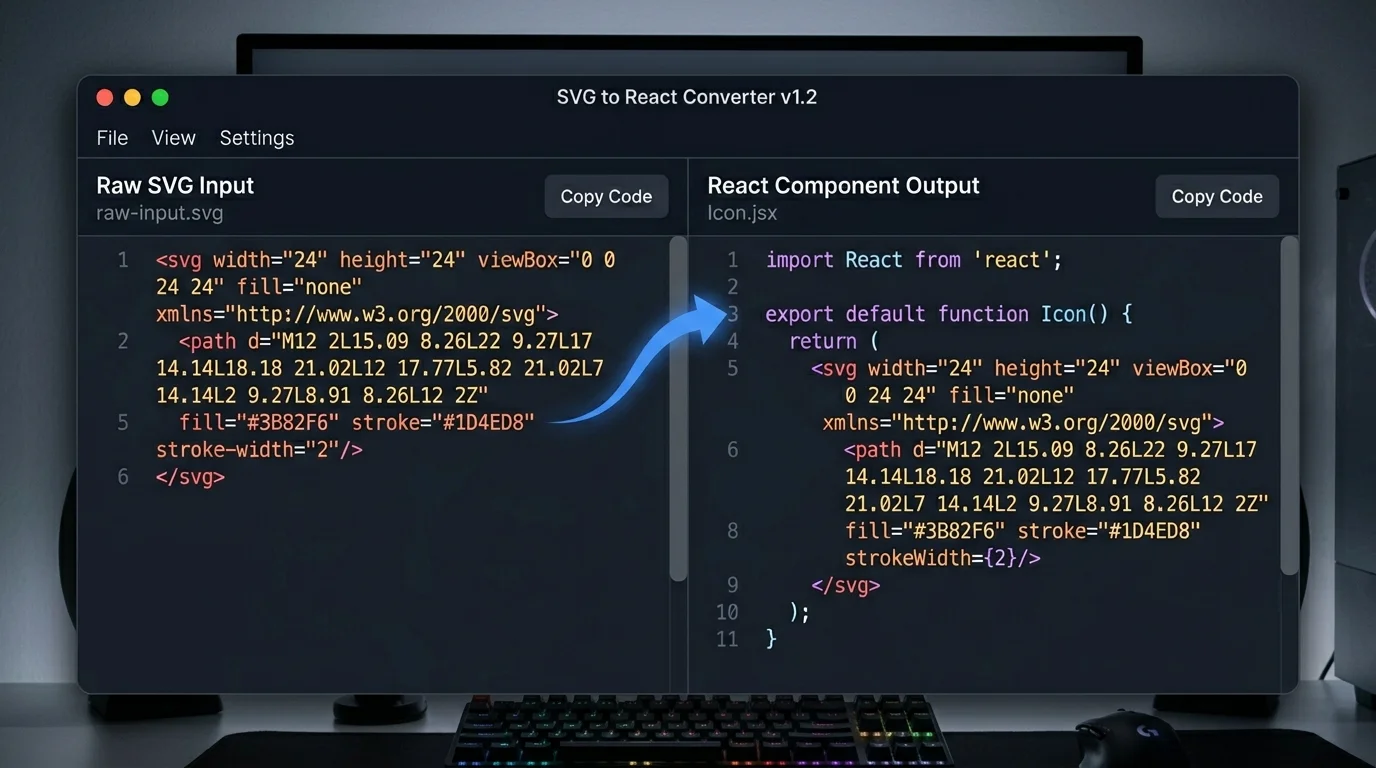
Paste SVG on the left — get a React component on the right
Six production-grade transformations applied instantly, entirely in your browser.
Paste any SVG and the React component appears instantly. The SVG to React conversion runs as an in-browser AST transform — zero network round-trips, zero latency regardless of file size.
Toggle TSX mode and the converter prepends interface IconProps extends React.SVGProps<SVGSVGElement> automatically. Every prop is typed — pass size, className, or custom attributes without casting.
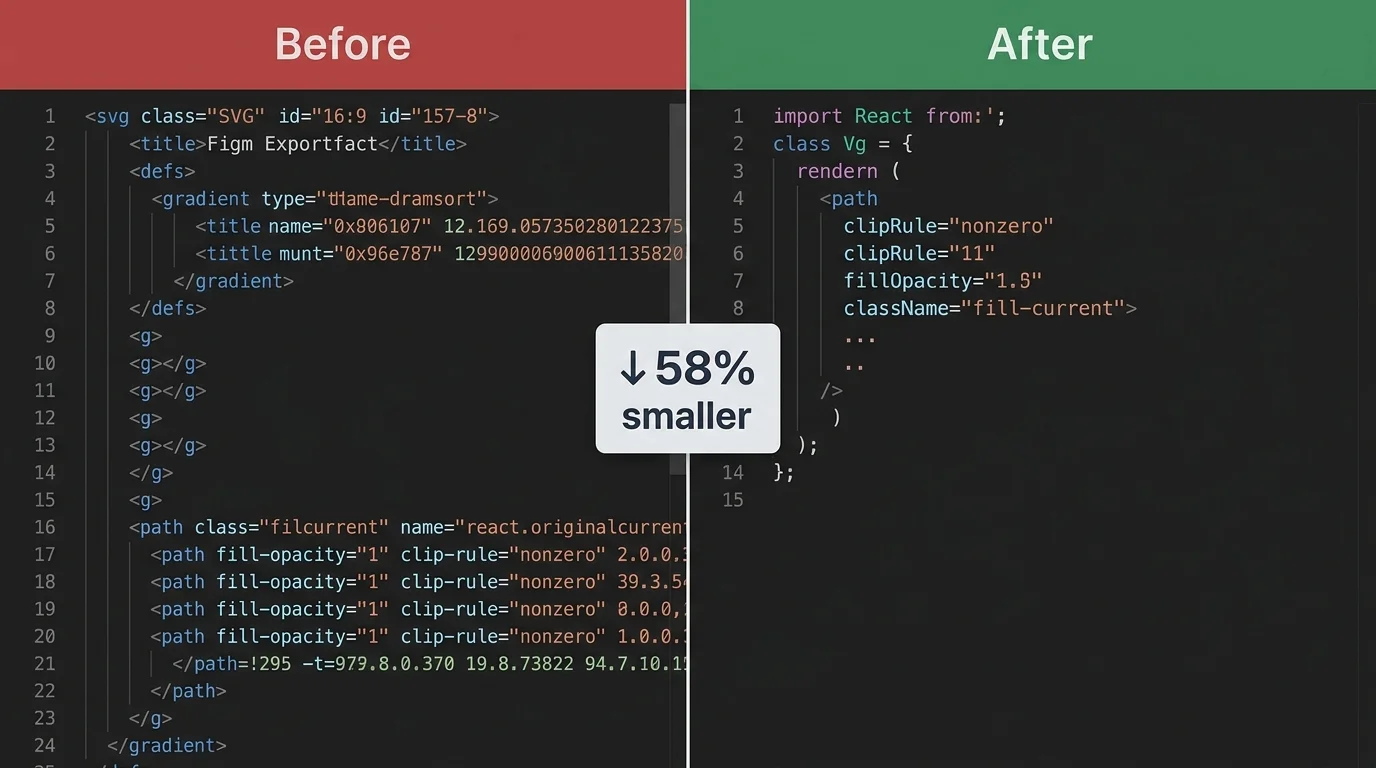
Before converting SVG to React, the tool strips <title>, <defs>, empty groups, and redundant attributes exported by Figma or Sketch. Paths are merged and simplified — shrinking SVG to React output by up to 60 %.
Enable Tailwind mode and the SVG to React converter replaces hardcoded fill and stroke colors with className="fill-current" and currentColor. Icons instantly inherit the parent text color and work in any theme.
Every hyphenated SVG attribute — clip-rule, fill-opacity, stroke-linecap, xlink:href — is automatically renamed to its React camelCase equivalent. class becomes className. The SVG to React output is always valid JSX.
Remove hardcoded width and height from the SVG root element with one toggle. The SVG to React component will size itself via CSS or a className prop, making it fully responsive and easy to control from a parent layout.
From raw SVG export to a copy-paste-ready React component in under 30 seconds.
Copy the SVG source from Figma, Sketch, an icon library, or any SVG file. Paste it directly into the left panel of the SVG to React converter. The tool accepts any valid SVG, including multi-path icons and complex illustrations.
Select the output format and optimizations that match your project. Toggle TypeScript for TSX output with typed props. Enable SVGO Compress to remove Figma bloat before the SVG to React transform. Turn on Tailwind CSS to replace hardcoded colors with currentColor.
The SVG to React output appears in the right panel as you type. Click Copy to send the React component to your clipboard, then paste it directly into your .jsx or .tsx file. No reformatting needed.
Whether you are building a design system, optimizing bundle size, or handing off polished icons — the SVG to React converter covers your workflow.
Paste raw SVG on the left and watch the React component materialize on the right in real time. The SVG to React transform runs as a pure in-browser AST pass — no waiting, no server, no rate limits. Handles multi-path icons, gradients, and complex clip paths without breaking a sweat.
One toggle switches the SVG to React output from JSX to TSX and auto-generates interface IconProps extends React.SVGProps<SVGSVGElement>. Every CSS class, aria label, and event handler is fully typed. Drag the component straight into a strict-mode Next.js or Vite project with zero type errors.
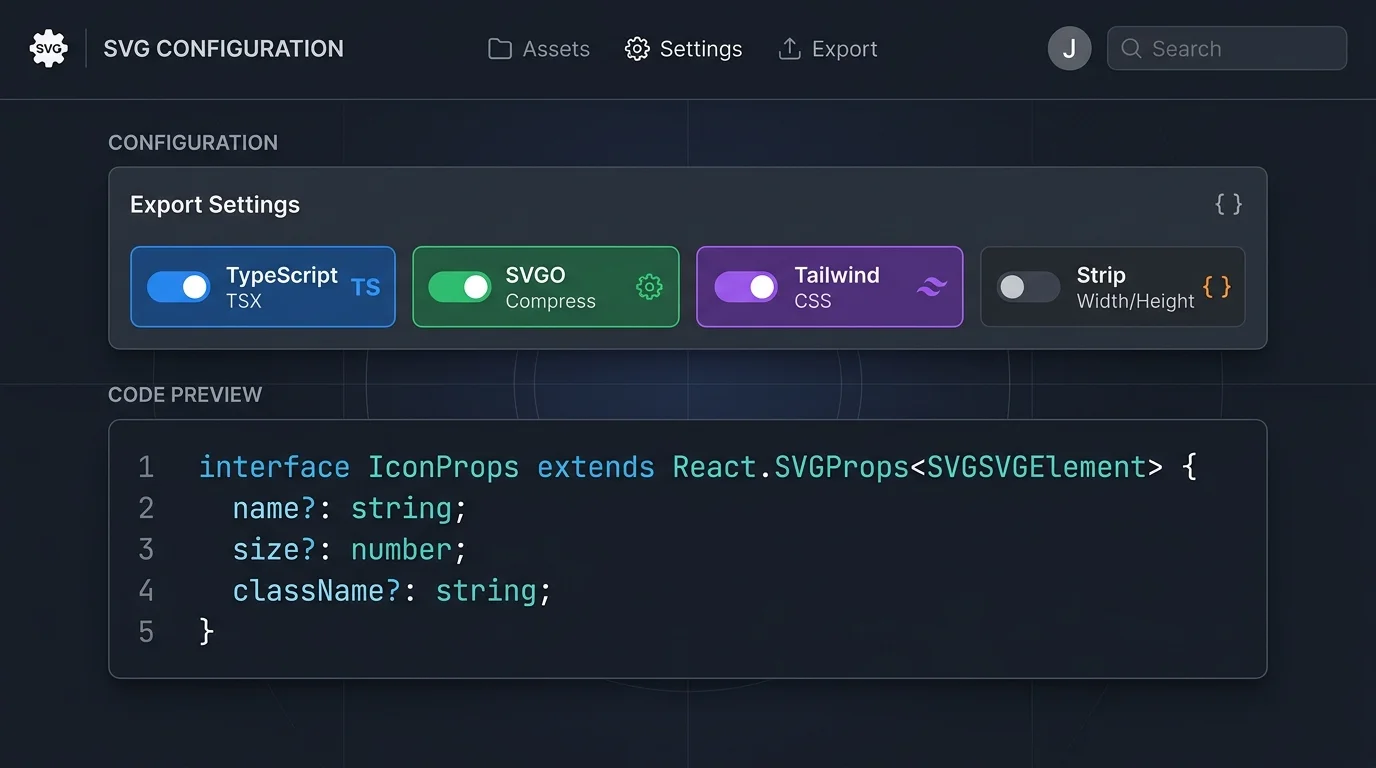
The converter runs SVGO compression before the SVG to React transform — stripping Figma metadata, merging redundant paths, and cutting file size by up to 60 %. Tailwind mode then replaces hardcoded fill colors with currentColor so every icon adapts to your theme without a single CSS override.
Common questions about converting SVG to React components, TypeScript props, and SVG optimization.
SVG to React means taking a raw SVG file — exported from Figma, Sketch, or an icon library — and converting it into a reusable React functional component. The SVG markup becomes JSX, hyphenated attributes become camelCase, and the component can receive props like className, width, and aria-label.
Inlining SVG as a React component lets you control fill and stroke via CSS, animate individual paths with Framer Motion, apply ARIA labels for accessibility, and tree-shake unused icons at build time. An <img> tag treats the SVG as an opaque image — you lose all of those capabilities.
Yes. Toggle the TypeScript switch and the SVG to React output switches from .jsx to .tsx format. The converter auto-generates interface IconProps extends React.SVGProps<SVGSVGElement> at the top of the file, giving you full type coverage for every prop you pass to the icon.
The SVG to React converter handles every known hyphenated attribute: clip-rule → clipRule, fill-opacity → fillOpacity, stroke-linecap → strokeLinecap, stroke-linejoin → strokeLinejoin, stroke-width → strokeWidth, xlink:href → href, and class → className. The output is always valid JSX.
Before running the SVG to React transform, the tool applies a JavaScript SVGO pass in your browser. It removes <title>, <desc>, <defs>, empty <g> elements, and redundant presentation attributes generated by design tools. Complex paths are simplified and merged. The result is a leaner React component with a smaller runtime footprint.
When Tailwind mode is enabled, the SVG to React converter replaces hardcoded fill="#hex" and stroke="#hex" attributes with fill="currentColor" and stroke="currentColor", and adds className="fill-current" to the root <svg> element. The icon then inherits whatever text-color class the parent element uses — perfect for dark mode and theme switching.
No. The entire SVG to React conversion happens in your browser's JavaScript engine. Your SVG source code never leaves your device. There is no backend, no upload, no logging, and no rate limit.
Yes, though very large SVGs (hundreds of paths) may take a fraction of a second longer to process. The SVG to React converter handles multi-path icons, clip paths, gradients, masks, and nested groups. For extremely complex illustrations consider splitting them into smaller components for better React render performance.
100% free · No signup · No upload · Works offline
