These are the real situations that send developers looking for a reliable MD5 encryption tool every day.
Computing MD5 encryption in PHP, Python, or Java often yields different results from JavaScript tools when Chinese characters are involved — due to charset differences (GBK vs UTF-8). Our tool offers both encodings to match any platform.
After downloading software or datasets, you need to compare the file's MD5 checksum against the official value. Running a terminal command each time is slow. Our MD5 encryption tool lets you drag-and-drop files and get the hash instantly in your browser.
Many payment gateways and open APIs (WeChat Pay, Alipay, Stripe) require MD5-based HMAC signatures. When the signature doesn't match, you need an MD5 encryption tool at hand to isolate the issue — without uploading sensitive parameters to any server.
Enter text below and get the MD5 hash instantly — supports batch multi-line processing
MD5 hash will appear here...
Most MD5 encryption tools are basic. Ours supports GBK encoding, file verification, batch mode, and runs entirely in your browser.
MD5 hash is generated instantly as you type — no submit button needed. The MD5 encryption result updates live with every keystroke, making it ideal for rapid testing.
Switch between UTF-8 and GBK charsets to replicate the exact MD5 encryption result from legacy PHP, Java, or Python backends — critical for Chinese character compatibility.
Standard MD5 encryption produces a 32-character hex string. Toggle to 16-bit mode (characters 9–24) for platforms and APIs that require the shorter format.
Enter multiple lines of text and get one MD5 encryption result per line instantly. Perfect for hashing lists of passwords, IDs, or keys in a single operation.
Drag any file into the tool to compute its MD5 fingerprint using the HTML5 FileReader API. Verify downloaded ISO images, datasets, or binaries without uploading them.
All MD5 encryption runs locally in your browser via JavaScript. Your text, passwords, API keys, and files are never transmitted to any server — guaranteed.
Generate, verify, and copy MD5 hashes in three simple steps.
Select your encoding (UTF-8 or GBK), output length (32-bit or 16-bit), and letter case (lowercase or uppercase). These settings affect the final MD5 encryption result.
Type or paste your text into the input box — the MD5 encryption hash appears instantly. For multiple strings, put each on a new line for batch processing. Switch to the File MD5 tab to verify any local file.
Click the Copy button next to any MD5 encryption result to copy it to your clipboard instantly. Paste it directly into your database, API request, or verification form.
Discover how developers, security professionals, and data engineers use MD5 encryption in their daily workflows.
When building or testing authentication systems locally, developers use MD5 encryption to convert plain-text passwords into hashed values for safe storage in a test database. Our tool generates the exact MD5 hash your backend produces so you can seed fixtures fast.

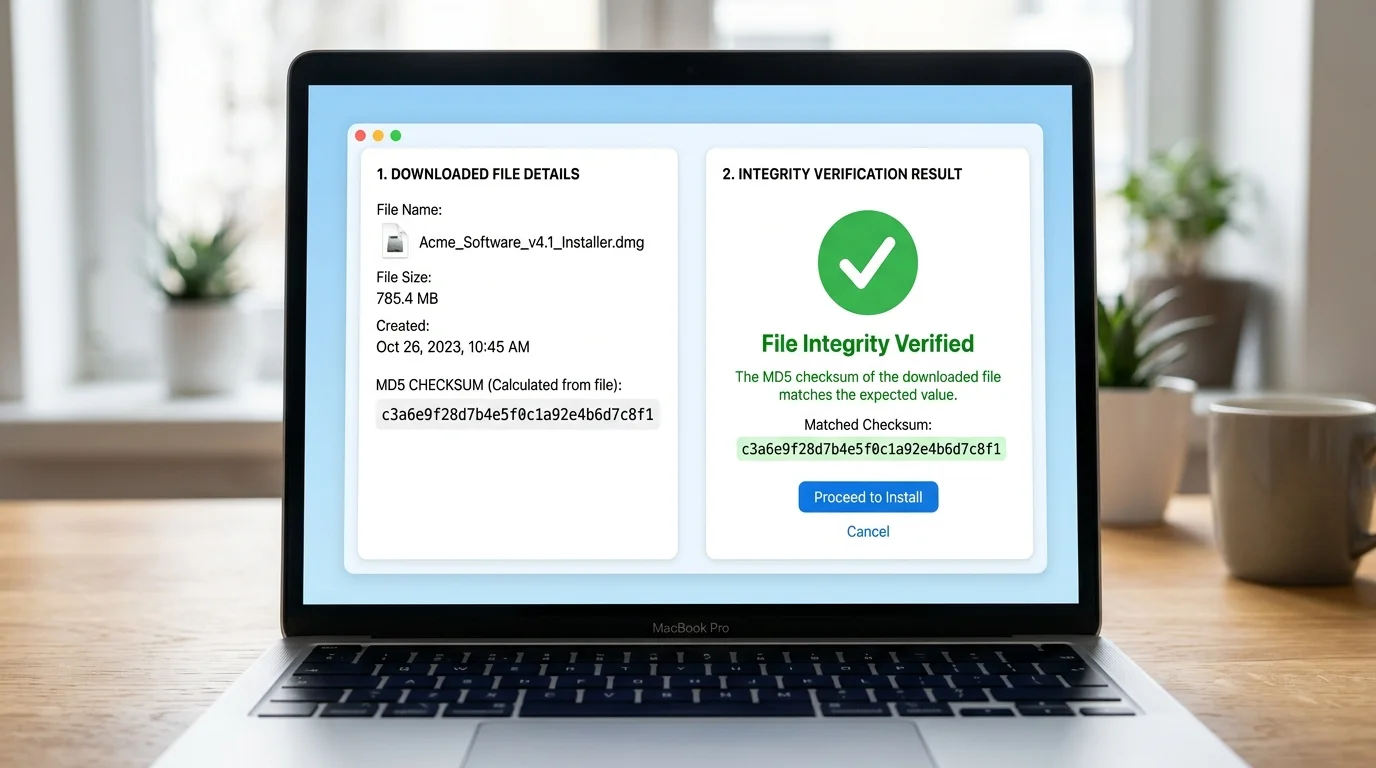
After downloading large files — OS images, datasets, firmware — compute the MD5 hash locally and compare it against the official checksum published by the provider. Our browser-based MD5 encryption tool verified the hash without uploading a single byte to any server.
Payment gateways and open platform APIs like WeChat Pay, Alipay, and many others use MD5 encryption in their HMAC signature schemes. Paste your concatenated parameter string and get the MD5 instantly to compare with the signature your code produces — privately, locally.

The history, technical details, and modern usage of the MD5 algorithm.
MD5 was designed by Ronald Rivest in 1991 as an improvement over MD4. It became the de-facto standard for checksums and password storage throughout the 1990s and 2000s before cryptographic weaknesses were discovered in 2004. Despite this, MD5 encryption remains in widespread use for non-security checksums and legacy API compatibility.
MD5 processes input in 512-bit blocks through four rounds of transformation, producing a 128-bit (16-byte) digest represented as 32 hexadecimal characters. The algorithm is deterministic — the same input always yields the same MD5 hash — making it ideal for data fingerprinting and integrity verification.
Today, MD5 encryption is most commonly used for file integrity verification (checksums on downloads), database record deduplication, cache key generation, and legacy API HMAC signatures. Security-sensitive applications should use SHA-256 or argon2 instead.
Everything you need to know about MD5 encryption, its uses, and limitations.
MD5 (Message Digest Algorithm 5) is a widely-used cryptographic hash function. While often called 'MD5 encryption', it is technically a one-way hash — not reversible encryption. MD5 encryption takes any input and produces a fixed 128-bit (32 hex character) fingerprint. The same input always produces the same MD5 hash, and even a tiny change in input produces a completely different result.
MD5 encryption is NOT recommended for storing passwords or verifying authenticity in security-critical systems, because MD5 hashes can be reversed using rainbow tables and modern GPUs can compute billions of MD5 hashes per second. However, MD5 encryption remains widely used for non-security purposes: file integrity checks, database sharding keys, cache keys, and legacy API signatures where collision resistance is not critical.
The most common reason is character encoding. PHP on Windows systems often uses GBK encoding for Chinese characters, while JavaScript uses UTF-8 by default. Because 'MD5 encryption' operates on bytes — not characters — the same Chinese text encoded in GBK produces different bytes than in UTF-8, resulting in a different MD5 hash. Our tool lets you switch between GBK and UTF-8 to match any backend.
Standard MD5 encryption always produces a 128-bit value, represented as a 32-character hexadecimal string. The '16-bit MD5' is a convention used by some Chinese platforms — it simply takes characters 9 through 24 of the 32-bit result (the middle 16 characters). It is shorter but less unique. Use 32-bit MD5 encryption unless your platform specifically requires 16-bit.
Clicking the File MD5 tab allows you to drag any local file. The tool reads the file entirely in your browser using the HTML5 FileReader API, feeds the raw bytes to the MD5 encryption algorithm, and displays the resulting hash. The file is never uploaded to any server. Compare the result against the official MD5 checksum published by the file's provider to confirm the file is intact and unmodified.
No. MD5 encryption produces a one-way hash — it cannot be mathematically reversed. However, for short or common input strings, MD5 hashes can be 'cracked' by looking them up in pre-computed rainbow tables. For truly sensitive data like production passwords, use bcrypt, argon2, or scrypt — not MD5 encryption.
Yes, completely free — no signup, no usage limits, no hidden costs. All MD5 encryption runs locally in your browser via JavaScript. Your input text, files, and API parameters are never sent to our servers, making this tool safe for sensitive developer workflows.
100% Free · No Signup · Browser-Side Only
