Every designer and developer hits these roadblocks when switching between color formats.
Design tools output HEX, CSS wants HSL, and printers demand CMYK. Without Color Math, you manually guess conversions or hop between multiple sites — wasting critical workflow time.
Converting RGB to HSL by hand involves trigonometry. A single typo in the formula flips your hue by 180°. Color Math performs all the math instantly and correctly every time.
Most color pickers ignore WCAG 2.1 contrast requirements. Color Math surfaces contrast ratios immediately, so accessibility is baked into your workflow from the first pick.
Color Preview
#3B82F6
rgb(59, 130, 246)
Click or drag an image here
Or press Ctrl+V to paste from clipboard
Current
Complementary
Analogous
Triadic
Click any swatch to load it
White text on color
Black text on color
Saved colors appear here
One tool, every color system. Color Math eliminates the need for multiple converters.
Edit any field — HEX, RGB, HSL, or CMYK — and Color Math instantly recalculates all other formats. No submit button needed.
Drag R, G, B, H, S, L, C, M, Y, K sliders and watch all formats update live. Perfect for fine-tuning shades without touching the keyboard.
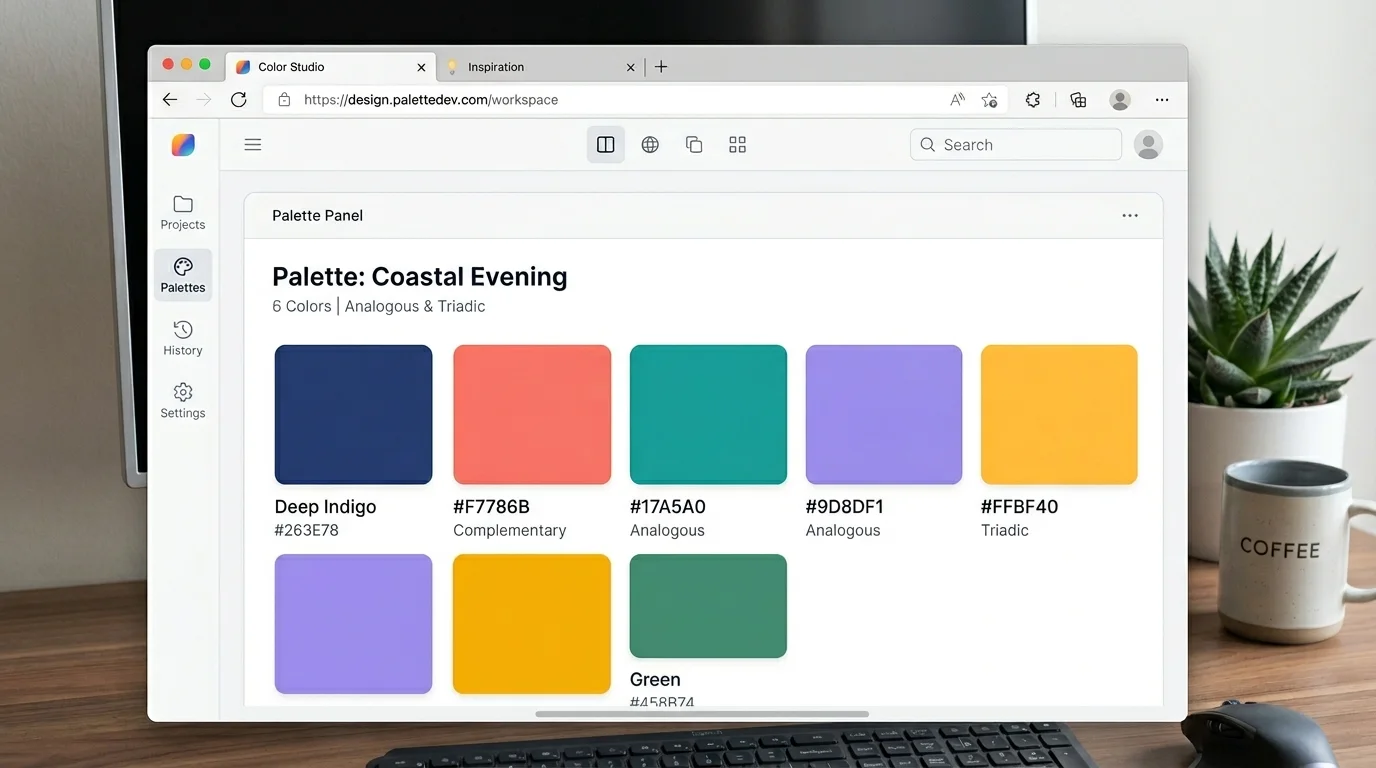
Color Math generates complementary, analogous, and triadic palettes from your current color. Click any swatch to instantly load it as your working color.
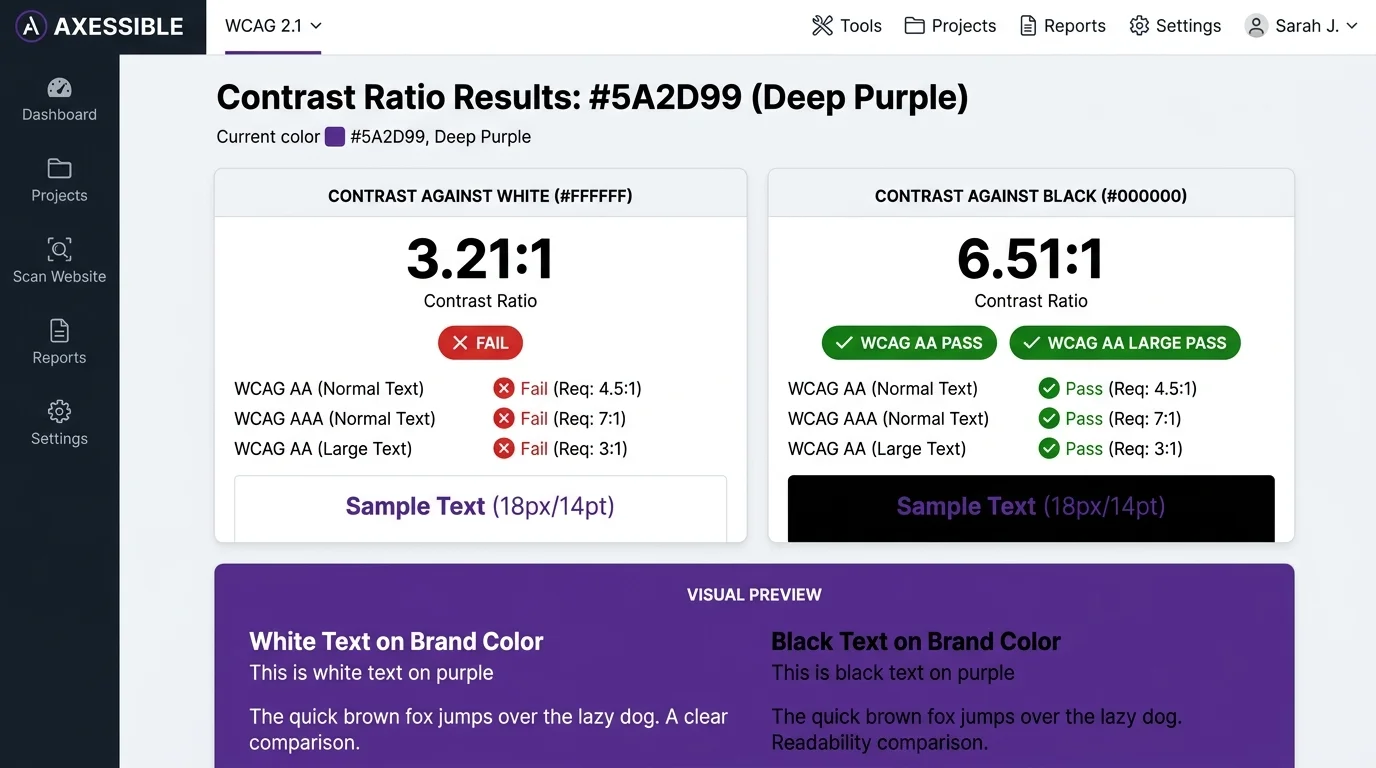
See contrast ratios against white and black at a glance. Color Math labels each result as AA, AAA, or fail — keeping your designs accessible by default.
Every saved color persists in your browser across sessions. Color Math stores up to 10 recent colors so you can revisit and compare swatches anytime.
Every calculation in Color Math runs entirely in your browser. No data is transmitted, no account required — your colors stay yours.
From bridging design and code to printing and accessibility — Color Math fits every stage of your color workflow.
Got a HEX from Figma? Paste it into Color Math and instantly get the HSL equivalent for your CSS custom properties. Adjust lightness to generate hover and focus states without touching the design file again.
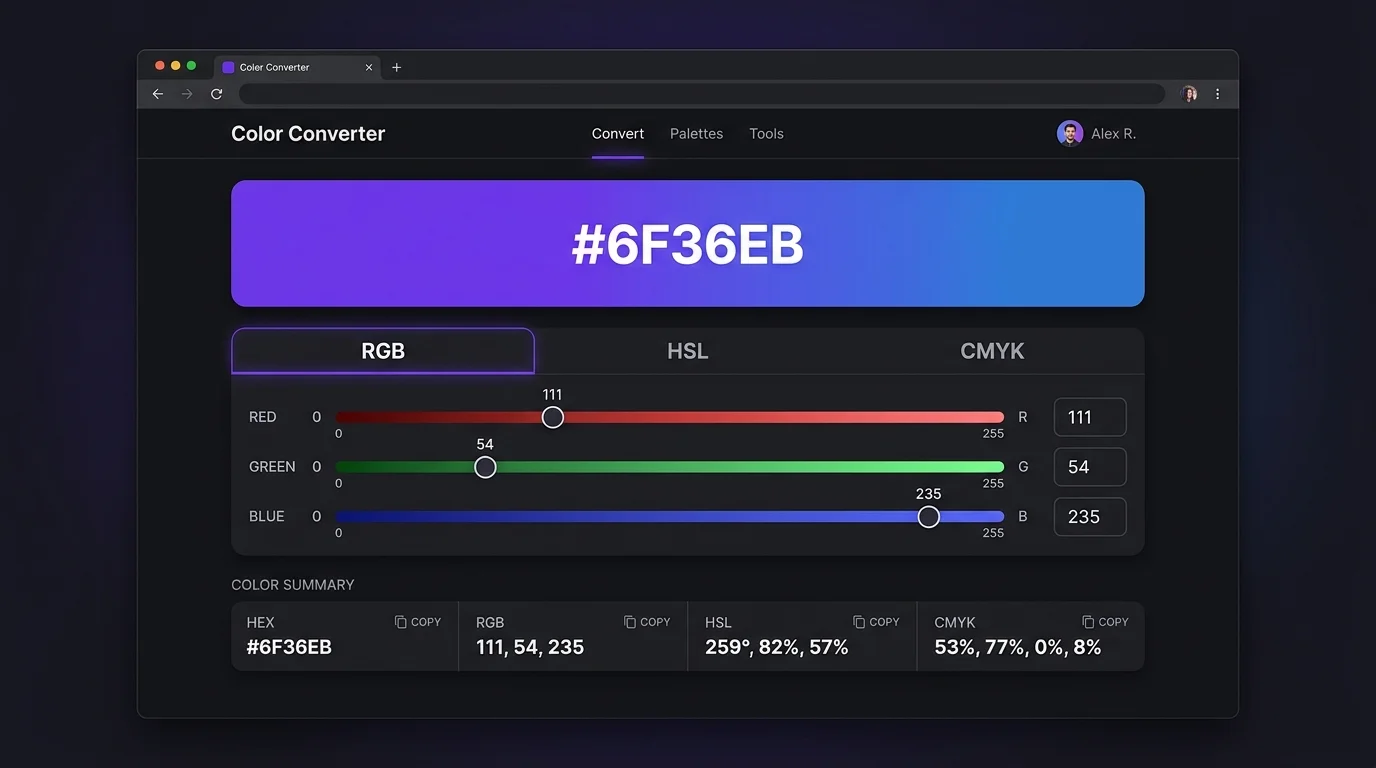
Color Math converts your screen RGB to theoretical CMYK values so you can spot out-of-gamut reds and oranges before sending files to the printer. Catch costly surprises at zero cost.
Color Math calculates WCAG 2.1 contrast ratios against white and black in real time. Know immediately whether your text color meets AA or AAA requirements — no separate tool needed.
Three steps to convert, explore, and save any color.
Type a HEX code (shorthand like #f00 expands automatically), or drag any slider to start. Color Math accepts HEX, RGB, HSL, and CMYK input simultaneously.
Switch between the RGB, HSL, and CMYK tabs to adjust via sliders. Scroll down to the Palette panel to see complementary, analogous, and triadic colors generated by Color Math.
Click any Copy button to grab the format you need. Hit Save Color to add the current shade to your history panel. Color Math retains up to 10 colors across browser sessions.
Answers to the most common questions about Color Math and color conversion.
Color Math is a free browser-based tool that converts colors between HEX, RGB, HSL, and CMYK formats in real time. It also generates color palettes (complementary, analogous, triadic) and calculates WCAG 2.1 contrast ratios — all without any server requests.
Color Math uses a standard mathematical conversion formula (RGB → CMYK) which provides a good theoretical estimate. However, real-world print output depends on your specific printer, ink, paper, and ICC color profile. Use Color Math as a starting reference, not a substitute for professional prepress color management.
WCAG 2.1 (Web Content Accessibility Guidelines) defines minimum contrast ratios for readable text. AA requires a 4.5:1 ratio for normal text and 3:1 for large text. AAA requires 7:1 for normal text. Color Math calculates these ratios against pure white and pure black so you can choose the right background for your color.
HSL (Hue, Saturation, Lightness) maps more intuitively to how CSS defines colors and how designers think about tints and shades. A Lightness of 50% in HSL gives the purest version of a hue, making it easy to generate lighter or darker variants by adjusting a single value.
Color Math stores your saved colors only in your browser's localStorage — never on any server. The history is local to your device and browser profile. Clearing your browser data will remove it.
Color Math calculates palette colors using HSL color theory. Complementary colors are 180° opposite on the hue wheel. Analogous colors are ±30°. Triadic colors are +120° and +240°. Saturation and lightness are kept the same as the original color, so the palette feels visually cohesive.
Yes. Color Math is fully responsive. Sliders, inputs, and the palette grid all adapt to smaller screens. All calculations happen locally so there is no latency on mobile networks.
No sign-up required. Works offline after first load.
