These are the real frustrations that arise before every handmade cross stitch or bead project.
Shop patterns cover popular subjects, but your pet's face, a favourite anime scene, or a family portrait is never in stock. A Cross Stitch Generator converts any personal image into a ready-to-stitch grid pattern in seconds — no design skills required.
Manually reducing hundreds of shades to a workable palette and then mapping each one to a real DMC thread number is error-prone and takes hours. Our Cross Stitch Generator automates colour quantisation and instantly maps every hue to the nearest DMC or Perler colour code.
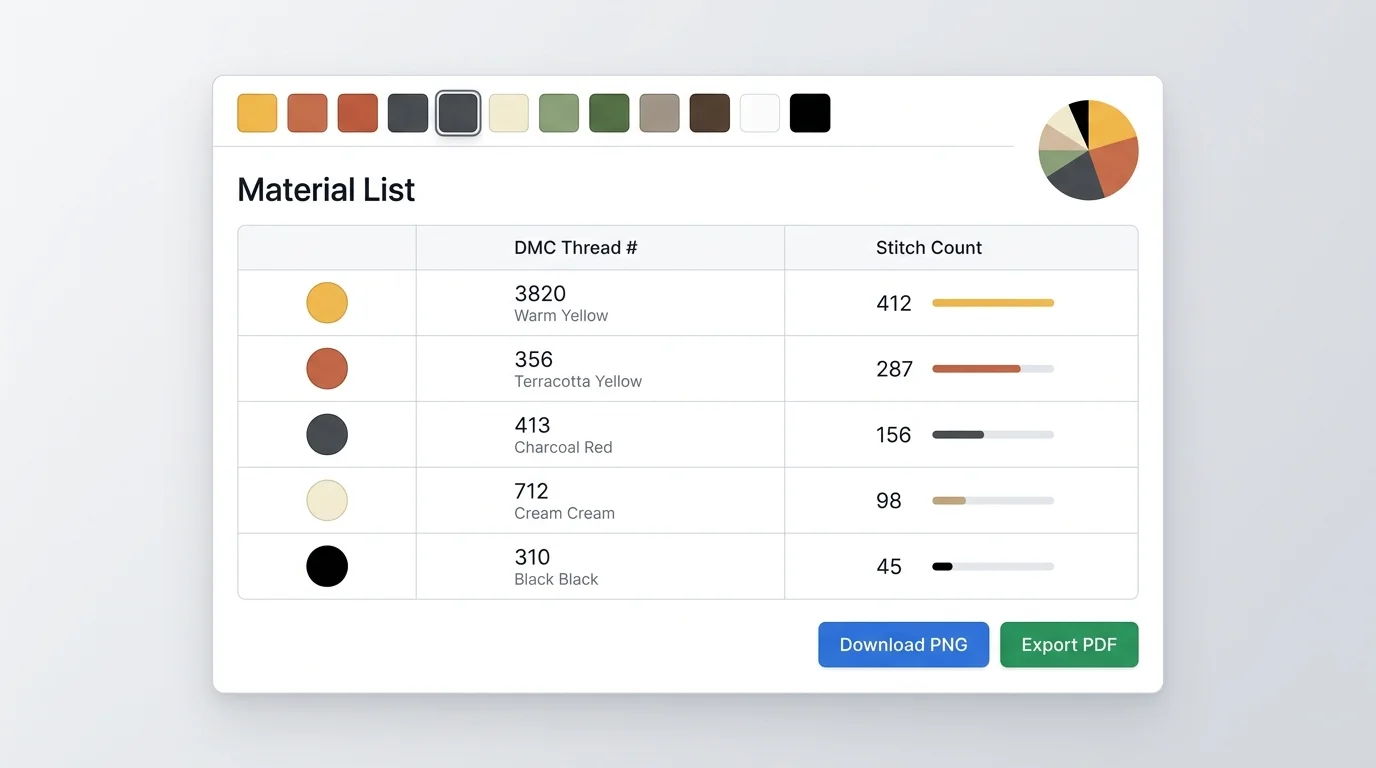
Without a precise stitch count per colour, crafters either overbuy or run out mid-project. The auto-generated material list tells you exactly which thread numbers to buy and how many stitches each colour requires, eliminating guesswork entirely.
Click to upload or drag & drop your image here
Supports JPG / PNG / GIF / WebP · up to 20 MB · never leaves your browser
Six powerful, browser-native features — zero installation, zero server, 100% private.
Click to browse or drag any JPEG/PNG/WebP directly onto the canvas. Your photo never leaves your device.
Drag an eight-handle crop frame to focus on the exact subject, then fine-tune brightness, contrast and saturation with live sliders.
Set pattern width or height from 20 to 250 grid squares. The cross stitch generator auto-scales the opposite dimension to keep proportions.
Choose DMC thread library (464 colours) or Perler bead palette (~80 colours). Median-cut quantisation finds the best match for every pixel.
Each colour gets a unique symbol (●, ✕, ■, ◆, ▲…). Toggle the symbol layer and bold 10-cell guide lines for easy stitching and printing.
All image processing runs on-device via HTML5 Canvas. No photo data is ever sent to any server, making this cross stitch generator safe for personal or family photos.
From photo to printable pattern in four simple steps.
Click the upload area or drag a JPEG, PNG, or WebP image onto the canvas. The cross stitch generator accepts any aspect ratio and up to ~20 MB.
Drag the eight-handle crop frame to isolate the key subject. Use the brightness, contrast, and saturation sliders to enhance colours before conversion.
Enter the desired grid width (e.g. 60 squares). Choose DMC or Perler palette, then drag the colour count slider to limit the palette to 8–50 colours. The cross stitch generator rebuilds the preview in real time.
Toggle grid lines and symbol overlay to your preference, then click Download PNG for a high-resolution pattern image. Click Material List to see a table of required DMC/Perler codes with stitch counts. Export everything as PDF for easy printing.
From a cherished photo to a finished hoop — the entire workflow in one free, private tool.
Upload a portrait, a pet snapshot, a favourite game character, or a scenic photo — the cross stitch generator pixelises and maps colours in real time. No artistic skill needed; just pick your grid size and watch the pattern appear.
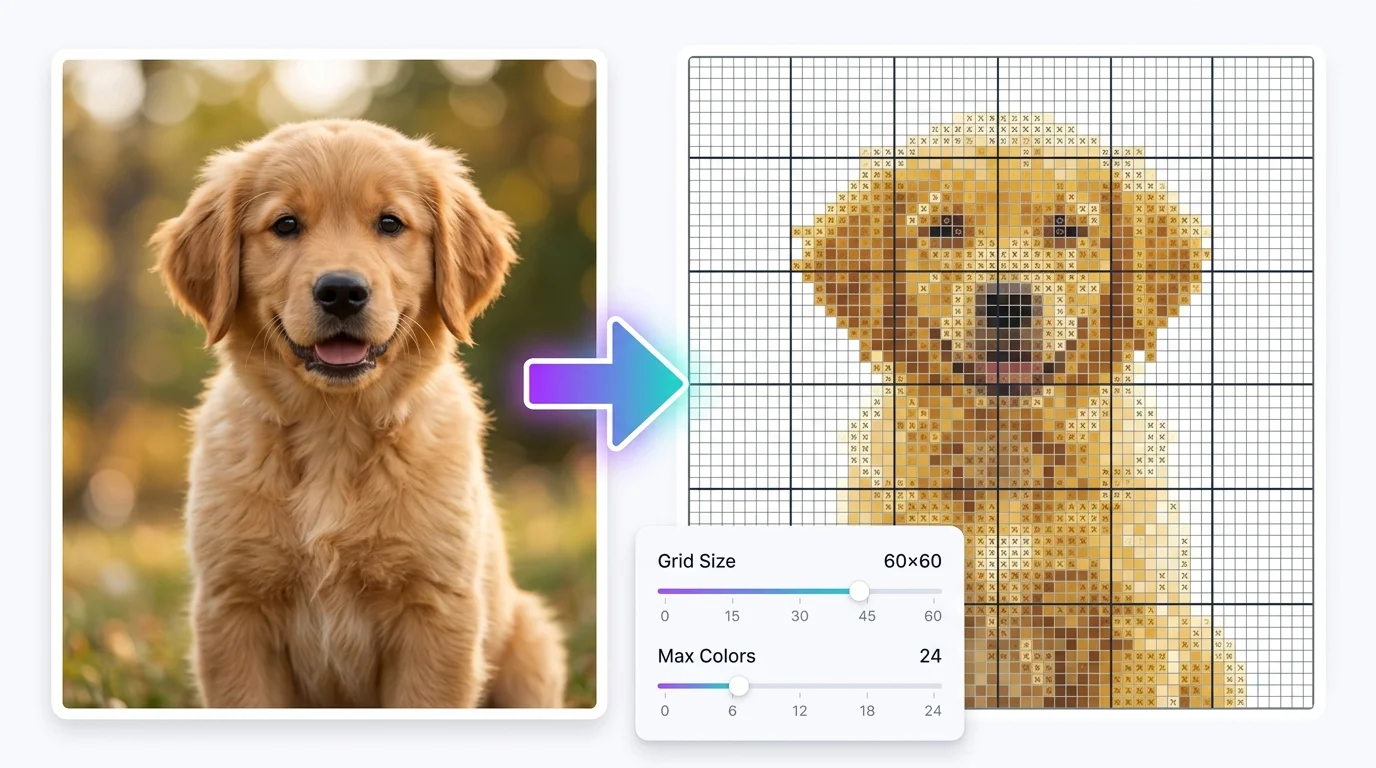
Every colour in your cross stitch pattern is automatically matched to the nearest DMC thread or Perler bead shade. The material list shows each colour code, its symbol, and the exact stitch count — so your shopping list is ready before you leave the house.
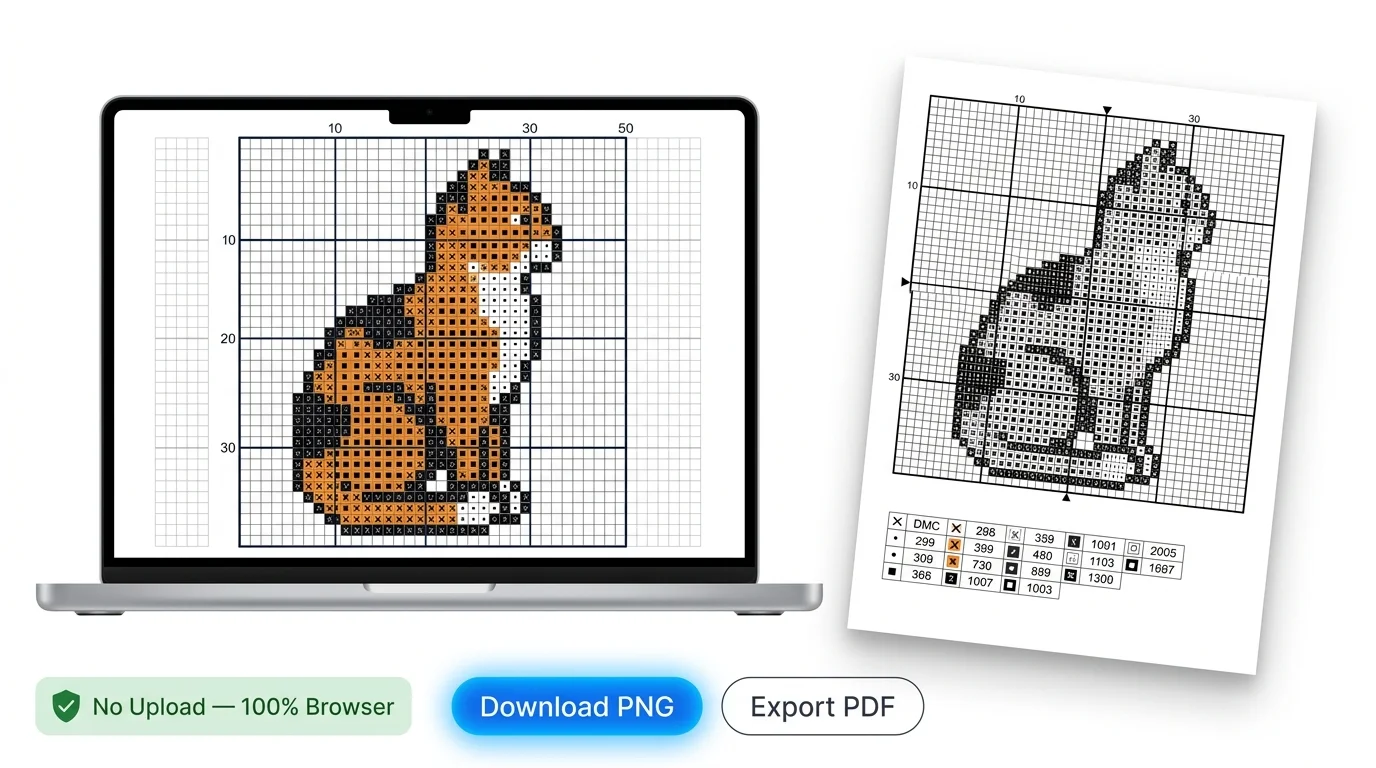
Download a crisp PNG or PDF of your cross stitch pattern — complete with bold guide lines every 10 squares and unique stitch symbols for every colour. Everything runs in your browser; your private photos are never sent anywhere.
Everything you need to know about turning a photo into a stitch-ready pattern.
Yes, completely free. No account, no subscription, and no hidden fees. The cross stitch generator runs entirely in your browser using HTML5 Canvas, so there are no server costs to pass on.
No. All image processing — pixelisation, colour quantisation, DMC colour matching, and pattern rendering — happens locally in your browser. Your photos never leave your device, making this cross stitch generator 100% private.
DMC is the world's most popular cross stitch embroidery thread brand, with 464 colour codes. Perler (also sold as Hama or Artkal) beads come in roughly 80 standard colours. Choose DMC if you're making an embroidery cross stitch pattern, or Perler/Hama if you're making a bead mosaic.
A 60×60 grid at 10 squares per centimetre produces a 6 cm × 6 cm stitch area — comfortable for most framed pieces. Larger grids (100–150) are better for detailed wall hangings. The cross stitch generator scales the preview to fill the canvas at any size.
For beginners, 10–20 colours keeps shopping and stitching manageable. Advanced stitchers can go up to 50 colours for photorealistic results. The cross stitch generator's colour slider lets you experiment instantly — fewer colours look more graphic, more colours look more painterly.
Yes. Click the PDF Export button to generate a single document containing your full-colour pattern, the black-and-white symbol overlay, and the complete material list — all formatted for standard A4 or Letter paper.
