Three real-world frustrations that a reliable LatLong Coordinate Converter eliminates instantly.
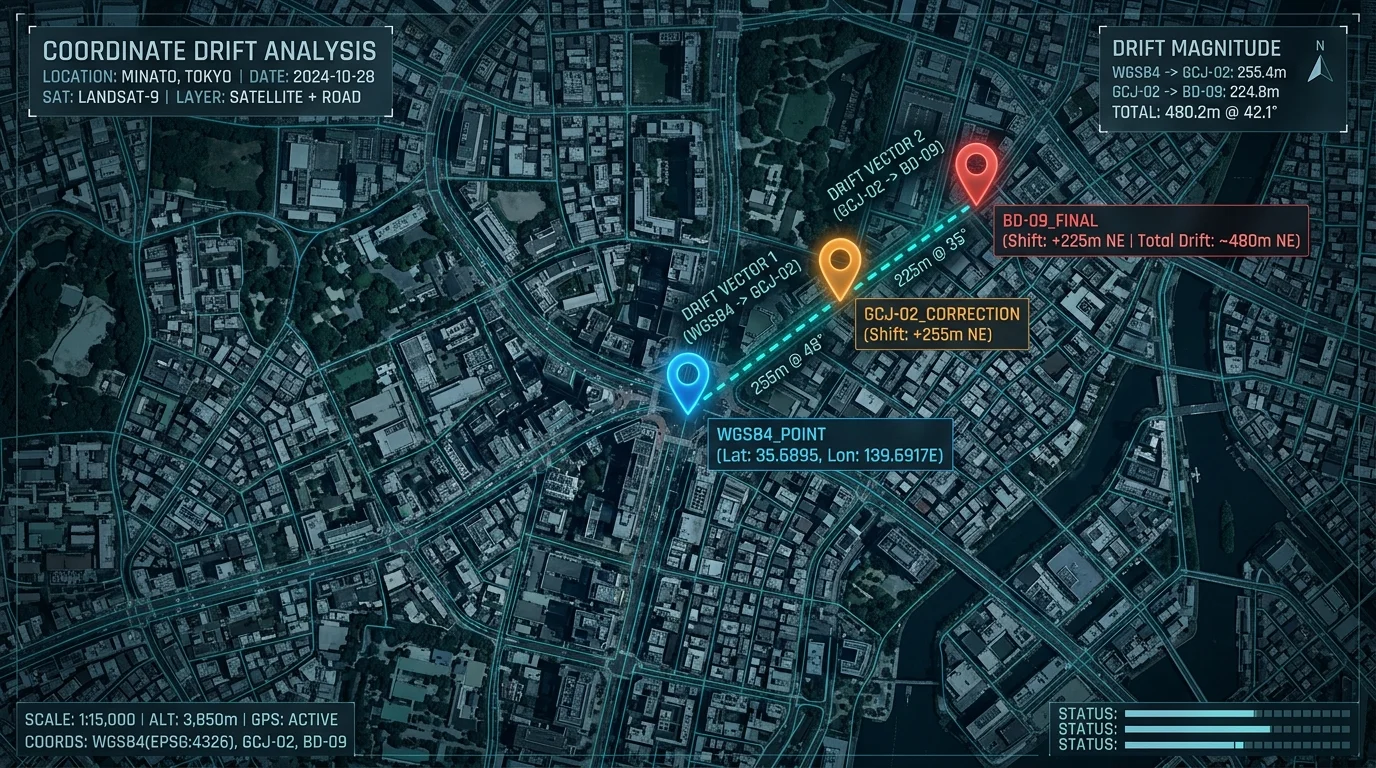
China's regulations require all domestic apps to use GCJ-02 (Mars Coordinates), not raw WGS84 GPS. Without a LatLong Coordinate Converter, every GPS pin appears hundreds of metres off on Amap, Tencent Maps, and Baidu Maps.
Drone controllers log DMS, land-survey instruments output DDM, and GIS platforms expect plain decimal degrees. A dedicated LatLong Coordinate Converter turns any format into any other in under a second — no manual arithmetic required.
Government survey data, infrastructure coordinates, and confidential site locations cannot be sent to external servers. Our LatLong Coordinate Converter runs 100% inside your browser — nothing ever leaves your device.
Smart extraction — paste any text and valid coordinates are detected automatically.
Six core capabilities — all running locally in your browser, zero backend, zero data exposure.
Format conversion (DD ↔ DDM ↔ DMS) and coordinate system shift (WGS84 ↔ GCJ-02 ↔ BD-09) update the moment you type — no submit button needed.
Paste any sentence, log line, or API response. Built-in regex strips noise and pulls out valid latitude/longitude pairs automatically, including Chinese-language geo descriptions.
Drop hundreds of coordinate pairs into the batch panel. All rows are processed in milliseconds and can be exported as a clean CSV or TXT file instantly — no server involved.
Each result — DD, DDM, DMS, WGS84, GCJ-02, BD-09 — has its own copy button. Grab exactly the format you need without retyping or reformatting.
Latitude (-90 to 90) and longitude (-180 to 180) are validated in real time. Out-of-range or non-numeric values trigger a red highlight before any calculation runs.
Zero server requests. All math — including the GCJ-02 and BD-09 offset algorithms — runs inside your browser tab. Safe for sensitive, classified, or confidential location data.
Three simple steps — paste, read, copy.
Enter a clean decimal pair like 39.9042, 116.4074, or paste any raw text — a map URL, a survey note, or a log file excerpt. The LatLong Coordinate Converter's smart parser extracts the numbers automatically.
The instant valid coordinates are detected, all outputs update simultaneously — DD, DDM, and DMS in the Format panel, plus WGS84, GCJ-02, and BD-09 in the CRS panel. No button press required.
Tap the copy icon beside any result to grab it instantly. For bulk jobs, switch to the Batch tab, paste one coordinate pair per line, choose your output format and target CRS, then export a CSV or TXT file.
From LBS developers to field surveyors to privacy-first teams.
Amap, Tencent Maps, and Baidu Maps all apply mandatory coordinate offsets. This LatLong Coordinate Converter implements the open-source WGS84 ↔ GCJ-02 ↔ BD-09 algorithm — the same logic used by official Chinese LBS SDKs — so your pins land exactly where they should.
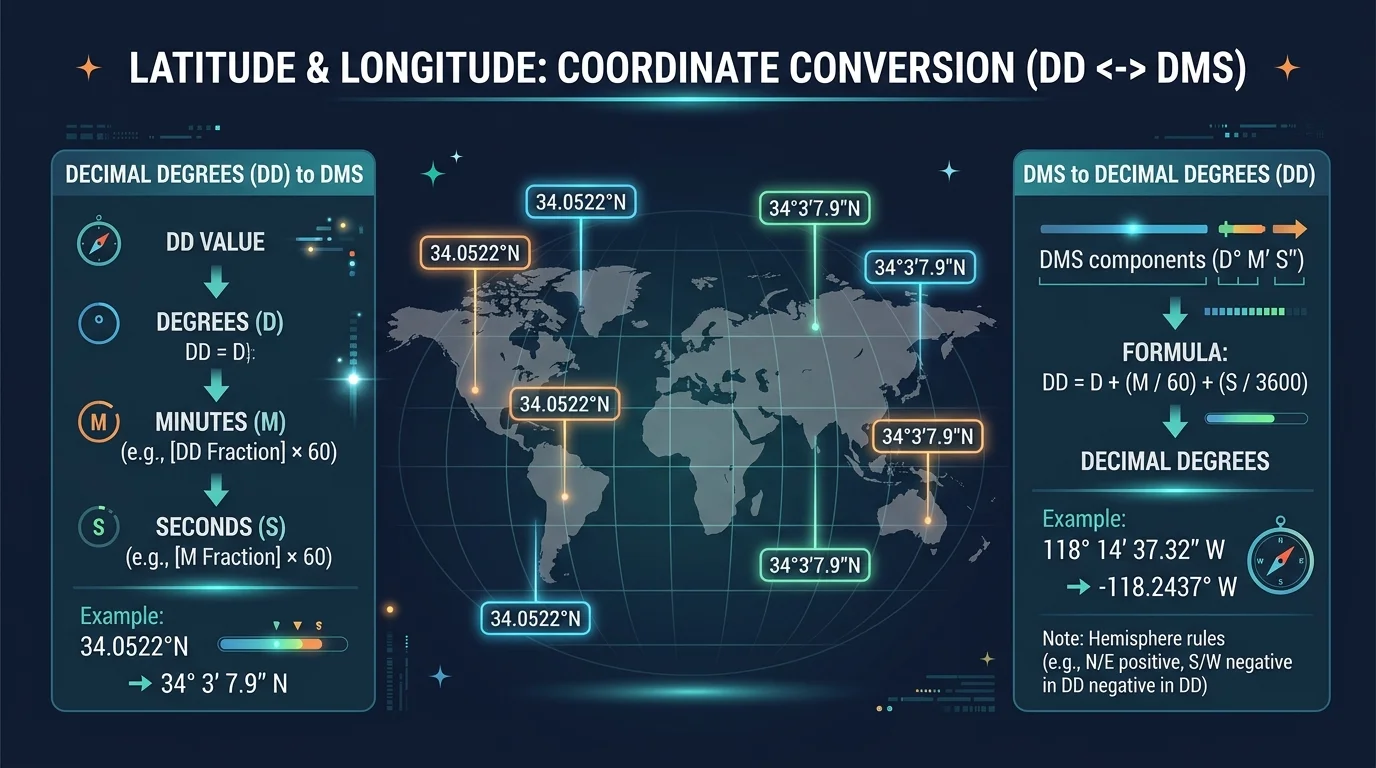
Drone flight controllers export DMS. Land-survey total stations output DDM. GIS platforms want plain decimal degrees. Drop any raw string into the LatLong Coordinate Converter and get a uniform DD dataset ready for QGIS, ArcGIS, or any web mapping API in seconds.
Government survey data, infrastructure coordinates, and military reference points cannot be uploaded to third-party servers. Because this LatLong Coordinate Converter runs entirely in your browser with zero network requests, confidential location data never leaves your machine.

Common questions about the LatLong Coordinate Converter.
A LatLong Coordinate Converter is a tool that transforms latitude/longitude data between display formats (DD, DDM, DMS) and between geodetic coordinate systems (WGS84, GCJ-02, BD-09). This converter handles both conversions simultaneously in real time, entirely inside your browser.
WGS84 is the global GPS standard used by Google Maps, OpenStreetMap, and all GPS hardware. GCJ-02 (Mars Coordinates) is a legally mandated obfuscated system required for all domestic Chinese mapping apps, including Amap and Tencent Maps. BD-09 is Baidu Maps' proprietary system that adds a further offset on top of GCJ-02. A LatLong Coordinate Converter bridging all three is essential for China-based LBS development.
DD stands for Decimal Degrees — the simplest form, e.g. 39.9042° N. DDM is Degrees Decimal Minutes, e.g. 39° 54.252' N. DMS is Degrees Minutes Seconds, e.g. 39° 54' 15.12" N. All three represent exactly the same point; only the notation differs. The LatLong Coordinate Converter instantly converts among all three.
Yes. Once the page has loaded, all features — including batch processing and CSV export — work fully offline. The LatLong Coordinate Converter makes zero network requests during conversion, so disconnecting your internet has no effect on functionality.
The converter uses the widely adopted open-source offset algorithm, which yields sub-metre accuracy for most mainland China locations. The algorithm matches what official Chinese mapping SDKs document publicly. Note that GCJ-02 is intentionally imprecise by design; the offset is deterministic, but the inverse (recovering raw WGS84 from GCJ-02) is only an approximation.
Completely. The LatLong Coordinate Converter makes zero network requests. Your coordinates are processed entirely in JavaScript inside your browser tab — nothing is transmitted to any server, stored in any database, or shared with any third party.
There is no hard limit. The LatLong Coordinate Converter processes 1,000+ rows in well under a second on a modern browser, because all computation is pure JavaScript with no I/O overhead. For very large datasets (100,000+ rows), splitting into smaller batches and exporting multiple files is recommended.
